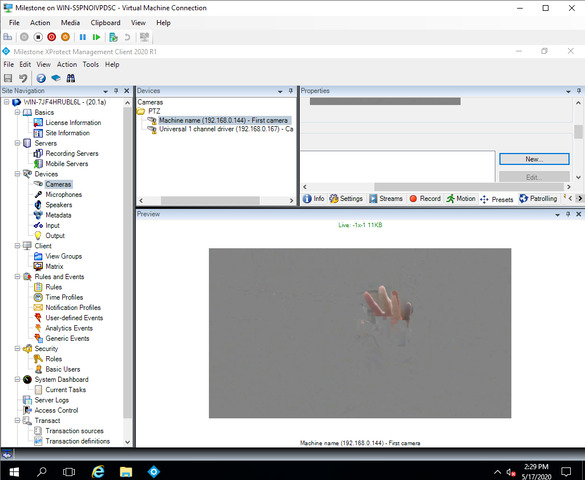
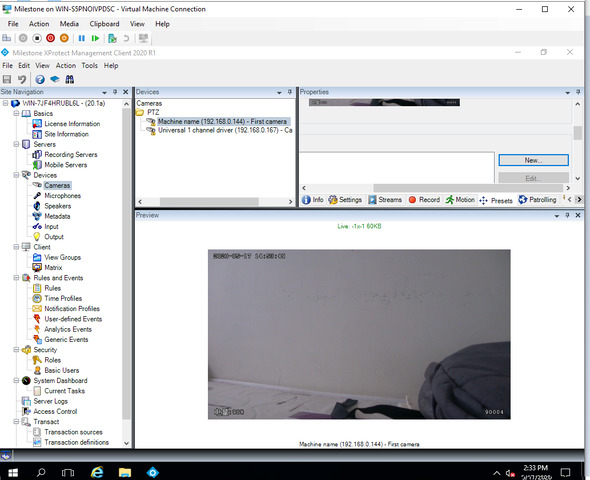
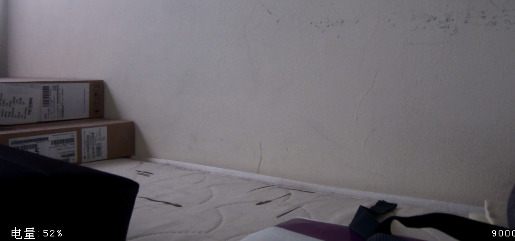
Below are my codes in my custom driver
protected override bool GetLiveFrameInternal(TimeSpan timeout, out BaseDataHeader header, out byte\[\] data)

{

  header = null;

  data = \_demoConnectionManager.GetLiveFrame(Channel, false);

  if (data.Length == 0)

  {

    return false;

  }

  byte\[\] identityBytes = new byte\[4\];

  byte\[\] videoMessageBytes = new byte\[data.Length - identityBytes.Length\];

  identityBytes = GetIdentityBytes(data);

  videoMessageBytes = GetMessageBytes(data);

  int keyFrame = BitConverter.ToInt32(identityBytes, 0);

  data = videoMessageBytes;

  DateTime dt = DateTime.UtcNow;

  header = new VideoHeader()

  {

    CodecType = VideoCodecType.H264,

    Length = (ulong)videoMessageBytes.Length,

    SequenceNumber = \_sequence++,

    SyncFrame = Convert.ToBoolean(keyFrame),

    TimestampSync = dt,

    TimestampFrame = dt

  };

  return true;

}
How do we handle the non keyframes on the cutom driver? Thank you.
TimestampSync should point to the timestamp of the key frame of the current GOP - not to the timestamp of the current frame.
Hi Peter. Good day.
I also tried your suggestion. However same result. Below are my testing.
Test 1:
private DateTime \_keyDate = DateTime.UtcNow;

protected override bool GetLiveFrameInternal(TimeSpan timeout, out BaseDataHeader header, out byte\[\] data)

{

  header = null;

  data = \_demoConnectionManager.GetLiveFrame(Channel, false, 90004);

  if (data.Length == 0)

  {

    return false;

  }

  byte\[\] identityBytes = new byte\[4\];

  byte\[\] messageBytes = new byte\[data.Length - identityBytes.Length\];

  identityBytes = GetIdentityBytes(data);

  messageBytes = GetMessageBytes(data);

  int keyFrame = BitConverter.ToInt32(identityBytes, 0);

  data = messageBytes;

  DateTime dt = DateTime.UtcNow;

  if (Convert.ToBoolean(keyFrame))

    **\_keyDate** \= dt;

  header = new VideoHeader()

  {

    CodecType = VideoCodecType.H264,

    Length = (ulong)data.Length,

    SequenceNumber = \_sequence++,

    SyncFrame = **Convert.ToBoolean(keyFrame)**,

    TimestampSync = **\_keyDate**,

    TimestampFrame = dt,

  };

  return true;

}
Key frames are OK but when non key frames are displayed. Gray image are shown
Test 2:
private DateTime \_keyDate = DateTime.UtcNow;

protected override bool GetLiveFrameInternal(TimeSpan timeout, out BaseDataHeader header, out byte\[\] data)

{

  header = null;

  data = \_demoConnectionManager.GetLiveFrame(Channel, false, 90004);

  if (data.Length == 0)

  {

    return false;

  }

  byte\[\] identityBytes = new byte\[4\];

  byte\[\] messageBytes = new byte\[data.Length - identityBytes.Length\];

  identityBytes = GetIdentityBytes(data);

  messageBytes = GetMessageBytes(data);

  int keyFrame = BitConverter.ToInt32(identityBytes, 0);

  data = messageBytes;

  DateTime dt = DateTime.UtcNow;

  if (Convert.ToBoolean(keyFrame))

    **\_keyDate** \= dt;

  header = new VideoHeader()

  {

    CodecType = VideoCodecType.H264,

    Length = (ulong)data.Length,

    SequenceNumber = \_sequence++,

    SyncFrame = **true**,

    TimestampSync = **\_keyDate** ,

    TimestampFrame = dt,

  };

  return true;

}
Only key frame are shown. The video is moving every 2 seconds.
Kindly advise. Thank you.
Hi Charles,
Test 2 would not work as you say every frame is a keyframe (SyncFrame=true), but Test 1 looks correct, so I suspect something could be wrong with your P-frames. Try have a look at the log files and if that does not help maybe add some logging to see what data is actually passed on to the system?
HI Peter,
Good day. I did some internal testing of the bytes I received from the camera.
I can view the key frames and non key frames properly. Do I need to do some config settings in Milestone app to view properly the frames?
No configuration should be necessary to view all frames. So my guess is still that there is something with the frames that the server does not like. Could you please check the various recording server log files and see whether anything related to this is logged?
Also, how did you check the frames? Do you have a tool that plays back the raw frames or?
Hi Peter. Good day. I found out the issue. The issue is in my server app receiver. When this server pass the the bytes to the custom driver it is wrong already. Thank you very much for your support. God bless