Hello, greetings, I have milestone installed on a server, I also have another PC on the same network, from the second PC I would need to log in through a basic user using C#, where can I have an example of this? What other things would I need apart from the code itself? Maybe indicate in some way that it is on the client PC that the server PC exists with the milestone installed? Thank you so much
Most samples do a login. Most samples do it using a login dialog, but other samples use a login in code.
Sample using login dialog:
Example of coded login:
All samples have the code here.. https://github.com/milestonesys
Greetings, I’m seeing that having everything locally I try to log in through the example of the cameras, but it won’t let me and it says that the server was not found, while if I log in from the management screen there won’t be a problem
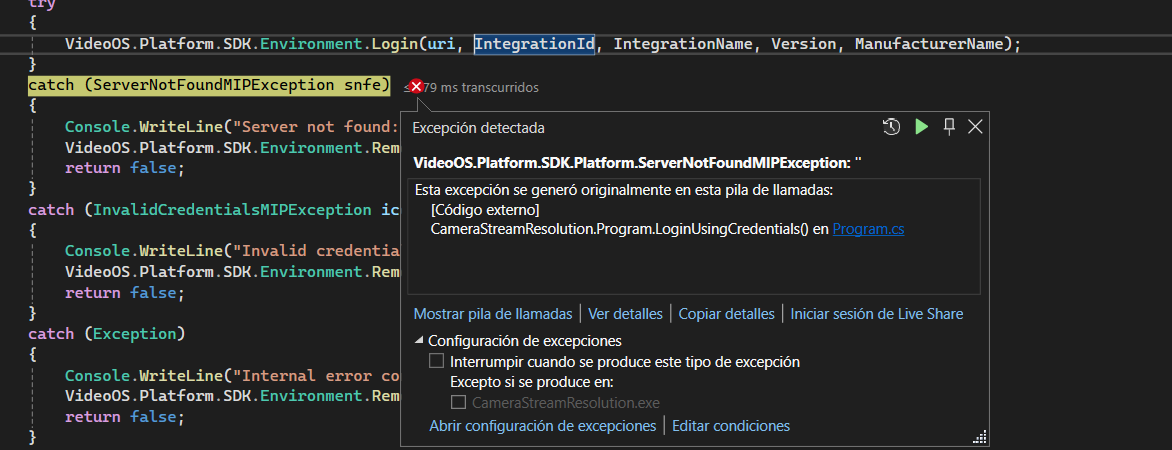
I would have to log in that way since I cannot be displaying a dialog in this application
So I am curious, does the sample using the login dialog work for you?
My guess is that you haven’t noticed this..
static bool _secureOnly = true; // change to false to connect to servers older than 2021 R1 or servers not running HTTPS on the Identity/Management Server communication
Try with false
Great, now I would have to determine how I can connect to the milestone server that is on the same network as me, since I entered its address but there is no way, am I missing some setting? Is it possible to check the accessible address?
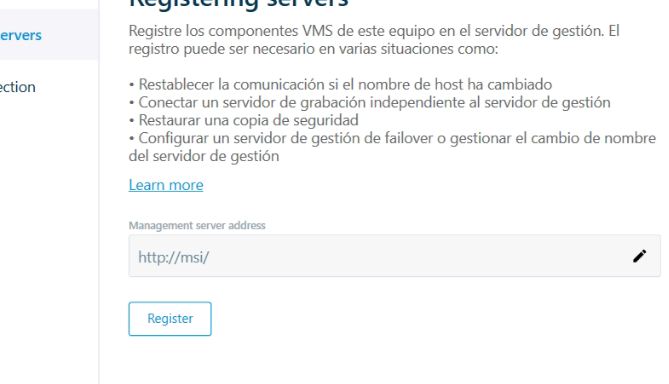
I think you have a general issue with network connectivity in your network. I don’t think you would be able to connect even using the Smart Client. The moment you have connectivity with Smart Client but not with MIP SDK you can ask again in the developer forum, but on the general issue please ask again in the support community, you should get better help from the partners using the support community.