LPR Event with Custom fields

I have a EventServer Plugin subscribed to get new Events to be able to get the LPR Events.

EnvironmentManager.Instance.RegisterReceiver(NewEventHandler, new MessageIdFilter(MessageId.Server.NewEventIndication));

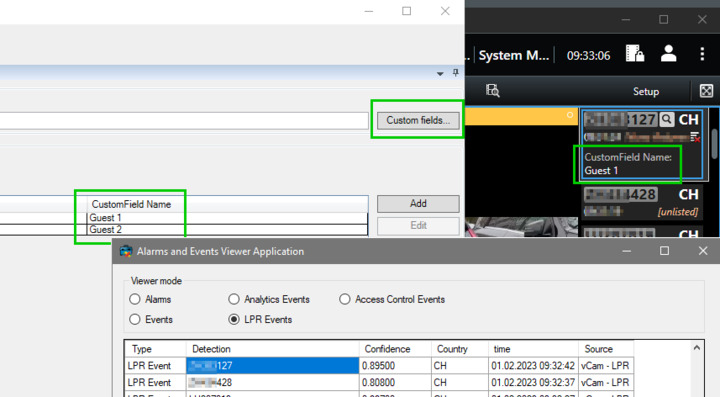
What i am missing is the “Custom fields” from the Match list. The Client shows them, but i dont see them in the message.Data

Do i have to subscribe to a different Event to get that?

The Alarm and Event Viewer samples shows how to do this. https://doc.developer.milestonesys.com/html/index.html?base=samples/componentsamples/alarmeventviewer/readme.html&tree=tree_2.html

Please try the sample, if it works for you, please use the code from the sample as inspiration. If the sample does not work for you, please explain in more detail.

Thanks for your reply! But i dont see the custom Fields in the Sample. Could you explain a bit more?

Here a Screenshot:

Uper left: Management Client

Uper right: SmartClient

Lower right: Alarm & Event Sample

It is not appeared automatically, you will need to utilize and display this field in your plugin. Please check the sample code, there is a method called loadClientLPR () line 166 around in MainForm.cs. in the method, you will see each event’s detail in foreach loop and that has the custom field. That is what you need to use and show in your plugin.

Sorry to bother you again, but i guess im blind…

I see the last 10 LPR Events that it is fetching, with the Plates and everything, but i dont see the the Custom fields…

Even if i use the Search in Visual Studio when the debuger is halted at the end of the foreach loop. I cant find any custom field.

Can you point me to the variable that should contain the custom fields?

@Rie Kiuchi (Milestone Systems)​ Did you have Time to look in to it?

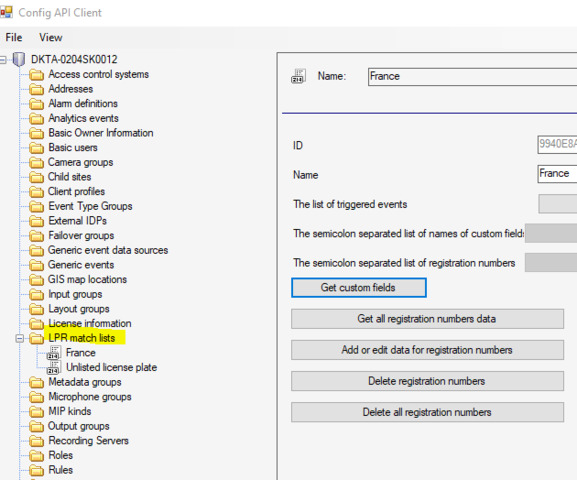
I am very sorry, we realized that this is a bit complicated, and we tested the sample and found that we could not see the custom filed in that sample. Our previous post was wrong. Instead of the sample, the custom field can be seen in ConfigAPI Client sample, please see link - https://doc.developer.milestonesys.com/html/index.html?base=samples/componentsamples/configapiclient/readme.html&tree=tree_2.html.

Please see following instructions.

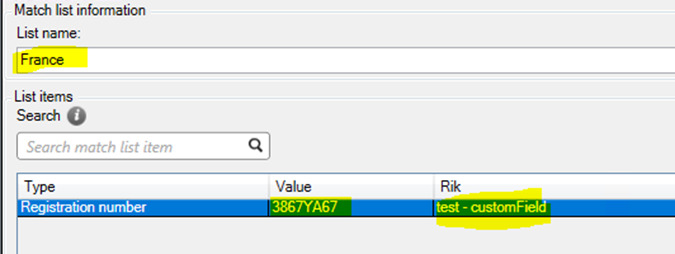
Set up a custom field on Management Client.

Run the ConfigAPI Client sample.

Select LPR match list (we used “France” list in our test.)

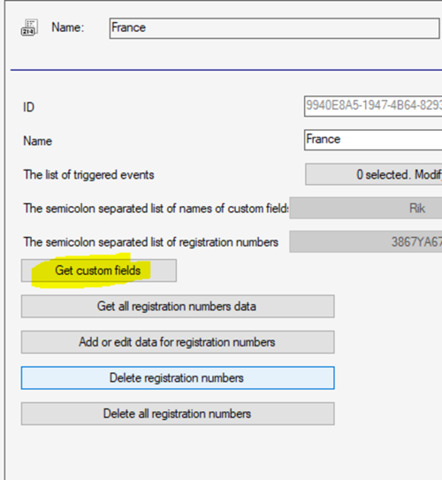
Click “Get custom fields”.

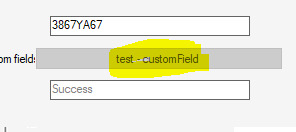
Input registration number and click Get custom Fields. Then, you will get the custom Field.

Hi @Rie Kiuchi (Milestone Systems)​

I have already tested with this example, but it is quite complex.

Would be very grateful for a little more help.

After a lot of testing, I can’t get any further.

How can I use this?

https://doc.developer.milestonesys.com/html/MIPhelp/class_video_o_s_1_1_platform_1_1_configuration_items_1_1_method_id_get_custom_fields_for_registration_number_result.html

This sounds very much like what I need, but I don’t understand how to call this…

MethodIdGetCustomFieldsForRegistrationNumberResult

While the Config API Client sample is brilliant in showing if things can be done, and in giving some guidance to the structure etc. we would recommend using the strongly typed classes, ConfigurationItems class, and with the link you were on the right route.

I made an experiment and made some code that will show you how to use the class.

void GetLPRCustom(string matchListName, string registrationNumber)
{
	ManagementServer managementServer = new ManagementServer(Configuration.Instance.ServerFQID);
	LprMatchList myList = managementServer.LprMatchListFolder.LprMatchLists.FirstOrDefault(x => x.Name.Equals(matchListName));
	ServerTask getCustomTask = myList.MethodIdGetCustomFieldsForRegistrationNumber(registrationNumber);
	string test = getCustomTask.GetProperty("CustomFields");
	label1.Text = "Customfield for " + registrationNumber + " is " + test + Environment.NewLine;
}

I guess this directly answers your question. Along the way I had another method that I would like to share also..

void GetLPRCustom(string matchListName)
{
	ManagementServer managementServer = new ManagementServer(Configuration.Instance.ServerFQID);
	LprMatchList myList = managementServer.LprMatchListFolder.LprMatchLists.FirstOrDefault(x => x.Name.Equals(matchListName));
	MethodIdGetRegistrationNumbersInfoResult result = myList.MethodIdGetRegistrationNumbersInfoWithResult();
	foreach (var info in result.RegistrationNumbersWithCustomFields)
	{
		foreach (var infoField in info)
		{
			label1.Text += infoField + " ";
		}
		label1.Text += Environment.NewLine;
	}
}

Note that this code will crash if there is no LPR on the server, please make sure you implement error handling..
Works perfectly! Thank you very much!! :clap:t3: