Hi, we are working on the LPR project. we were having an issue with the database that it’s getting filled and we can’t even log in to the clients like Management Client and Smart Client. The problem was the Express edition had a maximum space for the database of 10GB, so we bought the Standard edition. we upgraded the edition successfully and have set a new partition for the database and gave it around 20 TB on the Husky server. but the issue when I changed the location of the database all milestone servers stopped working: the Management Server, Mobile Server, and recording server. when I check the connection string in the Registry Editor :
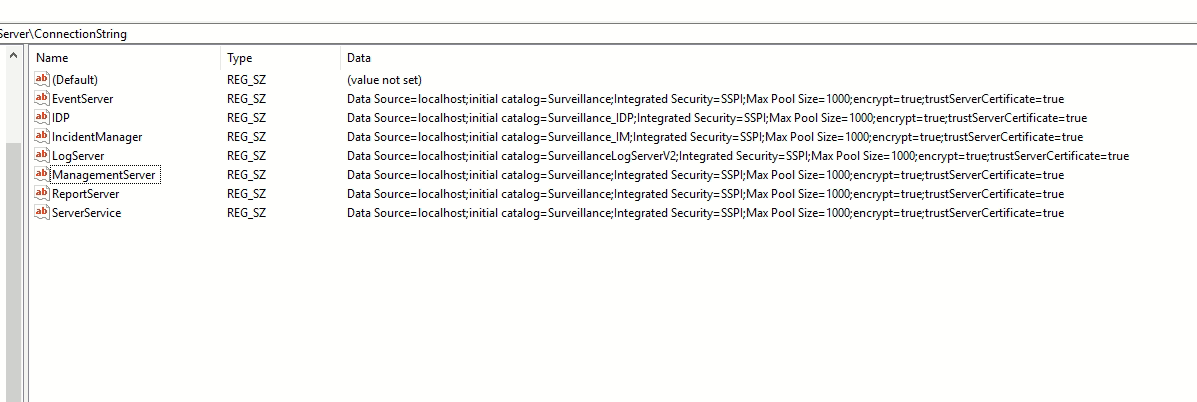
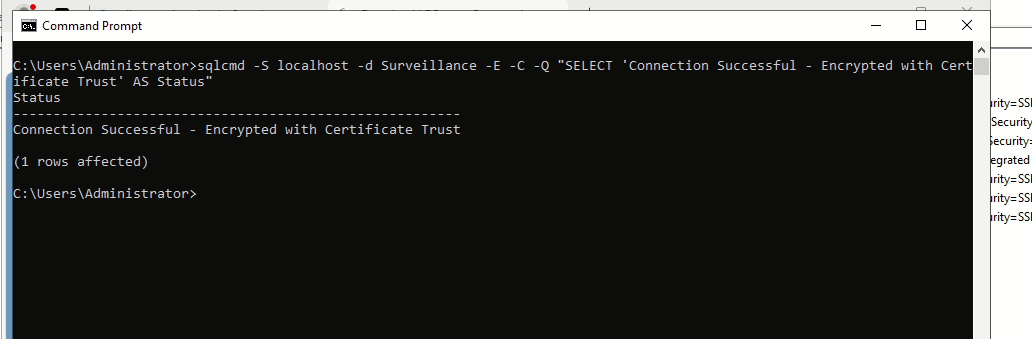
and test the same connection on the cmd to work fine:
and here are the logs of the Milestone Management Server:
2024-11-12 23:55:07.918+03:00 [ 16] ERROR - A network-related or instance-specific error occurred while establishing a connection to SQL Server. The server was not found or was not accessible. Verify that the instance name is correct and that SQL Server is configured to allow remote connections. (provider: Named Pipes Provider, error: 40 - Could not open a connection to SQL Server) error code 2 class 20