Our plugin is making a snapshot of a spectrogram (overlay) from the camera stream and this image should be shown in the alarm registration, last column on the right per alarm. The images should be shown in the most right column next to ‘new’ status in attached screenshot.This image default location is set up to be ‘programdata/sound intelligence/ folder on the system drive, normally [C:\.](file:C:/.)
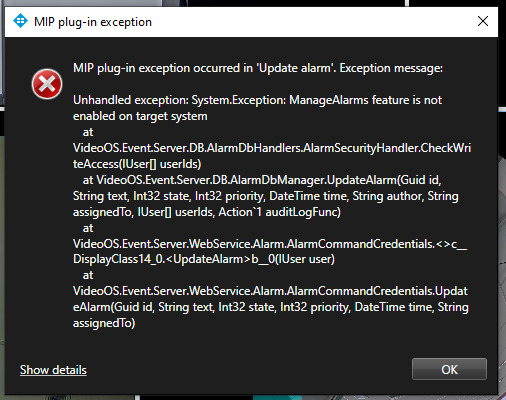
At the moment this screenshot is not shown in the column. Upon closing an alarm event from the contact menu (righ click, close) an error pops.
Question. Could there be an issue with credentials the Smart client not being able to access that file location. See error screenshot attached.
alarm
 error
error