Xprotect Management client: Professional 2021 R1
Setup : Host machine and device connected via local ethernet.
We are discovering the ONVIF and Milestone compatible device Dahua( IPC- HDBW2231RN-ZAS-S2 as per the attach pdf.
we need the request packets frame from Management client to device during adding a device in the recording server. ( Between step 5 and step 7 in the Attached document )
Please provide the packets request and response between client and device.
I do not understand the question and the context of it.
Are you developing an Onvif device?
When you look at the communication between the device you developed and the recording server is there any surprises? Please elaborate on this if it is so.
-
Do you own a Dahua device but are not developing anything and are seeing unexpected behavior? If yes, how is it unexpected?
Thanks Bo Ellegård Andersen for the response.
Let me try again. Ignore the previous comments.
****************
We are developing the onvif stack with Profile S and G API Support for our device( Qualcomm Platform based on Linux ).
We have already developed a base onvif stack . Our device onvif stack is compatible with opensource ONVIF device manager tool.
Our end goal is to make our device compatible with milestone VMS for profile S & G over VPN connection.
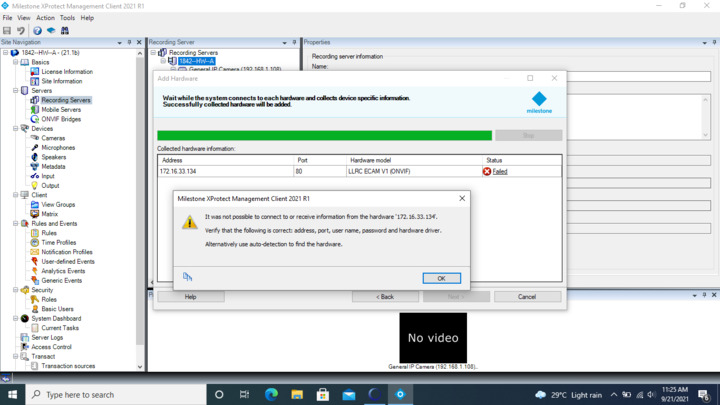
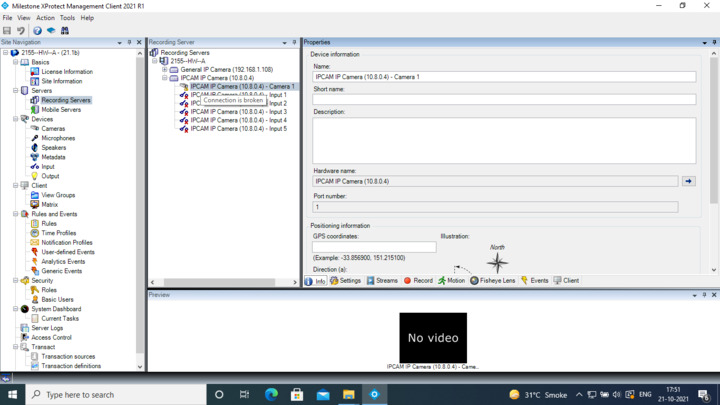
At the initial stage, we need the list of prerequisites to onboard our ONVIF device in the management client. Also we are trying to add our device in recording server. But it got failed in between as per attached image.
****************
Please guide us on this or direct us to proper documentation using which we can speed up this activity.
Here are the requests done when adding an ONVIF Device to XProtect:
GetServices*
GetUsers
GetNetworkInterfaces*
GetDeviceInformation*
GetMetadataConfigurationOptions
GetMetadataConfigurations
GetProfiles*
GetVideoSources*
GetVideoSourceConfigurations*
GetVideoEncoderInstances
GetVideoEncoderConfigurationOptions*
GetAudioSources
GetAudioEncoderConfigurationOptions
GetNetworkProtocols*
GetRelayOutputs
GetAudioEncoderConfigurations
GetOSDOptions
GetOSDs
GetOptions*
GetImagingSettings
GetRelayOutputOptions
GetStreamUri*
Requests are made based on the capabilities of the device and not all are mandatory. The requests that are mandatory are marked with *.
If you send us a Wireshark capture of the communication between the device and XProtect Recording Server when adding the device to XProtect, we can help pinpoint the reason for failure.
Thanks for the response.
We have implemented Onvif base S API along with mandatory Milestone ONVIF API Request. We are facing challenges during add hardware device in the Management client.
We have attached our steps performed in the milestone management client along with Wireshark capture packets. (Attached as a zip file )
any document of mandatory steps during adding onvif device in milestone management client. ? Please provide if any. That can help us.
After pre-configuration, the device must take care of another request Like onvif authorization(HTTP digest, md5) with the use of configured credentials in each response ?. Please provide information about onvif authorization in milestone.
There are some problems with the responses from your device:
- You must return the capabilities of the services in GetServicesResponse when a GetServices request is sent with IncludeCapability=true.
- The GetUsers request must not be allowed for unauthorized clients, unless the device is in FactoryDefault setting as per Profile Q. That is why you are seeing the pre-configuration step. XProtect thinks that your device is in FactoryDefault state with no configured users/passwords, and a password must be set (this is a Profile Q feature in XProtect).
Thanks for the response. As a capabilities in GetServices request is an optional parameter. So Our onvif stack doesn’t have full support on optional parameters. Can milestone have onvif stack or hardware driver for device in which we can integrate that stack into the device and check with milestone management client.?
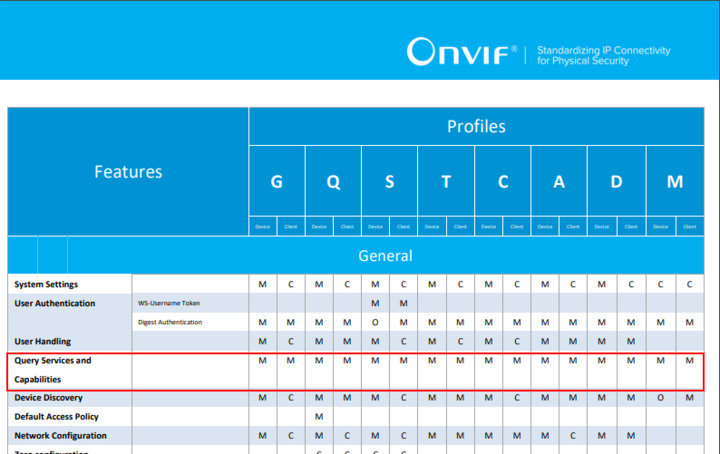
Getting capabilities of the device and services is mandatory for all ONVIF Profiles.
You need either to return capabilities in GetServices or in GetServiceCapabilities.
When the capabilities are missing from GetServicesResponse, XProtect calls GetServiceCapabilities. You device returns empty in both responses.
Thanks we have added the device successfully in the management client by Implementing GetServiceCapabilities API.
But We are facing challenges in live RTSP Streaming.
Setup : Our board and windows host machine ( Management client installed in windows 10 pro ) connected via OpenVPN interface. ( As attached image )
Windows Host machine IP : 10.8.0.3
Hardware device IP : 10.8.0.4
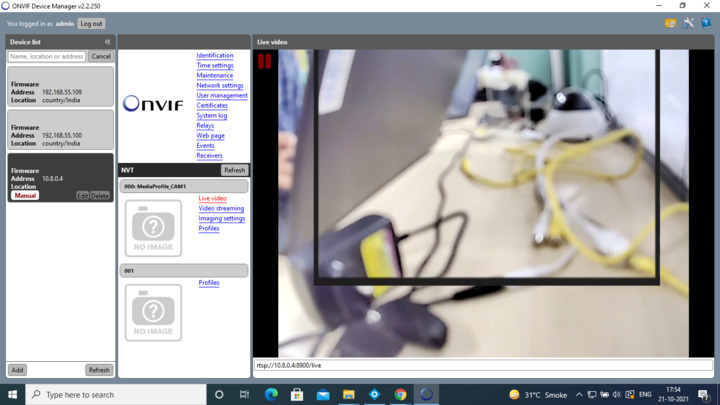
we are running our RTSP server running on port 8900. We are getting the Live stream on onvif device manager ( as attached ) but we are unable to get RTSP live stream in milestone smart client tool and milestone management client.
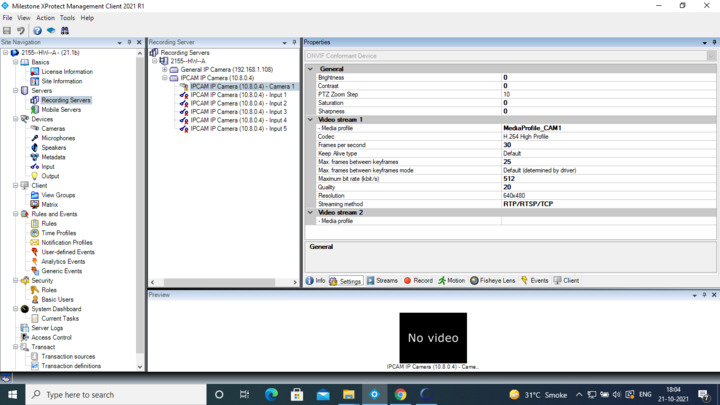
I see in device-side, device receive trt:GetStreamUri request from the client in every 10-20 sec. device also send the response too. After adding the device, i see the connection broken in the management client ( As attached) . Could you provide more information how we get the RTSP live stream on client and smart client too. ?
Can you provide a Wireshark trace of adding the device and streaming. Use a capture filter of “host 10.8.0.4”
Yes. As we have VPN Interface between device and milestone client (Windows host ) i have captured the packets with the use of tcpdump in our hardware device.( As attached)
Windows Host machine IP : 10.8.0.3
Hardware device IP : 10.8.0.4
Our Onvif server runs on port 8080 and RTSP live stream on 8900.
you can filter by
(ip.src == 10.8.0.3 && ip.dst == 10.8.0.4) || (ip.src == 10.8.0.4 && ip.dst == 10.8.0.3) or
(ip.src == 10.8.0.3 && ip.dst == 10.8.0.4) || (ip.src == 10.8.0.4 && ip.dst == 10.8.0.3) && http => To see only request & response
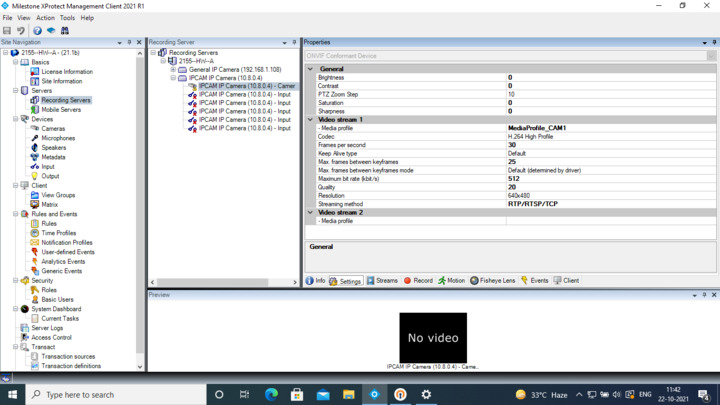
Configuration in the management client :