Hello everyone,
we are experiencing an issue with WebRTC streaming via the API Gateway.
We tested WebRTC_JavaScript sample application, however the video stream does not connect. Authentication and API calls are successful, but the WebRTC media stream is not established.
Current setup:
In our configuration, XProtect VMS and API Gateway are installed on the same machine, and the cameras are correctly accessible, as video streaming works as expected within XProtect.
As part of the troubleshooting process, we opened CORS according to the documentation, opened the required UDP ports on the firewall, and verified the server-side configuration.
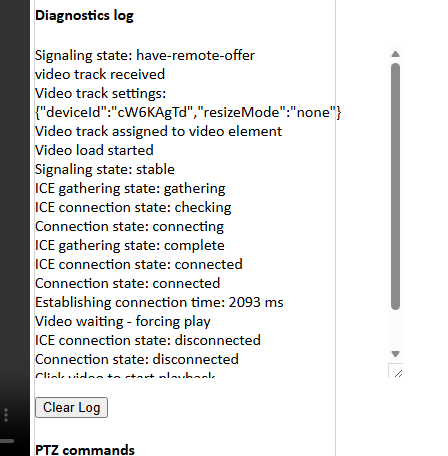
I am attaching a screenshot of the sample log, which I hope will help you understand the problem.
What do you think we’re doing wrong?
Please let us know if further information or tests are needed and thank you.
Best regards,
Nicolò
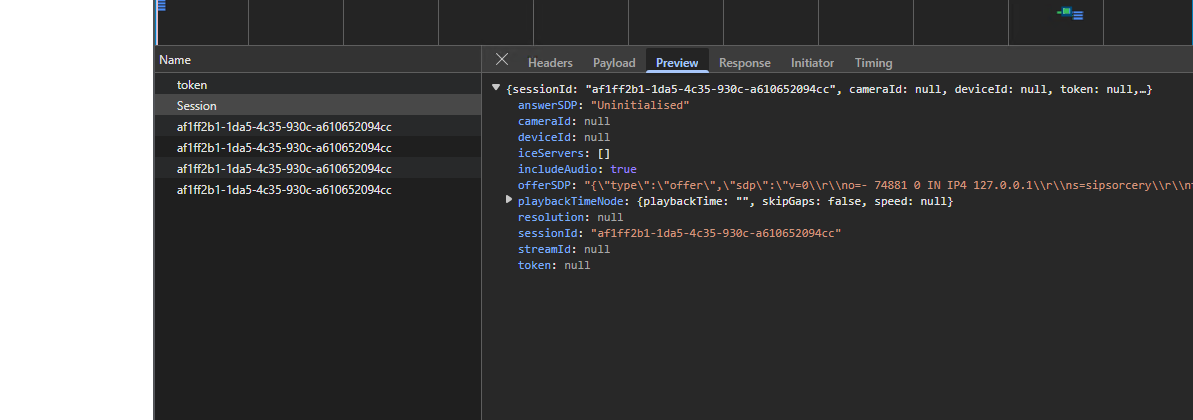
Another screenshot with null responses in the session:
I have a hunch that the deviceId is not correct. Double-check if you have a GUID that you obtained as described here: “Get a DeviceID”.
I am assuming you are using the latest version of the sample, correct me if wrong. If the VMS is older than 2025R2 there was a change and what used to be cameraId was changed to deviceId. If using an older XProtect please try with an older version of the sample, you can find it here.
Thank you for your reply.
We are using the latest version of both the sample and VMS.
To obtain the device ID, we followed the procedure described in the README file of the sample. Furthermore, if we try to enter an “incorrect” device ID, it returns a message saying that it cannot find the device.
The camera, does it stream H264? One possible explanation is if it is setup to use a different codec.
If that is not it, please share a copy of the API Gateway log for us to see. “C:\ProgramData\Milestone\XProtect API Gateway\Logs\gateway.log”
Hello, thank you.
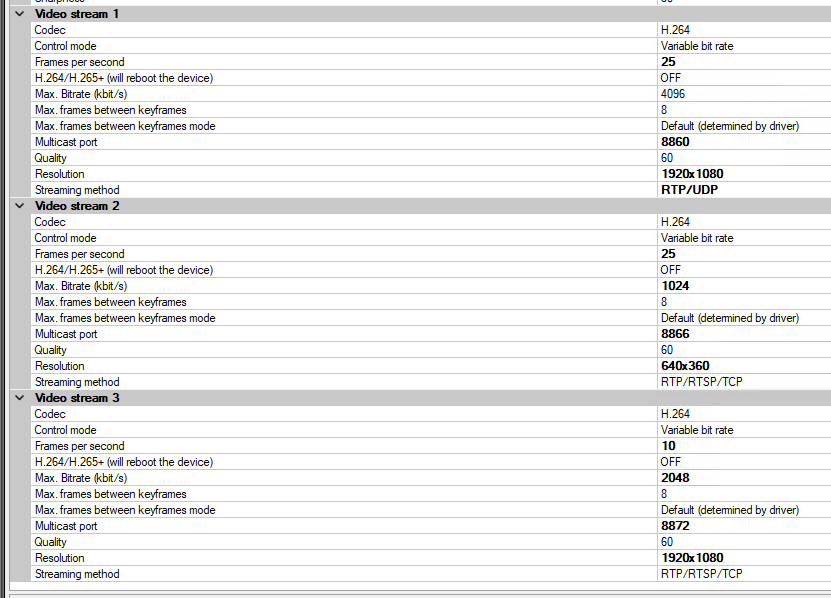
I am attaching a screenshot of the camera settings (the format is H264, but there may be some other errors). The logs are not in the folder indicated. Perhaps I need to enable them?
I found the issue. The camera had an active privacy mask on it. Removing it, the webrtc connection works properly.
However, I’ll need to use a privacy mask on my cameras. Is there a way to use the webrtc connection in this scenario?
No, there is currently no support, you can currently not use cameras which have a privacy mask in WebRTC.
I will make an request to Milestone Product Management on your behalf. I have a suspicion they might have considered this functionality for future enhancement development work, and then the request might help them in the prioritization.
Hello,
Thank you, it would be very very important for us to be able to use WebRTC with privacy mask. In the meantime, what workaround would you suggest to address this issue?
There is currently no workaround for the WebRTC.
Using the the MIP SDK it is possible to lift “Liftable” privacy masks, how to do this can be seen in the Video Viewer sample.