Hi,
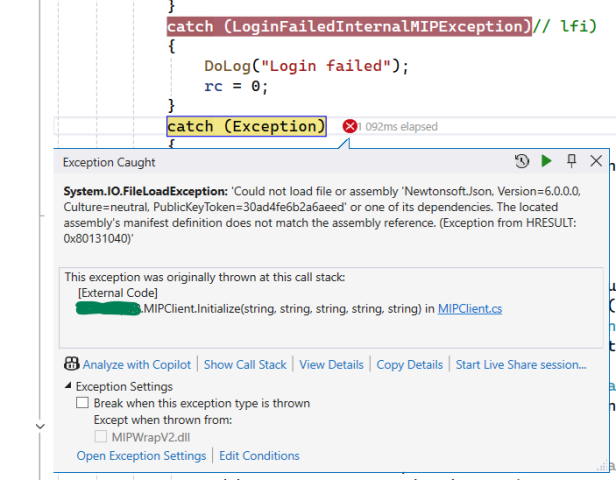
I am encountering a runtime exception after updating to the latest version of VideoOS.Platform.SDK (25.2.3). The App.config file contains the lines mentioned above, but I am still receiving the following error. How do I fix this exception?
Additionally, after the update, I noticed that the project now includes many more packages compared to the previous setup. Could you please advise on how to determine which packages are required for the project?
Additionally, after the update, I noticed that the project now includes many more packages compared to the previous setup. Could you please advise on how to determine which packages are required for the project?
Thanks in Advance!
The assembly redirect should fix the issue you are seeing. Could you verify that the assembly redirect is actually added in the executing assembly?
About the additional files. We don’t know which version of the SDK you are upgrading from, but new features are being added and these require additional packages. All packages referenced in the our Nuget package are required to use the MIP SDK.
Hi,
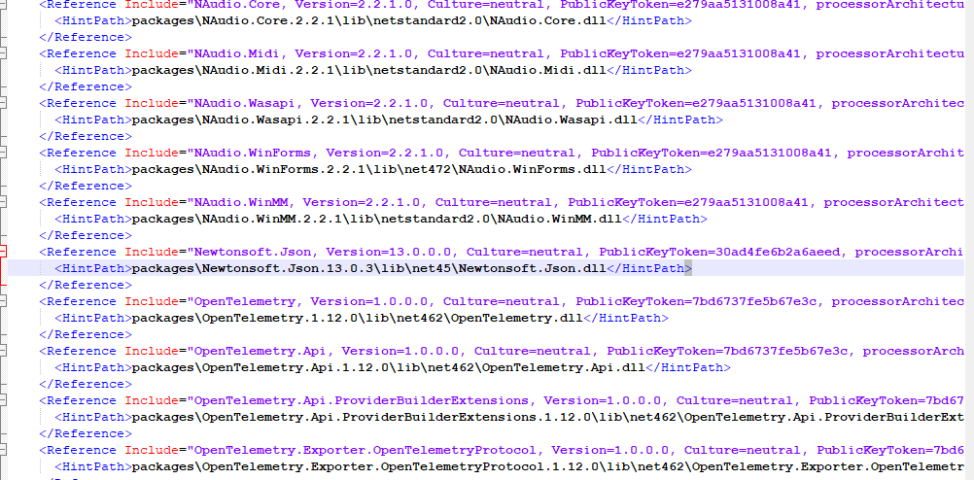
Thank you for your response. Now, I am using Milestonsystems.VideoOS.Platform.SDK version 25.3.1. Both the .cproj file and the app configuration file are set to version 13 for Newtonsoft.json package. However, the system is attempting to use version 6, resulting in a runtime exception occurring after the following line:
VideoOS.Platform.SDK.Environment.Login(uri, integrationId, integrationName, version, manufacturerName, false);
Could you please advise on how to resolve this version mismatch?
Please check the following images.
Image is not available
Image is not available
Image is not available
I cannot see the images, I suspect something went wrong when you posted the images. Can you please retry?
We can easily reproduce by removing the re-direct, and fix again by reintroducing it. I hope you verified you have it in the executing assembly (not somewhere else).
You could try to enable “Autogenerate binding redirects.”
Hi,
It has already been enabled. Yes, I have tried that, but I’m still getting the same error.
We never received an answer for this question:
Could you verify that the assembly redirect is actually added in the executing assembly?
Hi,
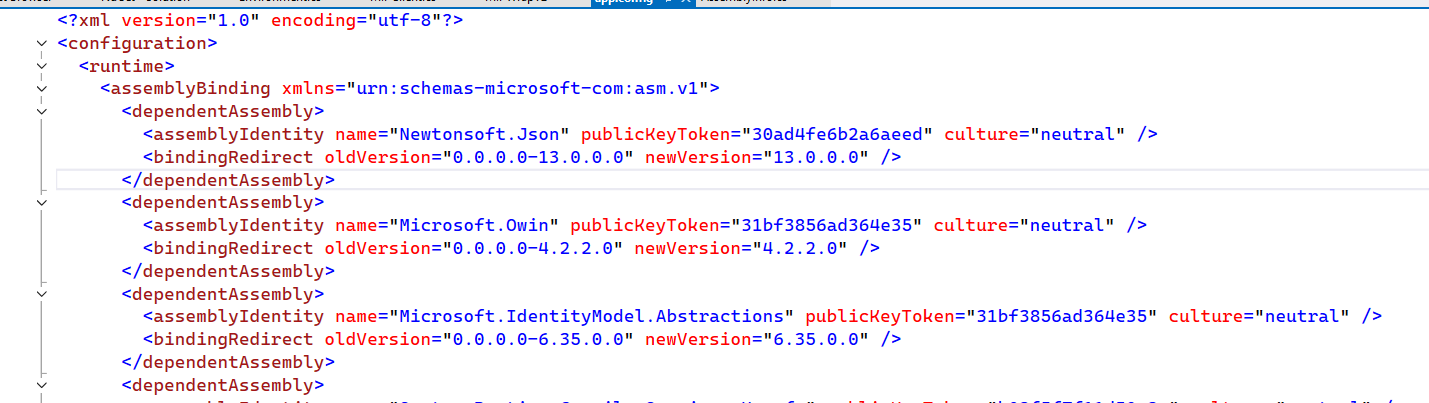
Yes, the assembly binding redirect for Newtonsoft.Json version 13 has been added. Here you can see the app.cofig file:
Hi,
I have manually specified the assembly resolution in my application by adding custom code to load the correct version of the Newtonsoft.Json.dll file. As a result, I am now able to log on to the server. Could you please provide suggestions on how to resolve this issue?
AppDomain.CurrentDomain.AssemblyResolve += (sender, args) =>
{
if (args.Name.StartsWith(“Newtonsoft.Json”))
{
return Assembly.LoadFrom(@"[C:\\MIPSDK\\MIPWrapV2\\bin\\Debug\\Newtonsoft.Json.dll](file:C:/MIPSDK/MIPWrapV2/bin/Debug/Newtonsoft.Json.dll)");
}
return null;
};
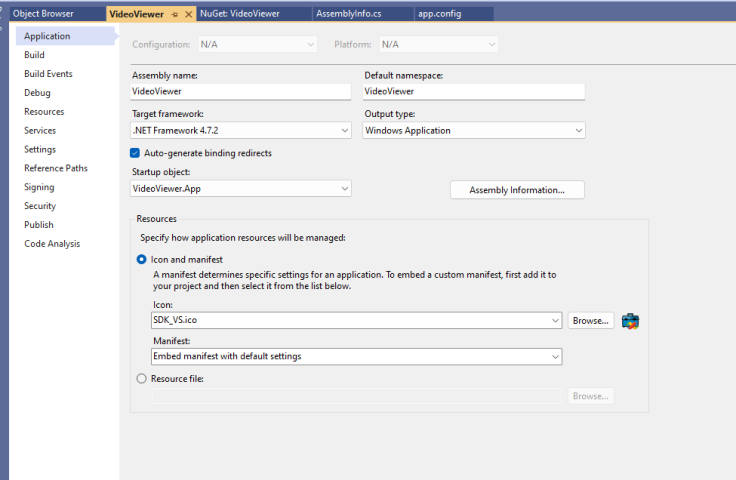
The picture you added states MIPWrapV2 and is set to output type class library. This means it is not the executing assembly. The binding redirect have to be in the app.config of the executing assembly, this means in which ever project which creates an .exe file (at least in most cases it is an exe file)
Hi Henrik,
We have developed a custom DLL, MIPWrapV2, for our application using MIPSDK 2025 R3. The application is debugged in conjunction with some external program, Dea.exe, which was developed by RadStudio using C++. I have copied all the MIPWrapV2 DLLs into the Dea.exe application’s debug folder.
We have been using this setup since 2019 without any issues. However, I believe the problem has arisen with this year’s versions, specifically after adding the Newtonsoft.Json package.
That could very well be. I’m not a C++ developer, but I would expect that to have the C# assembly redirect working when the application is executed from a C++ application, you need to have the AssemblyResolver code you have created in the C# code.
There has to be a assembly redirect to use the latest SDK in the way you are doing.