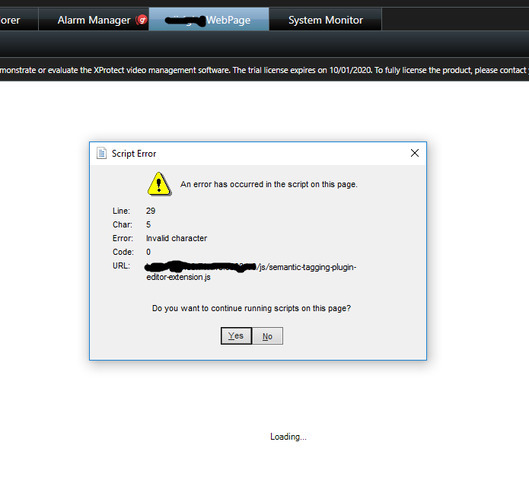
We want to add our website as a tab into the smart client, but we get javascript errors.
We notice that your sample (https://www.youtube.com/watch?v=etDKTNirWpM&list=PL6KbBiYxpwh2Zqtkv-zUBhI8FqLXeT3U1&index=7) only work with IE, but our website doesnot work in IE,
only in chrome.
How can i set it to work in chrome?
my post from before with the errors and the solutions i tried:
https://developer.milestonesys.com/s/question/0D50O00005W3zNTSAZ/plugin-web-page-an-error-has-occurred-in-the-script-on-this-page
He said he managed to do it, but he does not say how…
I dont even know whats the right direction.
I am sorry but Milestone Systems does not have any knowledge on Chrome, we cannot help.
I hope other partners following the forum will contribute.
I developed a plug-in to add a new Chromium browser option to Smart Client. The installer (and source if you want!) can be downloaded from the link below.
Once installed, add a “Modern Browser” item to your view, set the address in the Properties pane and enjoy!
https://github.com/cascadia-technology/ModernBrowser/releases/tag/1.0.0