We’re looking to display video sequences associated with alarms (from linked cameras) to our users. Ideally, we’d like a programmatic solution that allows one of the following:
Export the video segment surrounding an alarm — for example, from 5 minutes before to 1 minute after the alarm time, or
Provide a playback stream (via a web-compatible player) that, given a camera ID and timestamp, enables the user to view and navigate around the point of interest.
We prefer the second approach, since it allows interactive playback — users can explore video around an event, scrub through other timestamps, and so on.
What we’ve explored so far:
Mobile server video export functionality — this works to some extent but creates “investigations” as a side effect.
Mobile server image-based export and stitching — we attempted to generate video this way but haven’t gotten it working, and it seems like a workaround rather than a supported approach.
Both options produce video but don’t offer true playback control where a user can freely navigate the timeline.
Questions:
What is the most suitable or recommended approach to achieve event-based playback or export?
Are there APIs or SDK methods specifically intended for this use case?
Any best practices or examples from similar integrations would be appreciated.
Note: We’d prefer a protocol-level integration, but can also consider using the .NET SDK if it better fits this requirement.
When you ask a about a playback stream, I am wondering why not just navigate to the right camera and time in your client? Basically the design of the Milestone SDKs is that you either are logged in and navigate playing back cameras, or you export in order to get the footage out of the VMS and handle it offline. So IMHO exporting or not is about playback or not but about whether you want to navigate in a client under your login.
I understand your question, but I need a clarification; do you really need to export and have data off-line, or would it be all-right to just do playback?
My guess is that you have some experience with the Mobile SDK, for now I do not think there is anything indicating that another SDK or API would be better suited.
@Bo Ellegård Andersen (Milestone Systems) I think for now we should be fine with just the playback and not need export at all. I explored mobile web sdk to support direct playback. Two questions here:
I stumbled into CORS error with the sample project, since I’m trying to run it from another domain. Is there a way to enable CORS for mobile server directly similar to api gateway?
It seems the current mobile web sdk is very tightly coupled with UI. Is my understanding correct? If yes, then is there a way to use it in a headless mode, so that we can tailor the UI according to our needs? Any documentation around this?
Hi @Bo Ellegård Andersen (Milestone Systems) thanks a lot for the quick reply. I was able to solve the CORS issue and make the stream work via mobile server. But I do have more doubts.
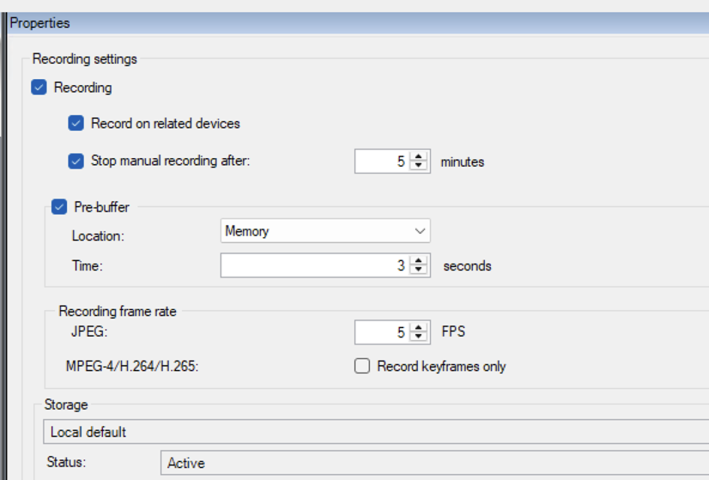
When going for h.264 or mpeg-4 streaming/playback, we could only get 1 fps. Even if we set the FPS higher in api, we’re getting 1 fps only. We have the ‘Record Keyframes only’ setting turned off. How do I solve this fps issue?
Is the mobile server built to support lots of parallel streams, say 10-20 and even further, if needed? Or is there some other way, like streaming directly from the cameras somehow? Just that we need support for both live streams and playback.
Note: Using StableFPS for camera simulation. Keyframes only setting turned off. Frame rate in StableFPS set to 30.
Hi Rajan. My name is Danny and I work in the team responsible for the web client. We discussed your questions in the team and I hope our answer will help you on your way.
In regards whether the UI is tightly coupled with the web sdk and whether you can create your own headless implementation - this should be possible. We created a solution ourselves that runs on React and uses the mobile server through the WebSDK. We believe the documentation should be enough to build a solution like this yourself.
You should be able to control the FPS of your streams through the SDK as well. When using the method RequestStream, it accepts a parameter FPS.