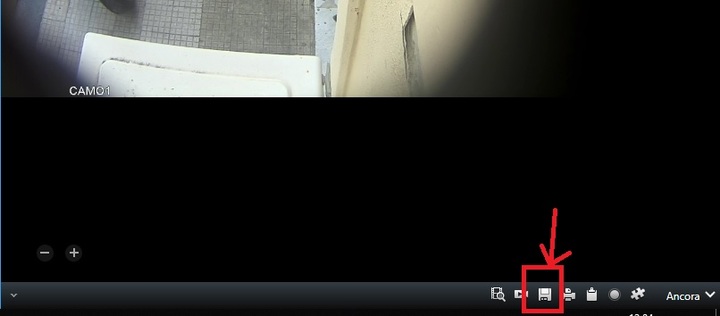
Hi, yes I saw this example, but I need to have default toolbar with default icon..
I dont want make new icon in toolbar..
or If no possible to have default bottom toolbar with default icon, if I make button for get snapshot.. how I can save it in directory that is in default menu settings? like icon “save snapshot”? can you tell me code that use snaphot icon?
ok and in second image… when I click in print icon, I have popup for stamp..
is possible to modify this.. so when I click in stamp, I got screenshot of camera? and automatically save in the path that is defined in the settings menu .. how should I write the code, if possible?
or if I make my own button in my view item, how should I write the button code, to save automatically in the path that is defined in the settings menu??
Yes I saw it, but in my view item I have camera and also other item… I need to make screenshot only of camera picture.. and in this sample I no have it..
I need code of this icon to take screenshot only of camera.. path for save it, is the same that I decided in default settings menu..