Hi
I am using ImageViewerWpfControl in C#.
Also, I’m not using PlaybackWpfUserControl.
What if I want to use the PlaybackData.Goto command to go to a non-recorded timestamp, and the PlaybackData.PlayForward command to play from this timestamp?
I want you to tell me.
Since there is no image, we expect a MessageId.SmartClient.PlaybackCurrentTimeIndication to be sent from the timestamp of the PlaybackData.Goto command.
- PlaybackData.Goto 2023-03-22 10:00.00 (non-recorded timestamp)
- PlaybackData.PlayForward 2023-03-22 10:00.00 (I want to play from this timestamp.)
Best regards,
Forgive me if I misunderstand. If you goto a time where nothing is recorded, you cannot play anything back. If nothing is recorded there is no data, there is no video to play back.
I strongly suspect this not what you mean, if you have something else in mind please rephrase the question and let me try to answer again.
Sorry for not being able to explain well.
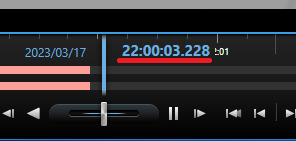
We are creating a process for displaying timestamps during playback operations.
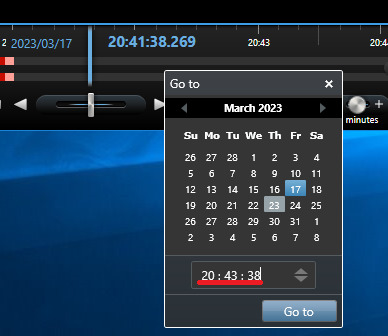
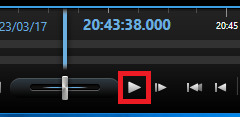
I would like to be able to display timestamps like the Smart Client below.
1.Playback the part without video
2.Go to specific time
3.Play from specific time
However, in my application it moves to the end of the SequenceDataSource after moving to the specified timestamp.
I think you are up against a configurable behavior in the Smart Client:
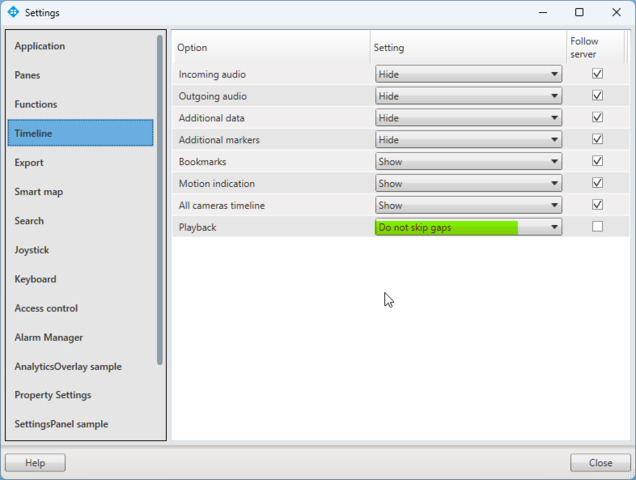
The default behavior is to “skip gaps”. In this mode the Smart Client will when playing back and finding no video skip to where there is the next section with recorded data.
In the Smart Client upper right find “Settings” (gear icon), find the Timeline tab, set the Playback to “Do not skip gaps” instead of “Skip gaps”.
Thank you for your answer.
I want to implement the “Skip gaps” setting in code.
I am using ImageViewerWpfControl in C#.
Also, I’m not using PlaybackWpfUserControl.
I believe this is the message you are seeking..
--
const String VideoOS.Platform.Messaging.MessageId.SmartClient.PlaybackSkipModeCommand = “SmartClient.PlaybackSkipModeCommand”
-
Is used to instruct a PlaybackController what to do when end of a sequence (e.g. continues video) is reached on selected ImageViewerControl. The Data field is filled with one of the modes in: PlaybackSkipModeData, e.g. PlaybackSkipModeData.Skip, PlaybackSkipModeData.NoSkip, PlaybackSkipModeData.StopAtSequenceEnd.
The destination for the SendMessage must be the identification of the PlaybackController that should act on the command. This can be either null, for the built-in default playback controller, or the FQID returned from the creation of a playback controller ClientControl.Instance.GeneratePlaybackController().
--
Ref. https://doc.developer.milestonesys.com/html/index.html?base=miphelp/class_video_o_s_1_1_platform_1_1_messaging_1_1_message_id_1_1_smart_client.html&tree=tree_search.html?search=playbackcontroller
Thank you for your answer.
It worked.
It was very helpful.