We are using onvif bridge to get the rtsp url.
But we need code snippet to get the playback url with specific time period
Thank You
We are using onvif bridge to get the rtsp url.
But we need code snippet to get the playback url with specific time period
Thank You
Please see this thread.
If you don’t find what you seek, let me know.
@Bo Ellegård Andersen (Milestone Systems)
Thanks for the response.
Based on the suggestion, we are able to use SOAP and execute the endpoint
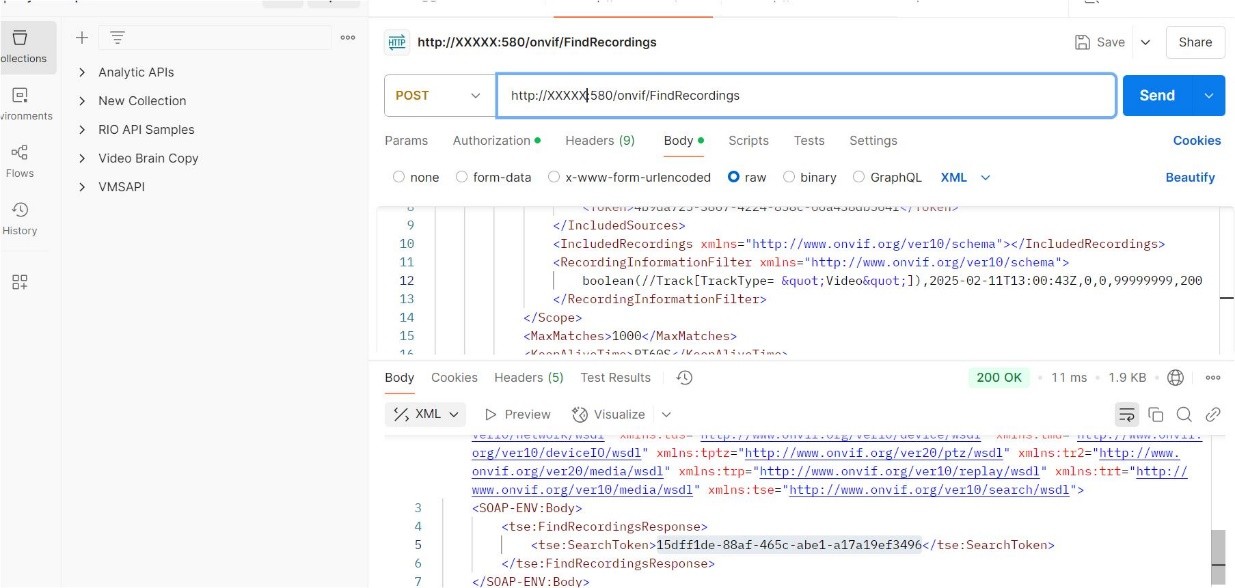
http://xx.xx.xx.xx:580/onvif/FindRecordings with Digest authentication. We are getting http 200 response (refer to the screenshot below).
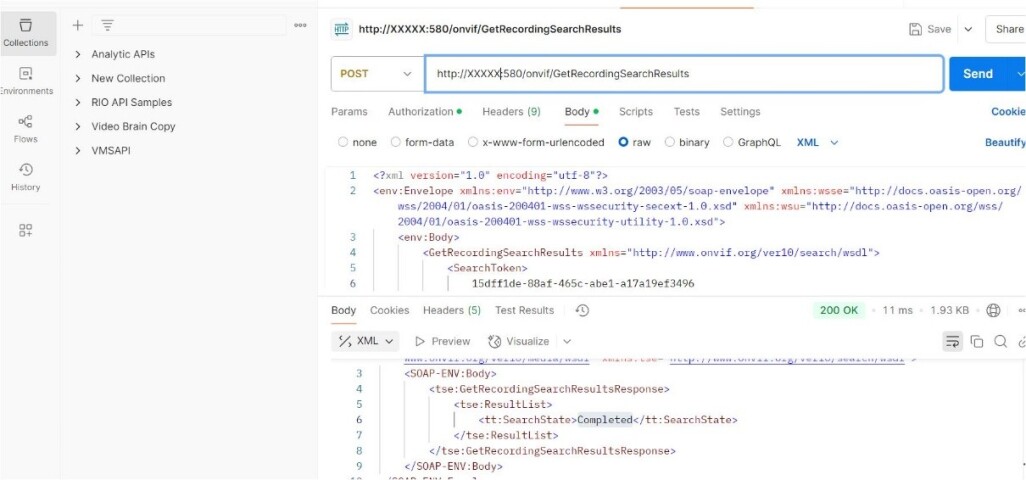
Based on the response, we are using search token in the endpoint
http://xx.xx.xx.xx:580/onvif/GetRecordingSearchResults but we are getting the result as “tt:SearchStateCompleted</tt:SearchState>” (refer to the screenshot below).
We are also attaching the Milestone Open Network Bridge logs
Hi Shibi,
It should be something with RecordingInformationFilter.
The format seems correct, as per the screenshot.
Try to play around with the parameters there.
I see you are using central time and interval after it.
Please make sure you are not using [UTC Now] or something. In other words central time should not be in the future. Bear in mind the central time is in UTC - you need to convert your local time to UTC first.
Also, you could try searching in the opposite direction - before the central time.
And ofc you have to ensure there are recordings for that camera. For example via SC.
We have seen there could be issues, if there is one and only single continues recording of the camera. Could this be your case ?
Hi @Petar Vutov ,
We can confirm that recordings are available because we are able to stream the recording on the Milestone smart Client and on web client. But we have enabled the continues recording on the camera. Can you guide what approach we need to do when we have continues recording of the camera.
If I remember well in this case, you would need to provide a search interval that is bigger than the actual recording one (search interval should contain fully recording one). Like center time in the future and before interval greater than the whole recording interval. Or center time in that past, but before the start of the recording and after interval spanning to future.
Hi @Petar Vutov
We have tried with both options (center time in the past and future). Still we are getting same result “Completed”
Hi @Shibi Chacko ,
We are looking into it. Once we have more info, we’ll come back to you.
Ok, Please update asap, thank you
@Petar Vutov @Svetlana Ulyanova, Any update on our query. We are waiting for the response.
Hi @Shibi Chacko
I was able to reproduce your results, namely:
    <SOAP-ENV:Body>
        <tse:GetRecordingSearchResultsResponse>
            <tse:ResultList>
                <tt:SearchState>Completed</tt:SearchState>
            </tse:ResultList>
        </tse:GetRecordingSearchResultsResponse>
    </SOAP-ENV:Body>
Investigation is ongoing.
Thank you for your patience.
I did some debugging on the server side and it turned our parsing logic is not very robust.
You must always provide the RecordingInformationFilter value on the same line as its enclosing tag:
<RecordingInformationFilter xmlns="http://www.onvif.org/ver10/schema">boolean(//Track[TrackType = "Video"]),2025-02-19T10:48:48Z,99999999,20,99999999,20</RecordingInformationFilter>
In your example you provide it on a new line in the xml.
To avoid any doubt - you can find the exact content of my request/response xmls in the attached archive.
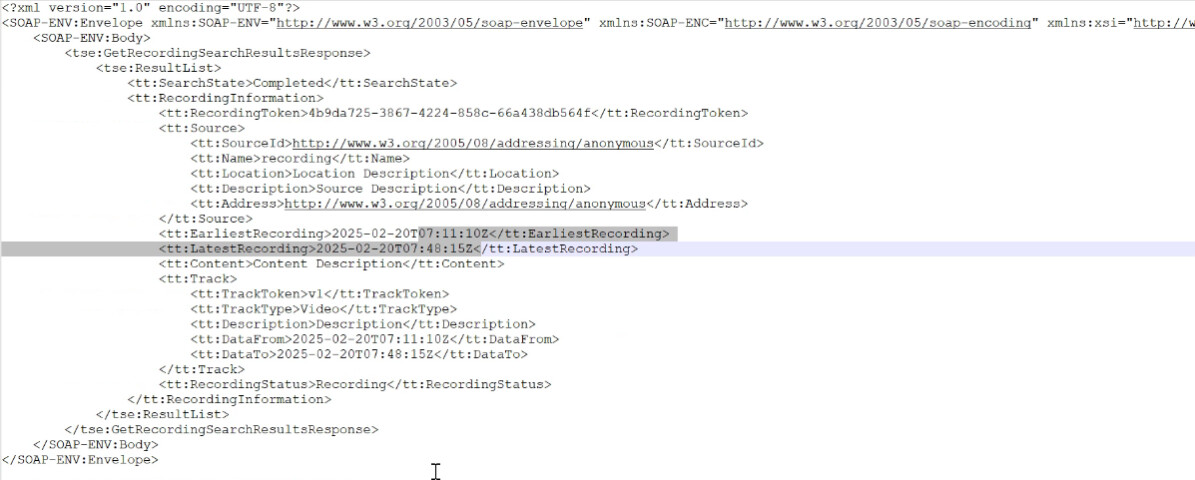
Thank You, we got the Recording Information now, but can you please guide how can we get the RTSP url for that specific time
This is covered in https://doc.milestonesys.com/latest/nl-NL/standard_features/sf_onvifbridge/onvif_usingonvifclientstovi.htm#Managevideoplayback
Thanks for the link.
Currently after executing the “FindRecordings” and “GetRecordingSearchResults”.
How are we using these results to perform playback?
Looks like this is not clear, should we also use the search token during the rtsp playback?
Looking forward to your response.
You don’t need the token during RTSP.
Use the data returned by GetRecordingSearchResultsResponse to determine at what timestamp do you want to play.
Or these ones, if you need to use VLC: