Hi,
I am investigating RTP timestamps in a WebRTC stream provided by Milestone and noticed something that I do not fully understand.
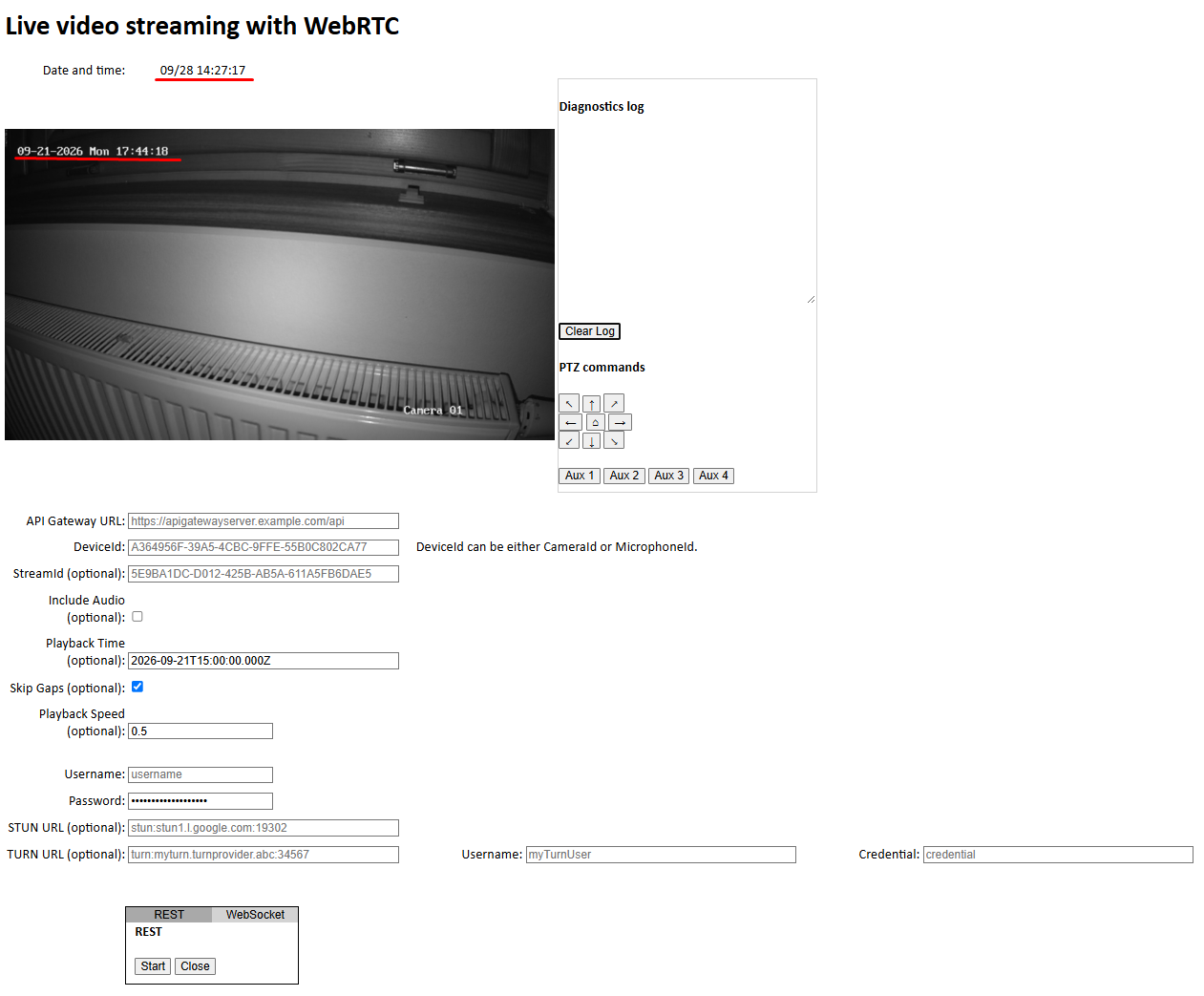
The server hosting the Milestone services has the correct current date and time, and the camera time also appears to be synchronized correctly. However, when I examine the RTP packets during recorded playback, the value represented by the RTP timestamp seems to correspond to a time that is several days ahead of the actual recording time.
Interestingly, I do not observe this behavior for live video streams. During live streaming, the displayed time appears to be correct and matches the expected current time. The issue only occurs when playing back recorded video.
One additional observation is that I see the same behavior in the official Milestone JavaScript WebRTC example. The server time and camera time are correct, but the RTP timestamp appears to be significantly ahead of the expected recording time.
I also noticed a difference between two Milestone systems. The same camera is connected to two different Milestone servers. On one server (with a higher license tier 25R3), the timestamp behavior appears to be correct. On the other server 26R1, the RTP timestamp appears to be several days ahead during recorded playback.
Since the same camera is used in both environments and the server times are synchronized correctly, I am trying to understand what could cause this discrepancy.
Has anyone experienced a similar issue or knows where such a problem could originate? Could this be related to the Recording Server, server configuration, licensing differences, playback implementation, or some camera-specific setting that affects recorded streams only?
Any guidance on where to investigate this issue would be greatly appreciated.
JavaScript WebRtc example
Thanks!
I’ll run some tests in the Milestone test lab. If I can reproduce the issue you described, it will be much easier for us to identify the root cause and debug it.
I have been unable to reproduce this behavior.
One thing worth checking is the time zone configuration on the two servers. You mention that the servers show the correct current date and time, but I have seen cases where two servers displayed the same local time while being configured for different time zones. In effect, the servers then do not represent the same actual time.
Please double-check that both the date/time and time zone are configured correctly and consistently on the two servers.
Thank you for looking into this and for testing in the lab!
I have made a discovery that explains the “time jump,” but I still don’t understand why two servers streaming from the exact same H.264 camera behave differently.
Here is what I observed regarding the rtpTimestamp values:
When I divide Server 2’s rtpTimestamp by 90 (rtpTimestamp / 90), the calculated time aligns perfectly with the actual recording time and matches Server 1. This explains why it originally looked “several days ahead”
My core confusion is: Both servers are serving video from the exact same camera, and both are using the H.264 codec.
Why does one Milestone server normalize the WebRTC rtpTimestamp to 1 kHz while the other outputs raw 90 kHz ticks?
Is this difference caused by a change in WebRTC timestamp handling between 25R3 and 26R1, or is there a setting/configuration on the Recording Server or WebRTC gateway that forces one behavior over the other?
The RTP timestamp behavior changed between Milestone XProtect® 2025 R3 and XProtect 2026 R1.
From XProtect 2026 R1 onward, video rtpTimestamp values use the 90 kHz RTP clock advertised in the SDP. In earlier versions, the timestamp was based on milliseconds (1 kHz). This explains the observed factor-of-90 difference.
The behavior depends on the XProtect version, not the camera or license level.
The documentation and WebRTC JavaScript sample still describe the previous millisecond-based behavior and need to be updated.
Interpretation by version
- Before XProtect 2026 R1: milliseconds
- XProtect 2026 R1 and later: SDP clock rate, currently 90 kHz for video
1 Like