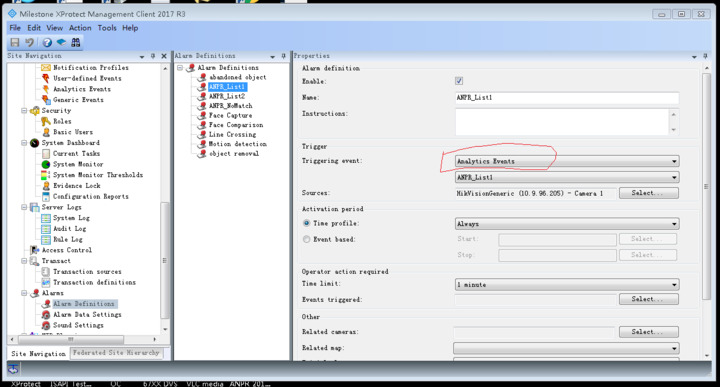
Hikvision are developing a plugin named ANPR plugin.In our test,we found a weird thing.
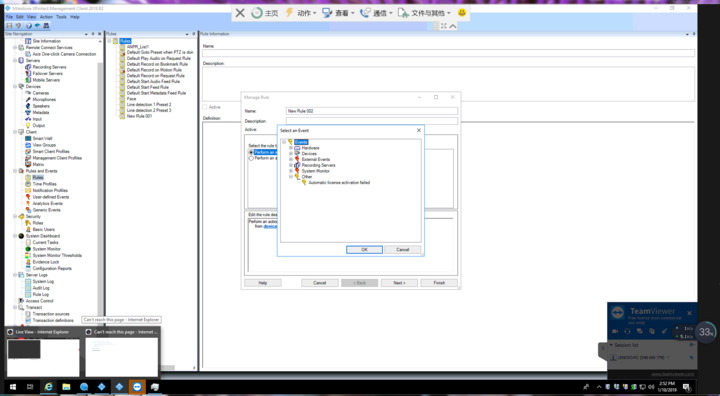
I have installed corporate 2018 R2 on 2 pcs,but when access “Rules and event->Rule->Add new->Perform an action on event”,there is “Analytics event” on one pc,but not on another PC.
Could you please tell me it there some steps i missed?How can “analytics event” display on all environments.
Please let me know if you need more details.Thank you in advance.
(Note:It’s about ANPR plugin,we can add an event on “Analytics event”,we want to linkage to perform further action(such as open door) after plate recognition.And it works well on just one pc,not all environment.)
There is something fishy, you say that you have installed Corporate 2018R2, yet the screen shot shows a 2017R3 Management Client! Please verify product and version..
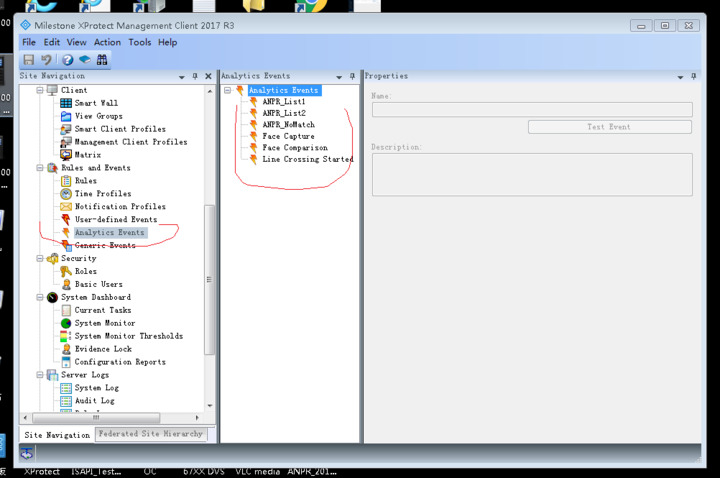
If you pick the Rules and Event - Analytics Event tab in the left hand side do you have the expected analytic event(s)?
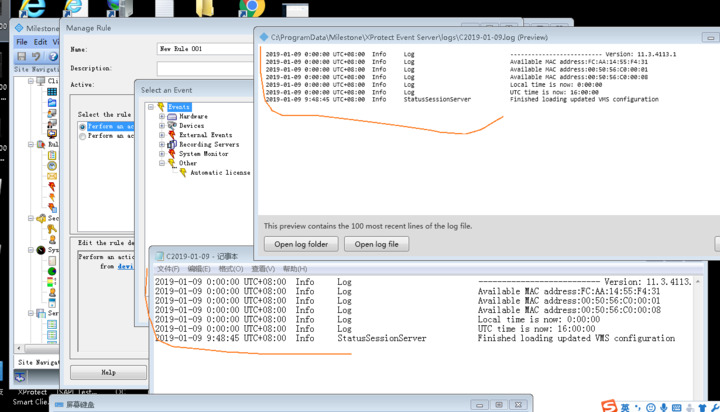
If you examine logs, primarily for the Event Server, do you see any error that might be causing this?
Thank you for your reply.(Sorry for not providing screenshots of 2018 R2 corporate version.)
2017 R3 corporate also can’t show analytics event.The attached screenshots can show what you requested.
Hi Bo,
Thank you for your reply.I will try the Installation steps tomorrow and keep you informed.
The article about the problem wrote “This problem was fixed permanently in version 2018 R1.The issue was fixed in 2018 R1 (12.1a) and all later versions of XProtect.”.
I am sure it happen on 2018 R2 corporate.(I will try to take the screenshot on corporate 2018 R2 tomorrow.)
Hi Bo,
Sorry,the linkage(http://download.milestonesys.com/MTSKB/KB000004414/) can’t be accessed.Could you please have a double check?Thank you in advance.
I am not sure if the linkage is invalid or just blocked.
Additionally,my emai is wangyihao8@hikvision.com.If you can help to send the file to my email,that will be graetful.Then I will do the steps as the linkage wrote.
I am not able to send e-mails including attachment with dlls because of company security policy.
In my testing the download link is not blocked.
I had a case earlier where a user mentioned GFW as a possible block for download.milestonesys.com, I have no idea whether this is true or not..
Hi Bo,
The attached screenshot is 2018 R2 corporate.
So,in your opinion,does analytic event exist on “rules and event” of all Milestone software?
Now after we develop ANPR plugin.We can use the rule only on some environment.
I will try to access the linkage.
Please keep me informed once you know what cause the issue.
Analytics events are usable in rules. This goes for all c-code XProtect servers products. If you have a system where it does not work please open a support case with Milestone technical support. Alternatively ask the Support Community for troubleshooting and debugging help..
https://supportcommunity.milestonesys.com
The issue you experience is not pertaining to development work using the MIP SDK and therefor the Support Community is the better place to ask.