Hello.
I have developed application that is sending alarms “events” to milestone server.
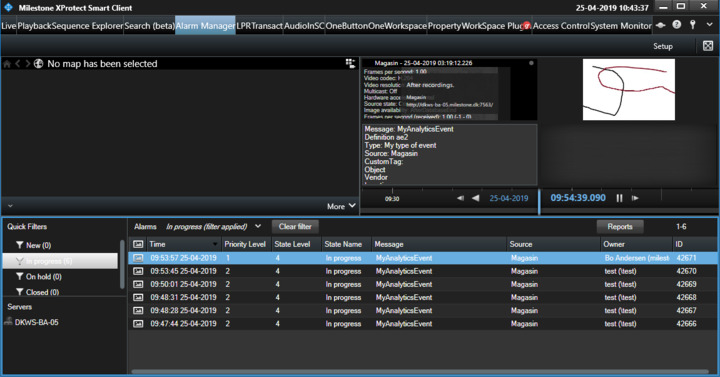
I wanted to show custom image in alarm preview in milestone smart client, so I created custom alarm preview plugin that shows additional image when browsing alarm records.
I thought that it would be possible to send jpg Image (as byte[]) to milestone via Snapshot Image property, but it seems like this field is always null when reading from alarm preview plugin.
I managed to workaround this be encoding byte[] of image as base64 string of alarm description field and decode it on alarm preview plugin side, but this workaround feels like ugly hack.
Is there any other way how to pass proprietary data in Alarm structure ?
Thank you.
What you describe is the correct way of doing it!
Hi Bo, thank you for your answer.
I am not very happy with base64 encoding/decoding, but if there is no other way I will take it.
Anyway, can u tell me why Image property is not serializing correctly and is always null ?
I have misunderstood the issue when I first answered. I realize this now.
If you use the Library Event generator you can see how it can send an image.
In my testing I found that if I submit an event with a snapshot, have an alarm definition in the system that will create an alarm based on the analytics event, then I can see the alarm in the alarm list on the alarm manager workspace in the Smart Client, and when I click on the alarm in the list the alarm preview window will include the snapshot image.
I also found in my testing that if I submit an alarm directly instead, then I do not see the snapshot image.
Does this fit with your observations?
It is recommended to send an analytics event and let the presence of an alarm definition govern whether the event is “escalated” to an alarm. This allows the administrator of the XProtect VMS to control what is events and what is raised to be alarms. At the same time the alarm definition adds features like initial alarm owner and similar.