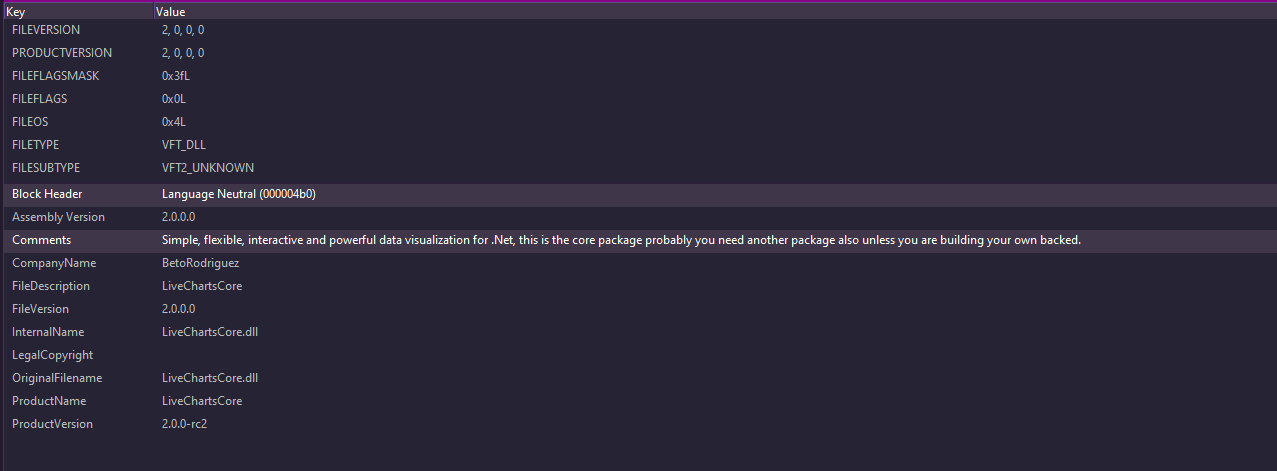
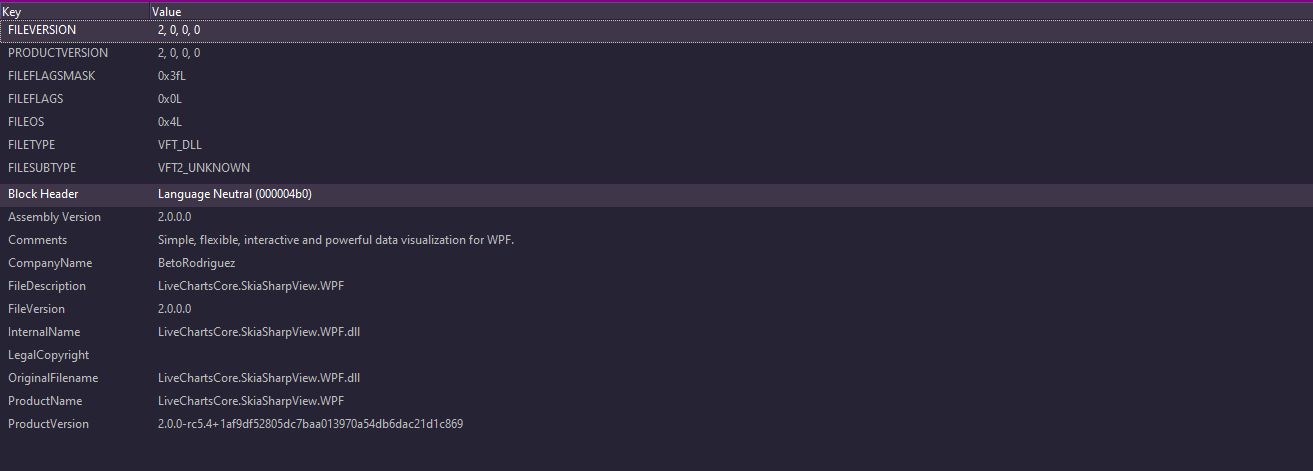
I am experiencing a conflict between my plugin’s DLL file and another plugin’s DLL file. The NuGet package in question is LiveChartsCore. Is there any way to resolve or find a workaround for these types of conflicts within a milestone?
Could not load type 'LiveChartsCore.Measure.FindPointFor' from assembly 'LiveChartsCore, Version=2.0.0.0, Culture=neutral, PublicKeyToken=cc92a3e13d40c573'.
One possible workaround is to do a binding redirect.
This is done in the app.config for the Smart Client, per default this is the location “[C:\Program](file:C:/Program) Files\Milestone\XProtect Smart Client\Client.exe.config”
Another workaround, which is ideal but might not always be feasible. If you develop you plugin so that it uses only VideoOS.Platform and create a service that uses special NuGets / dlls, which you plugin can communicate with. In this scenario your service can use all it needs with no dependencies on Smart Client or 3rd party plugins use of dlls.
I’ll try the second approach because the other plugin currently has an older version that the first approach solved. However, the NuGet contains three other DLL files, which are also causing a different break now.
I have tried both approaches, but I am still encountering an error.
TypeLoadException: Could not load type 'LiveChartsCore.Kernel.ChartElement' from assembly 'LiveChartsCore, Version=2.0.0.0, Culture=neutral, PublicKeyToken=cc92a3e13d40c573'.
The only way for me to resolve this is to Downgrade my plugin `LiveChartsCore.SkiaSharpView.WPF` version to 2.0.0-rc2.
It’s a bit odd that the error message indicates it can’t find FindPointFor in version 2.0.0.0 while the NuGet package is using a prerelease version.
This issue likely stems from two plugins using different versions of a prerelease. If both DLLs are registered as version 2.0.0.0, a redirect won’t resolve the conflict.
If you have both DLLs, check their properties to see the exact file version. You might be able to use that specific version in the redirect. It’s advisable not to use rc2 in the redirect, but rather version 2.0.0.X
Both are using the same version, which is causing the issue. Is there a way to change the build order of the Smart Client to ensure one package loads before another?
To my knowledge there is no way to ensure one package loads before another.
The issue does not appear to be solvable as presented, please note that we think it is a mistake that the packages do not have proper version numbering, and it is this fact that makes the redirect not working as a solution.
A final thing to try. Remove the dll from both plugins and place it directly in the Smart Client installation folder or register it in the GAC.
Hi @Bo Ellegård Andersen (Milestone Systems), I understand. I will try the other solutions, but I really appreciate your feedback. Thank you very much!