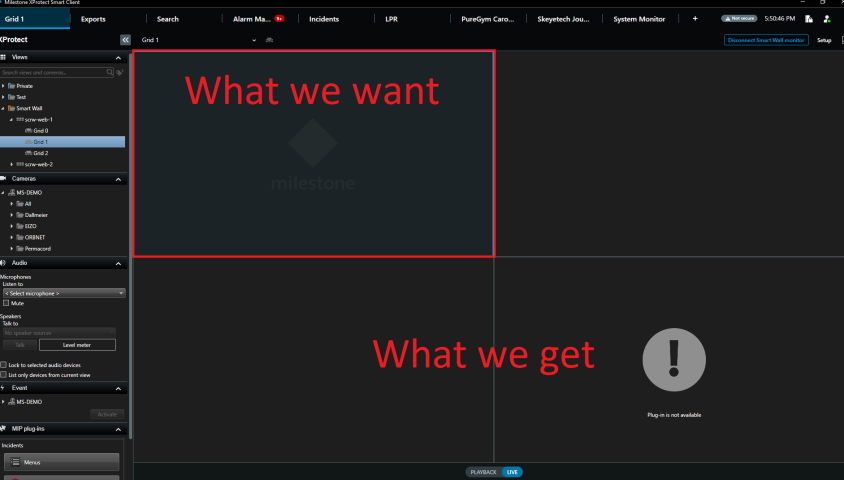
Hello,
I get asked allot about what we can and can’t do with the Smart Wall programatically.
Our goal is to “pilot” the Smart Wall outside of the Smart Client from a supervisor.
I think this could be a good thread to list off what can be done in the latest version of the SDK and keep updating it for new versions.
I checked the VideoWallController sample, and this looks good to add and remove cameras from a view, but I don’t see a way to check the cameras currently displayed on a Smart Wall so that it can be properly managed.
Can you please confirm the following:
-Smart Wall commands can be triggered inside an Event Server background plugin or a standalone service application connected to the Milestone SDK.
-You can insert a camera on a specific Smart Wall monitor on a specific index.
-You can insert a camera in a new layout on a Smart Wall monitor.
-You can remove a camera from a Smart Wall monitor.
-You can apply a custom layout on a Smart Wall monitor.
-You can show a preset on a Smart Wall monitor.
-You can show a text message on a Smart Wall monitor.
-The documentation around the “VideoWallApplyXmlCommand” command is a bit vague.
- Does it allow us to show custom view items or a browser tile?
- Can we show live or independant playback and change the aspect ratio and stretch?
- Can we add a whole layout with multiple view items by quickly calling the command several times?
And so this I assume we cannot do?
-You cannot get the current layout of a Smart Wall monitor.
-You cannot insert a custom view item.
-You cannot insert a web browser.
-You cannot make the Smart Wall show bounding boxes.
Please let me know if I missed any features, or if there are some that are incorrect.
Thanks!