Status Failed on Firmware Upgrade in ONVIF with large Firmware file

We have gone through the following docs. We have enabled the support of StartFirmwareUpgrade API in our ONVIF driver.

We have received the same size as we have uploaded from the milestone client.we have checked the md5sum of received file and upload file. Both are matched also.

I can more elaborate by sharing two cases as per below.

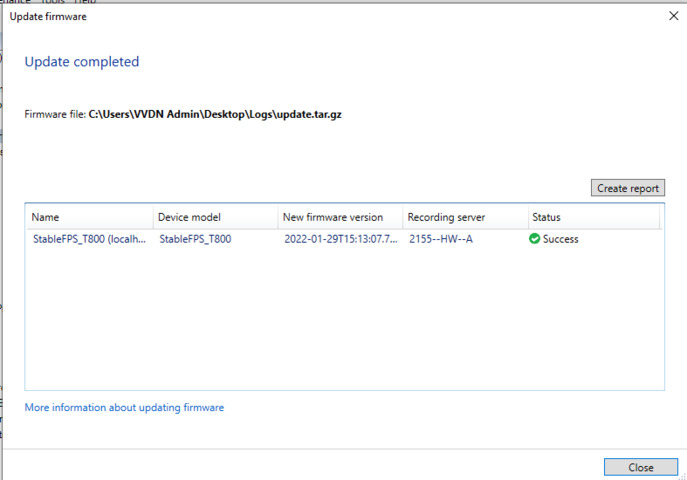
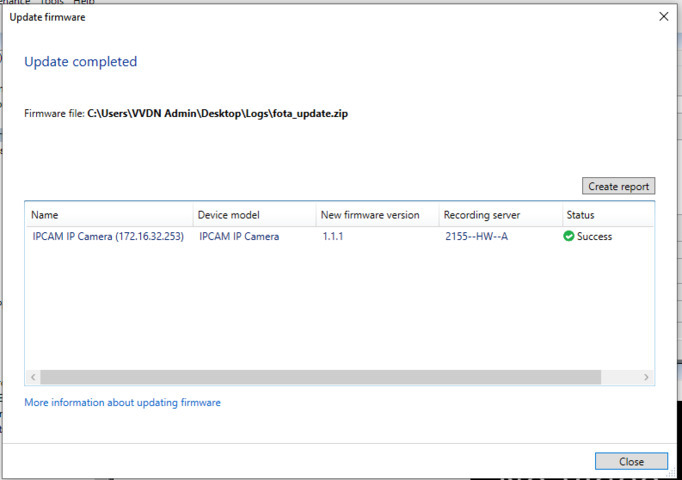
Case 1 : small size firmware (partial firmware ) File size : 569K

The device are able to receive the firmware and we checked the md5sum too. we have got a success status from the milestone UI.

Wireshark Capture packets file : Success_lowsizefwfile.pcapng
Case 2 : Large size firmware (Full firmware ) File size : 252M

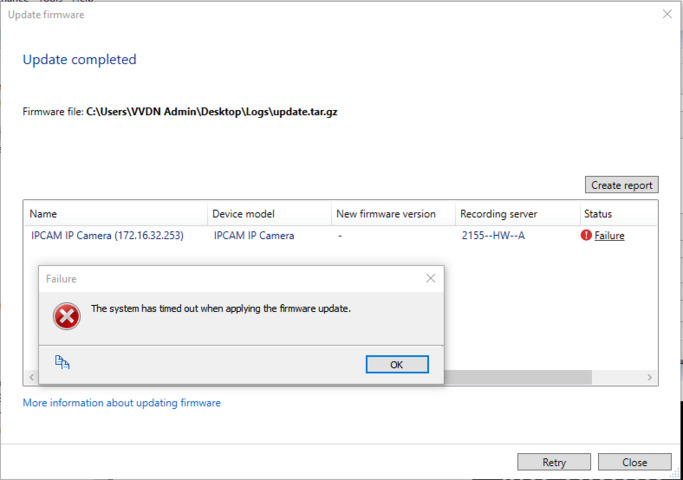
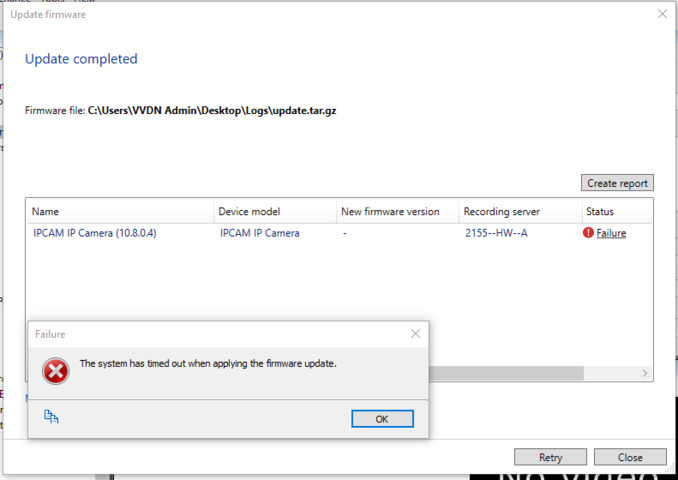
We are getting the failure here. We are getting the system timeout failure within 100 sec. The 100 sec time i measured from http post request of milestone as per below.

POST / HTTP/1.1

Host: 172.16.32.253:12345

User-Agent: HTTP Image Reader

Connection: Keep-Alive

Content-Length: 252497055

Content-Type: application/octet-stream

In this case, After the status changed into failure, the device backend still receiving the firmware data. the device receives full firmware file at the end.
Wireshark Capature packets file : fail_highsizefwfile.pcapng

I have uploaded the capture_packets.zip file for above both case along with milestone backend ONVIF logs. How we can ensure device firmware upgrade successfully in case of large firmware file. ?
Reference case : https://developer.milestonesys.com/s/question/0D53X000093JiUHSA0/need-packets-frame-api-while-adding-onvif-camera-in-recording-server-with-milestone-management-client

This case is still pending from last 3 days.

Please assign someone to respond query.

@anyone from the milestone team, Please respond this case. let me know if anything is required

Hi,

We have tested with large files: 500MB+ and we don’t have any issues.

Also we have tested with slow ONVIF devices.

What brand/model is the device or is it a prototype?

Can you attach all relevant logs here (Log folders from Recording Server, Management Server and ONVIF driver logs) and don’t forget to raise the log level in the driver.ini to Debug and the VMS logs to Info before executing the Firmware Update so we have enough details to work with..

I guess you are familiar with our ONVIF documentation https://doc.milestonesys.com/latest/en-US/onvifdriver/updating_firmware.htm?tocpath=Third-party%20integrations%7CONVIF%C2%AE%20drivers%7CFirmware%20update%7C_____3

Hi Georgi,

Thanks for the response.

We have tested with large files: 500MB+ and we don’t have any issues.

Also we have tested with slow ONVIF devices.

=> But we have got the full firmware inside the device at the end. you can check with the attached backend ONVIF logs. During uploading We have seen failed status on UI front end side within 100 sec. But milestone backend still sending the data to the device.

0065966 2022-01-26T15:36:28.450329+05:30 DEBUG 0x00000eac@0x00001ba0 CmONVIFFirmwareUpgradeSession::UpgradeFunction()@ONVIFFirmwareUpgradeSession.cpp:115	Firmware upgrade - upload finished
0065967 2022-01-26T15:36:28.450329+05:30 DEBUG 0x00000eac@0x00001ba0 CmONVIFFirmwareUpgradeSession::SleepWithReconnect()@ONVIFFirmwareUpgradeSession.cpp:142	Firmware upgrade - Waiting for reconnection. Deadline: 2022-01-26T15:36:28+05:30
0065968 2022-01-26T15:36:28.451342+05:30 DEBUG 0x00000eac@0x00001ba0 CmONVIFFirmwareUpgradeSession::SleepWithReconnect()@ONVIFFirmwareUpgradeSession.cpp:149	Firmware upgrade - Waiting 30 ms before attempting reconnect
0065969 2022-01-26T15:36:28.483780+05:30 DEBUG 0x00000eac@0x00001ba0 CmFirmwareUpgradeSession::SetProgressWithOutput()@FirmwareUpgradeSession.cpp:75	Firmware upgrade progress: 100.000000

How much time usually takes to upload the firmware to the device in case of more than 500 MB. ?

What brand/model is the device or is it a prototype?

=> We are developing the onvif driver ( Profile S, Profile G supported ) for our camera. We have implemented the Support Profile S, G API for Edge Recording. We have checked the streaming and edge recording too in milestone. We have LTE-based camera product in which we are developing the ONVIF API . It doesn’t have local ethernet/WIFI connectivity. Because of LTE it is taking time to download the firmware as compared to local ethernet.

Can you attach all relevant logs here (Log folders from Recording Server, Management Server and ONVIF driver logs) and don’t forget to raise the log level in the driver.ini to Debug and the VMS logs to Info before executing the Firmware Update so we have enough details to work with..

=> I have attached the supported logs. device IP : 10.8.0.4 in which we checked the firmware upgrade.

I guess you are familiar with our ONVIF documentation https://doc.milestonesys.com/latest/en-US/onvifdriver/updating_firmware.htm?tocpath=Third-party%20integrations%7CONVIF%C2%AE%20drivers%7CFirmware%20update%7C_____3

=> yes we are familiar with the document. The same we also mentioned the docs in this support case at the start itself as a link.

Hi,

We are taking a look at your problem. I think we have everything we need now.

Bear in mind it may take some time to get back to you.

Hi,

I see 2 ways of approaching your problem:

  1. Please make sure the error you get in the UI is after 100 seconds and not more. As I see currently you don’t have much of a choice with your device as I see in the log it takes 9 minutes to update it. Our timeouts won’t work with that long operation. The update itself is 60% of the whole operation so 6 minutes is the limit of the 10 minute whole combined timeout we have and it is fixed in the code. You will need a patch from us.

  2. In case you get the error in the UI after around 100 seconds, continue with the steps below. They won’t solve your problem, but can help us see why it fails so soon:

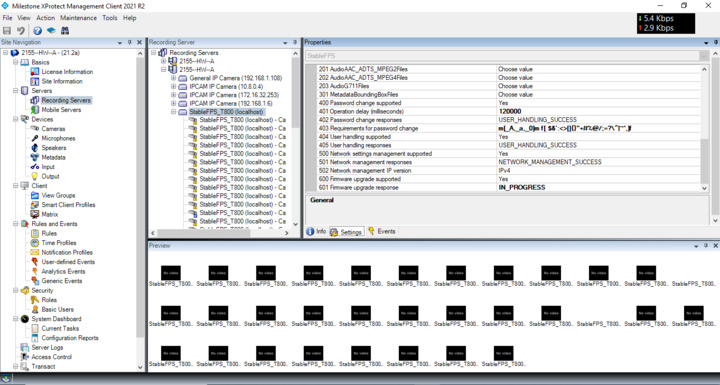
In order to narrow down your problem, you can help us by testing with a StableFPS device.

It is included somewhere with the Milestone MIP installation probably as an installer. You can download it from the Milestone website I think.

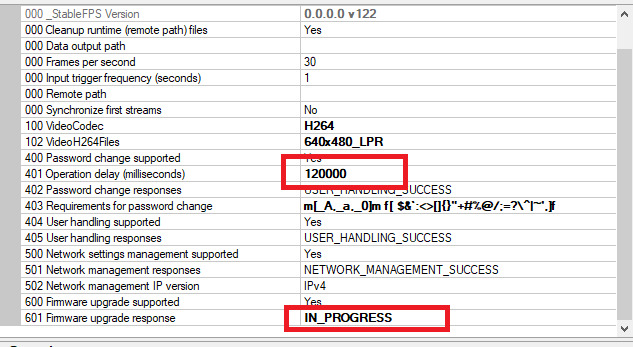
Go to [C:\Program](file:C:/Program) Files (x86)\Milestone\XProtect Recording Server\Drivers\NativeDrivers\resources and edit StableFPS.xml to increase the of InputOperationDelayType from 80000 to 1000000

Then add the device from Add Hardware. Under Milestone, you should see StableFPS. Write “localhost” as the address, select a port of your choice that is not used and click next to add it. This is a fake device that is used for testing purposes.

After adding it, click on the hardware level of StableFPS and change these 2 settings:

Click Save

Try updating this StableFPS hardware device. Try with a file of your choice. The file size or contents should not matter. We just set a 120 seconds timeout on the driver level so if it fails on your machine here, we would think something is up in your Management server or Recording Server.

I tested it and it does not fail with a 120 seconds delay. What bothers me is that you get the error at 100 seconds, albeit, your operation takes 9-10 minutes and the whole functionality has timeouts around 10 minutes.

You can also test with 360 seconds (360000 in the settings) and see if the StableFPS fails. In my setup, it fails with 540 seconds but not with 360.

Hi Georgi,

Thanks for the response. It will really be appreciated for the same. :+1:

1) Please make sure the error you get in the UI is after 100 seconds and not more. As I see currently you don’t have much of a choice with your device as I see in the log it takes 9 minutes to update it. Our timeouts won’t work with that long operation. The update itself is 60% of the whole operation so 6 minutes is the limit of the 10 minute whole combined timeout we have and it is fixed in the code. You will need a patch from us.

Okay. You mean to say the device needs to download the firmware within 6 min. Right? if yes, there is no other alternative.? As I already told you we have LTE based camera & So 250-260MB firmware can require MIN-MAX range 8-15 min( As per LTE connectivity/service provider/Speed range 3-10 Mbps) to download from the recording server.

Also, provide the patch and instructions to apply the same. So that we can test & let you know.

I assumed this whole operation timeout(10 Min) is on the front-end UI side.

I installed the StableFPS_T800 Model name and 21.2.1.27204843 v 123.

I changed the operation delay to 120000 MS and response to IN Progress. Our 250MB firmware I tested with that local server. I checked it gives us success at around 150 sec in case of the whole operation.

We calculate 100 sec based on the time require to download the firmware only.

Let’s say I select my 250 MB firmware at Around 10:00:00 AM. ( HH:MM:SS )

First, the firmware file starts copying into the recording server. let’s say it copied at around 10:00:15 AM.

The recording server request StartFirmwareUpgrade command to device at around 10:00:16 AM.

Device given the response with uploadURL, UploadDelay and ExpectedDownTime at around 10:00:16 AM.

Now the 100 sec time will come into picture.

The recording server send below http post request to the device at around 10:00:17 AM.

POST / HTTP/1.1

Host: 172.16.32.253:12345

User-Agent: HTTP Image Reader

Connection: Keep-Alive

Content-Length: 252497055

Content-Type: application/octet-stream

the device collecting the post request data.

After 100 sec, At Around 10:01:57 AM. We have seen Failed status on UI side.

Hi,

I see 2 problems that both need to be addressed.

  1. We can add a setting for increasing the timeout. This could be implemented in a future release.

  2. What is the device? We didn’t reproduce the problem with any of our supported ONVIF devices. In order to be of any help, it is better to test with your device here in our lab.

Just looking at the code and logs this is all we can do.

Regards