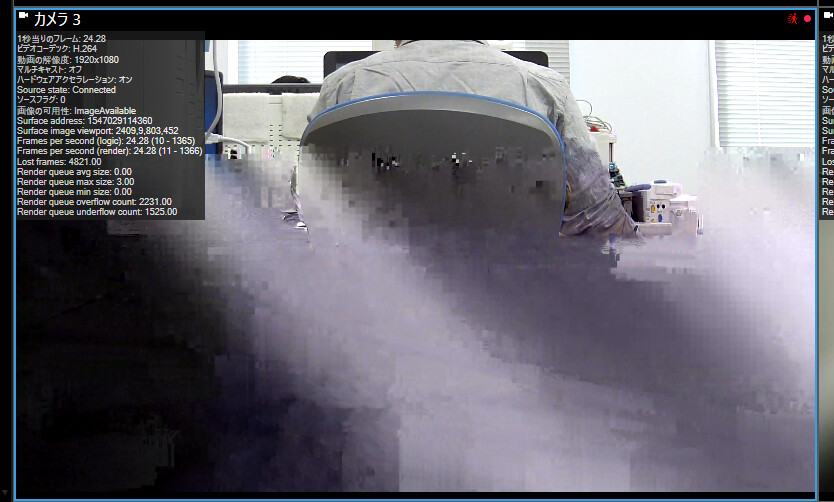
The image is distorted in hardware accelerated video

Hello,

I use MIP SDK 2016R3c in my project.

In case of enable hardware accelerate, the image is distorted like this.

This problem happen every 1-2 minute.

However, the problem can be resolved if turn off acceleration.

Why does this happen? and is there any solutions?

Thanks in advance.

I suspect this is not caused by the MIP SDK and you will experience the same in the Smart Client, please test.

Most issues with hardware acceleration is solved by updating your PC graphics driver, so as a first trouble shooting step, give that a try.

Hi,

Thanks for your response.

I updated graphics driver and tested in Smart Client, however, the situation remains unchanged.

and when you tested with the Smart Client you found?

I tested both before updating and after, and problems could be found in both.

What is good is that we can conclude that you do not have to debug your code using the ImageViewerControl when you see the same issue in the Smart Client.

To dig deeper into what this could be I will ask another series of questions:

What is the camera (make, model and firmware version)?

Which settings does the camera use in XProtect? (Also does the problem go away if you change settings, perhaps uses lower resolution?)

Could you make another screen capture this time with diagnostics overlay enabled?

--

A very interesting experiment that I hope you can do:

If you switch to another camera do you see the issue?

If you switch to another PC and run the client there do you see the issue?

I have an idea that we are looking at one of two things, either the camera streams video that pose a problem for the Milestone components to decode, or the PC and graphics has a problem with the decode as performed by the Milestone components. So please experiment if it is possible for you. (If you have more than one camera and more than one PC).

I answered as below,

I use Merit LILIN’s UFG1122 ,firamware ver. 1.3.53_3(Not Latest).

>What is the camera (make, model and firmware version)?

The camera records on always 1080P, 100FPS, 8Mbps pictures.

>Which settings does the camera use in XProtect?

Problem is still happend if change FPS to 60 in same resolution.

However, there is no issue if change settings to 720P, 60FPS.(This camera record only 1080P if want to record more than 61FPS pictures, So I can’t test lower resolution in same FPS).

>(Also does the porblem go away if you change settings, perhaps uses lower resolution?)

Here is picture, but I’m apologize that diagnostics message is in Japanese.

Multicast → OFF

Hardware Acceleration → ON

>Could you make another screen capture this time with diagnostics overlay enabled?

I understand, I’ll test these at next monday.

>A very interesting experiment that I hope you can do:

>If you switch to another camera do you see the issue?

>If you switch to another PC and run the client there do you see the issue?

Thank you for your support.
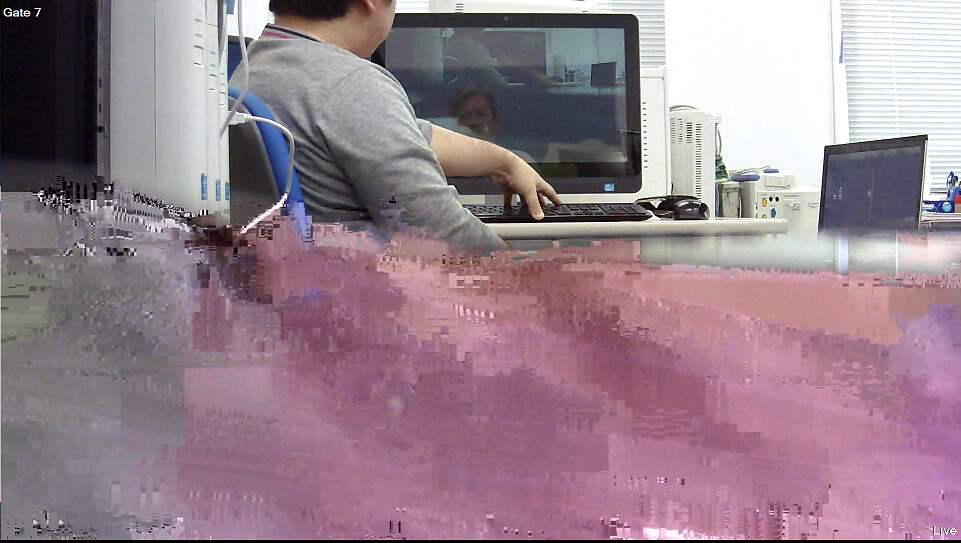
Is your test showing that another camera does not have the issue?

One thing that I noticed re-reading the case; you do not use the firmware version that the driver was tested with, and is listed in the supported camera list (https://www.milestonesys.com/solution-partners/supported-hardware/xprotect-corporate-and-xprotect-expert/?dp=78&m=127&did=33050)

Merit Lilin are themselves involved in testing the camera with the Milestone drivers, perhaps they can guide you, whether you should use the firmware they list on Milestones web or have a newer and improved firmware that has been tested with Milestone drivers.

Hello,

Firstly, I apologise for the delay in replying to you.

I tested SONY’s SNC-VB600(720P, 60FPS,8Mbps) and SNC-CH120(720P,30FPS,2Mbps), the problem isn’t detected.

>Is your test showing that another camera does not have the issue?

I also tested changing to i7 PC from i5 PC, the problem is happened, but distorted area is smaller than i5.(Sorry, I didn’t capture that)

I’ll update firmware and test once again.

Thanks.