Hello,
We are trying to build a solution to start / end recording of a camera through Milestone API. Our aim is to use StartManualRecording and StopManualRecording requests in certain triggers.
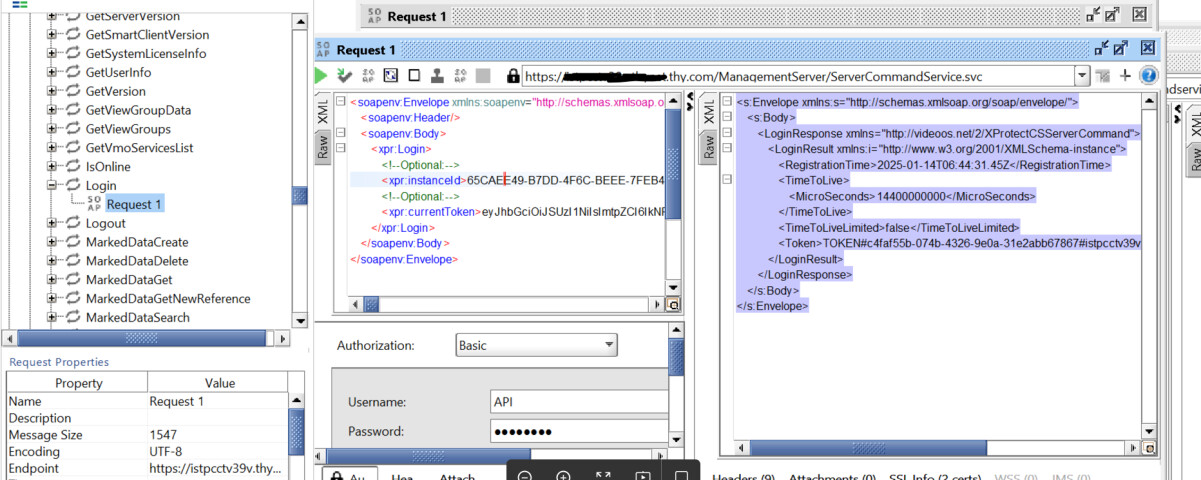
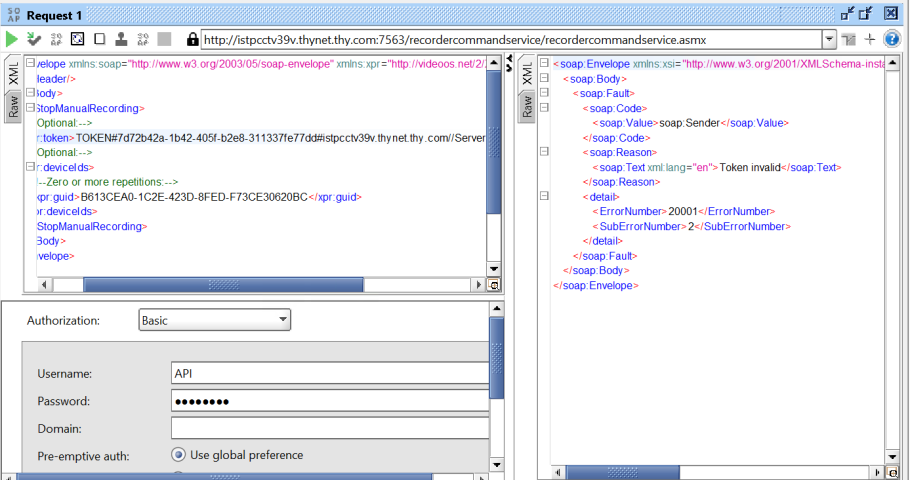
But we are having some problem on token generation, as you can see below; recordercommandservice gives us “Token invalid” error. I’m also sharing how we are generating the token below. Could you please assist us if we are doing something wrong here ?
Token Generation:
XProtect has two different types of token. One is the OAuth token which you have correctly retrieved. The second token is a legacy token which is the token used by the SOAP services including recordercommandservice. You will have use the OAuth token towards the ServerCommandServiceOAuth
and in exchange get a legacy token which the recordercommandservice will be able to use. You can find a description here: - https://doc.developer.milestonesys.com/html/index.html?base=reference/protocols/protocol_authenticate.html&tree=tree_3.html
thank you Bo,
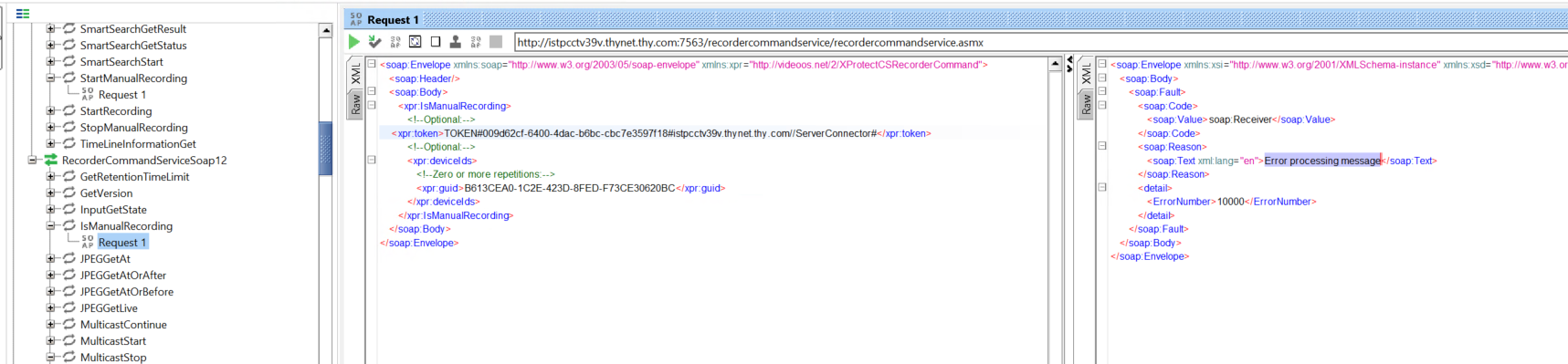
I’ve obtained the OAuth token as below; is this correct ? because when I try the ManualRecording methods I got the “Error processing message” but looks like token is correct because I didn’t get the token error any more.
Just to add, I’ve seen this error at eventlogs; do you have any idea ?
Error communicating with:
istpcctv39v.thynet.thy.com:7563 with message: The underlying connection was closed: The connection was closed unexpectedly.Exception details:
System.Net.WebException: The underlying connection was closed: The connection was closed unexpectedly.
at VideoOS.Event.Server.Communication.Corporate.RecorderStatusService2Central.CheckTokenRefreshOrRethrowException(Exception e)
at VideoOS.Event.Server.Communication.Corporate.RecorderStatusService2Central.GetStatus(Guid sessionId, Int32 millisecondsTimeout)
at VideoOS.Event.Server.Communication.Corporate.StatusSessionRecorder.Run()
Additionally; just want to share this to be sure if this is OK or not;
One guess or suspicion; it might be the XML namespaces. Please try without.
Example: xpr:token to etc.
Thanks for the support Bo,
But, when I tried as you suggested, it didn’t work unfortunately.
I’m thinking that recordercommandservice has some problem to process the messages but not sure where to check. Any suggestions ?
Here some examples;
With an old token I got “Token Invalid” error which is normal.
I’ve refreshed the token and tried again then got the same error “Error processing message” :
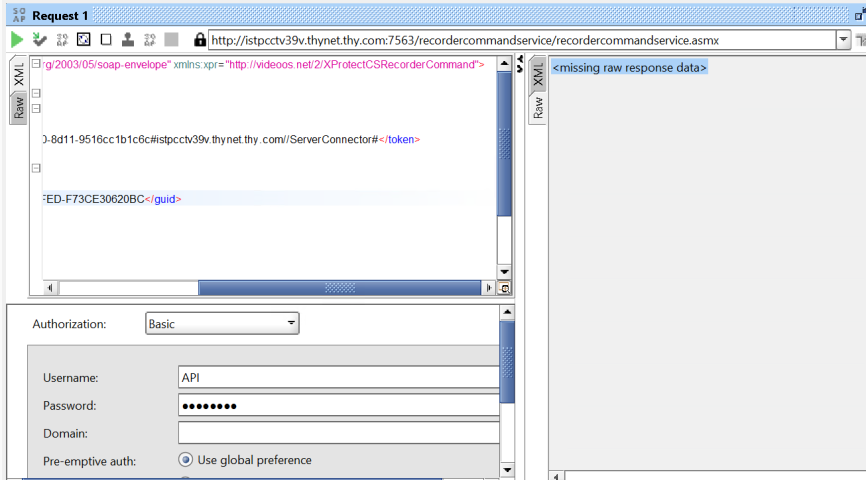
Then I tried as you suggested by modifying the XML namespaces as below and got the ;
1-
2-
![image]()
I would like to see what you send and I don’t feel I can do that on the latest screenshots, it now seems that both “IsManualRecording” and “StopManualRecording” is in the mix, but I guess these are much alike.
Assuming the request XML is fine, my next idea is to see if the logs hold any clues. Please examine the recording server logs (([C:\ProgramData\Milestone\XProtect](file:C:/ProgramData/Milestone/XProtect) Recording Server\Logs)), I believe WebServer.log is the log that might have an error when this request fails.
Also, could you please share the actual request (and not a screenshot) leading to the “Error processing message” error?
Thank you Peter and Bo, for your support.
I found the reason; info lines which comes with the API Request samples generates this problem. I removed them and messages processed.
failed request;
<soapenv:Envelope xmlns:soapenv=“http://schemas.xmlsoap.org/soap/envelope/” xmlns:xpr=“http://videoos.net/2/XProtectCSRecorderCommand”>
soapenv:Header/
soapenv:Body
xpr:StartManualRecording
 <!--Optional:-->

 <xpr:token>TOKEN#82c226b6-d061-442c-b397-92c0b47bcc11#[istpcctv39v.thynet.thy.com//ServerConnector#</xpr:token>](https://istpcctv39v.thynet.thy.com//ServerConnector#%3C/xpr:token%3E)

 <!--Optional:-->

 <xpr:deviceIds>

  <!--Zero or more repetitions:-->

  <xpr:guid>B613CEA0-1C2E-423D-8FED-F73CE30620BC</xpr:guid>

 </xpr:deviceIds>
</xpr:StartManualRecording>
</soapenv:Body>
</soapenv:Envelope>
sucess request;
<soapenv:Envelope xmlns:soapenv=“http://schemas.xmlsoap.org/soap/envelope/” xmlns:xpr=“http://videoos.net/2/XProtectCSRecorderCommand”>
soapenv:Header/
soapenv:Body
xpr:StartManualRecording
 <xpr:token>TOKEN#82c226b6-d061-442c-b397-92c0b47bcc11#[istpcctv39v.thynet.thy.com//ServerConnector#</xpr:token>](https://istpcctv39v.thynet.thy.com//ServerConnector#%3C/xpr:token%3E)

 <xpr:deviceIds>

  <xpr:guid>B613CEA0-1C2E-423D-8FED-F73CE30620BC</xpr:guid>

 </xpr:deviceIds>
</xpr:StartManualRecording>
</soapenv:Body>
</soapenv:Envelope>