Hi, I hope my question is relevant to this forum.
I have a camera that is not listed in Milestone and is currently in the process of obtaining official ONVIF compliance (it has successfully passed all ONVIF protocol S test tools).
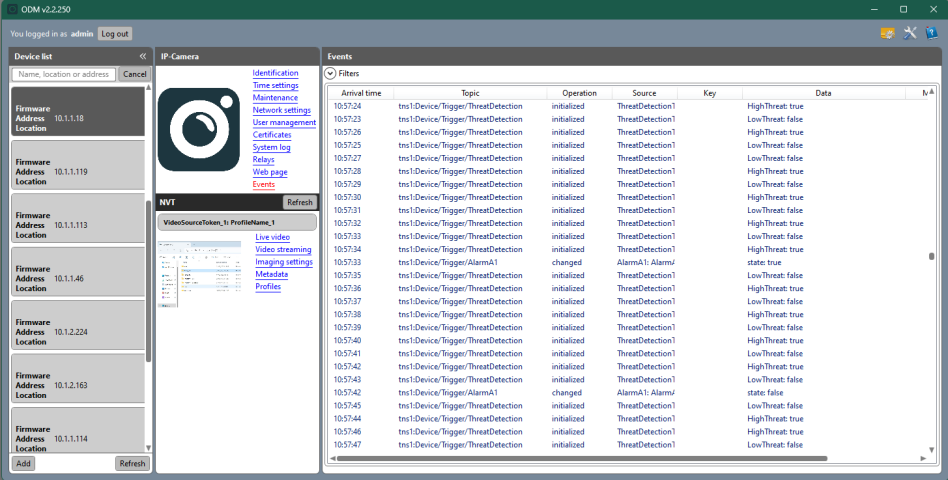
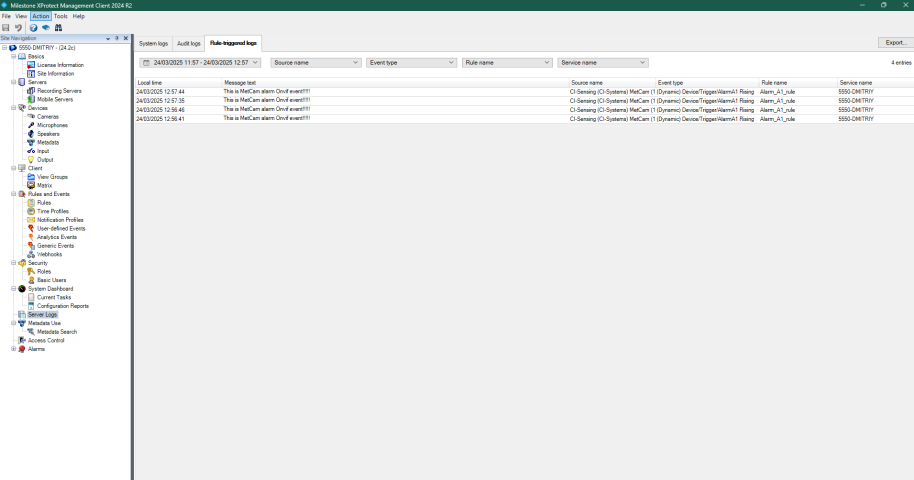
When I connect the camera via the Management Client, I can view the RTSP video stream and see the list of events reported through Events → Add. The camera generates ONVIF events every second, and these events are visible in the ONVIF Device Manager (OBD app). However, when I attempt to log these events using Rules → Create log entry, nothing appears in the logs.
I also noticed that the event I am trying to capture appears with a “(Dynamic)” prefix in the Management Client, whereas this prefix does not exist in the OBD app.
Since the camera has passed all official ONVIF tests, I am confident that the ONVIF implementation is not the issue. This leads me to suspect that the problem lies either with how XProtect Management Client handles the events or with the fact that the camera is not officially listed in Milestone.
- Could this issue be related to the camera not being listed in Milestone?
- How can I debug the problem to identify the root cause?
Found a solution, according to Milestone_ONVIF_Driver_Documentation.pdf document :
The driver explicitly checks for PropertyOperation = “Changed”. All Notification messages with status
“Changed” will be detected by the driver. Therefore, messages with PropertyOperation = “Changed” must
be send only if event status is changed, otherwise there will be a lot of unnecessary triggered events.
Notification messages that do not have this value are ignored.
After changing ONVIF library implementation on the camera PropertyOperation = “Initialized” to PropertyOperation = “Changed” , the Manager Client started to react the event trigger.
Question is received and will be scheduled for answering.
Hi Dmitriy,
The behavior of ONVIF driver regarding events is based on the ONVIF standard specification. In ONVIF, the PropertyOperation attribute is used in events to indicate how a property value is changing over time. Value “Initialized” Indicates that the property has been set for the first time. Usually when we first establish communication with a device it sends its initial state of events. Value “Changed” signals that the property value has been updated and the initial state has changed. Used when a stateful event occurs, such as motion detection turning from false → true. That’s why we only log events when PropertyOperation=“Changed”.
Regarding “(Dynamic)” prefix in the Management Client, we add that in front of events received from a onvif device. We refer these events as dynamic opposed to events predefined in the driver which we internally call “Static” events.
I hope this answers your question. If you have any additional questions please let me know.