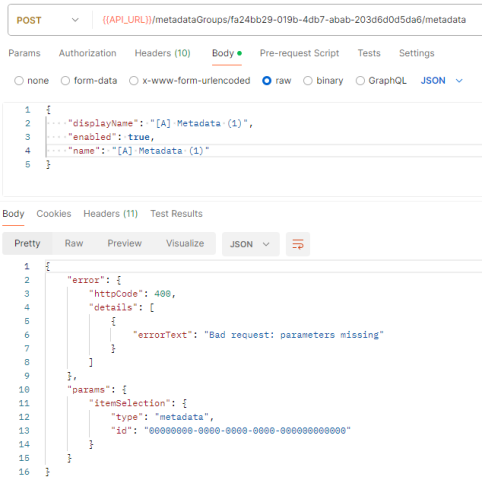
We are working on the implementation of a custom driver in the recording server, and at some point, we need to create a metadata group and several metadata items through the API. The metadata group’s creation works just fine but it is impossible to create metadata items, as a “400 Bad Request error : missing parameters” occurs.
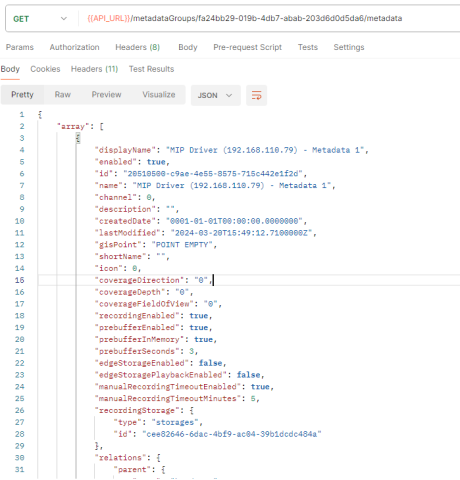
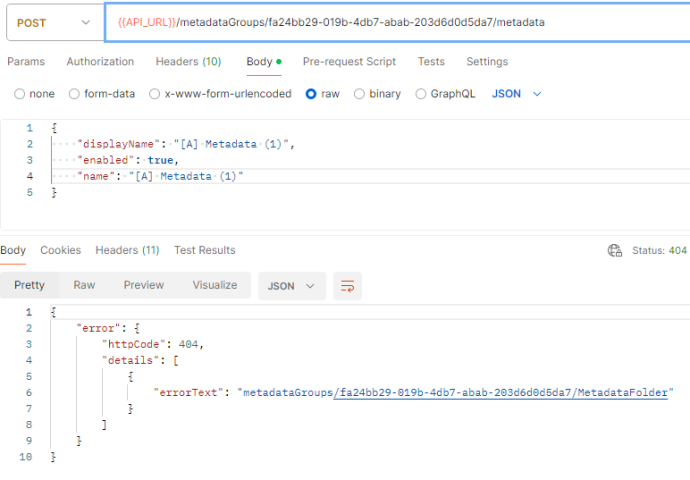
As you can see on the screen above, we are able to actually GET the metadata array of a given metadata group, but the POST method to create a new one seems to have an issue recovering the metadata group id given in the URL :
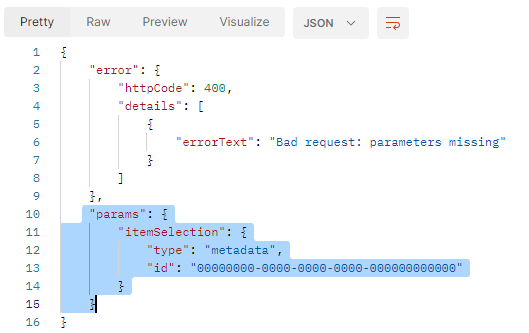
Our guess is that the back end, at some point, loose the id given in the URL, as the “params” returned seems to indicate that the processed id is in fact “00000000-0000-0000-0000-000000000000” :
I see a couple of things that are questionable here. For one, metadata needs to have a source device, on some piece of hardware, in order for a metadata item to be created. Secondly, if you are developing a custom driver (using the driver framework) I would suggest that the correct way to get metadata into the system is not through the REST API, but by including a metadata device in your driver and providing the metadata through that.
Or perhaps I am misunderstanding what you are trying to achieve?
I know that using the REST API in the driver is not the way it should be, but it is the only way I found to achieve my goal. Perhaps (I hope) you know a better way , here is what I am trying to do :
I would like a driver that create as many metadata items as there are cameras on a recording server, and link one metadata item to one camera.
I’m alreay able to recover the number of cameras using the ManagementServer class :
var hws = ms.RecordingServerFolder.RecordingServers.FirstOrDefault(x => x.Name == serverName).HardwareFolder.Hardwares;
And I found a piece of code (from the forum) to link a created metadata item to a camera :
The issue is that to link a metadata item, it needs to already be created on the recording server (as its ID is needed), however when I try to link them to cameras (in the BuildDevices() function of the driver), these new metadata item are not yet created. That is why I tried to create them from the API to get their ids and then link them to a camera.
Maybe I should implement this function somewhere else in the driver’s code (but I don’t know where), or maybe there is another way to do what I want ?
NB : Before writing the first post, I tried to create a metadata item through the API with every fields filled (as the exemple given in the documentation) and the 400 bad request was always returned.
When you say you want metadata items, I assume you are referring to metadata devices?
Those cannot be created via the REST API except by calling the AddHardwareTask method on the Recording Server, which requires you to specify a driver among other things. A single device cannot be added on its own in the manner that you suggest.
As I stated, the correct way of adding metadata devices in your driver is to include them as devices in your driver as demonstrated in the DemoDriver’s DemoConfigurationManager. To associate these devices with specific Cameras, you can then later (once the hardware has been added) set the RelatedDevices property in the device’s ClientSettings to point to the paired Camera, or vice versa. But this cannot be done before the hardware is added, including all of the devices, metadata and camera.
The AddHardware task should provide you with the id of the hardware added, from which you should be able to get access to all the devices, but this should definitely not be done from inside the driver. Associating devices isn’t really the driver’s job, it should just translate from a data source into a format the Recording Server can handle.