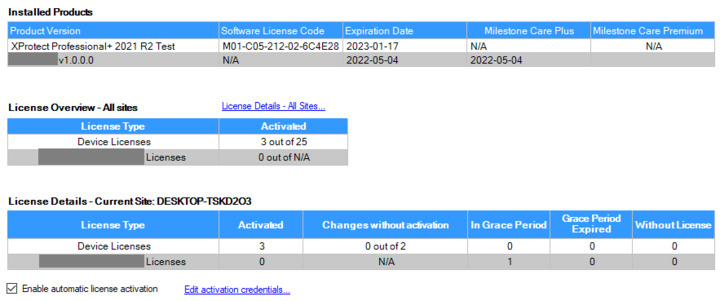
I am working on my first plugin that uses the MIP Licensing Framework. After familiarizing myself with the various licensing plugin samples, my plugin currently creates a trial license:
I understand the next step would be for me to create a new SLC for my plugin. This is the step I am stuck on. I go to the Customer Dashboard web site and try to « Register new license (SLC) », but the pop-up that appears suggests that the new license is for an XProtect server and not for a plugin.
How can I create a SLC for my plugin? Is it really the next step? Am I missing access rights? Did I miss anything?
On this forum I found a link to the Milestone Solution Partner Licensing Framework pdf file (http://download.milestonesys.com/MIPSDK/MilestoneSolutionPartnerLicensingFramework.pdf), but it is seriously outdated and ultimately did not provide a complete answer. It does not help that several « Read More » links on Milestone’s web site point to nonexistent pages.
The MIP Licensing portal has been fully revamped and we are currently working on a new version of the document, but due to the substantial changes it will take some time still.
However, to register a new plugin for licensing you should go to this page:
As stated in my original post, my plugin is already registered on said website. My problem comes after that: I cannot add SLCs.
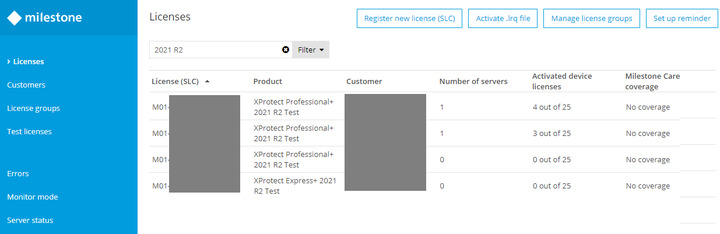
In the Customer Dashboard, if I click on « Register new license (SLC) » and go through the pop-up window requesting information, I end up with the result « Customer does not exist ».
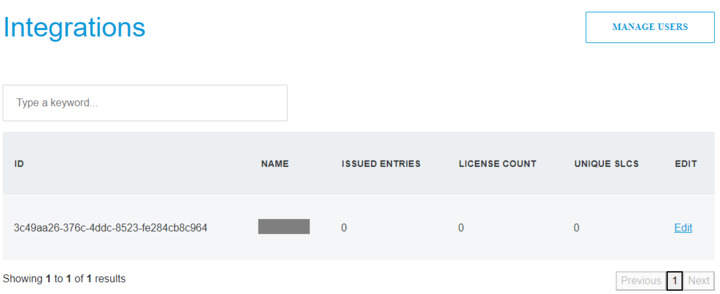
As it turns out, it was an access rights issue. In the integrations page, seeing the « Manage Users » button, but NOT seeing the « Add New License » meant my account was not set up right. Fixed!