The route returns an empty array of views when the views exist and are not in the Private folder
I can see how you find it surprising, but I find that it works as expected and documented. Allow me to explain.
My test setup is like this shown by the ConfigAPIClient sample..
ViewGroups and Views is a folder structure.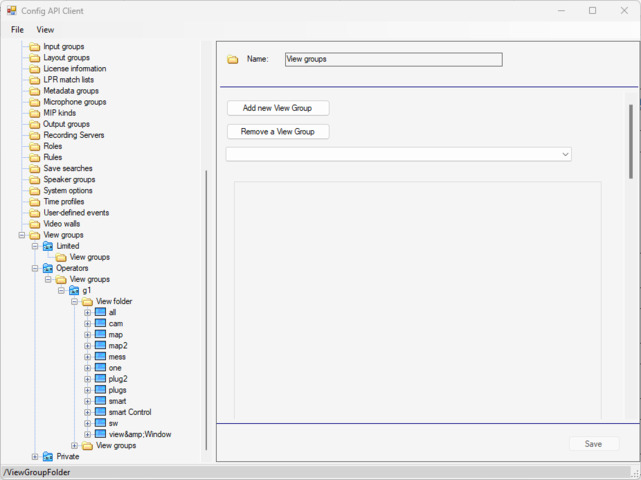
If you ask for “all” ViewGroups you get..
Which is not all ViewGroups but it is first level of ViewGroups.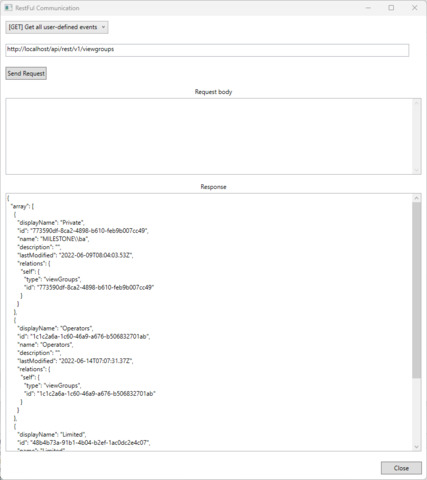
Next step I find ViewGroups of a ViewGroup.
If I on this ViewGroup asks for Views I get. In order to truly get all Views you will have to traverse the structure of WorkGroups. It would maybe be great to be able to get all Views no matter which ViewGroups they belong to but unfortunately that is not how it works.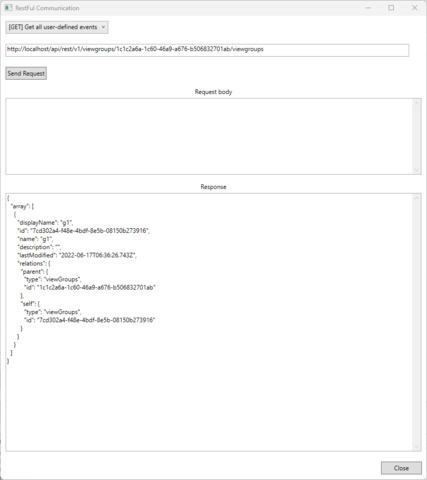
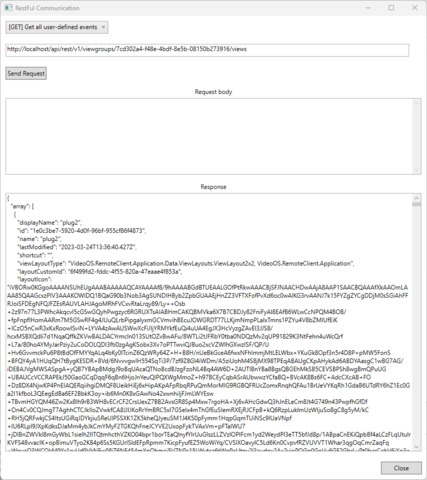
I see this as being in accordance with the documentation. - https://doc.developer.milestonesys.com/mipvmsapi/#tag/Client/operation/getAllviewsInAviewGroups
Thanks, I understand your answer and am trying to do the same. I created a group called Test and added two views to it. In the screenshot I show it to the client. Using the API, I get the id of this group recursively, but when I try to get the views inside, I get an empty array. Look at the screenshot, maybe I’m doing something wrong
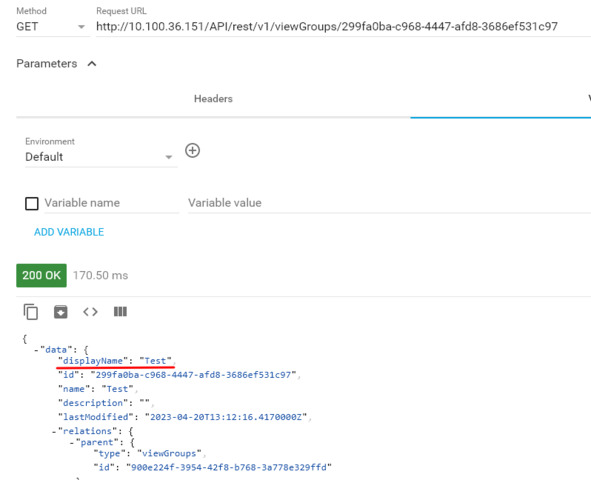
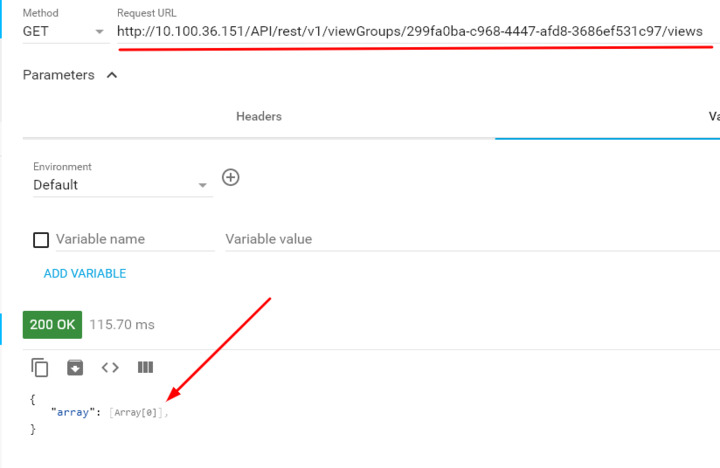
I find it disturbing that we do that same but not with the same result.
What version is the XProtect server you work with?
Is the user you use a member of the Administrators role in XProtect? Are you using a basic authentication user or a Windows/AD user?
Do me a favour and build and run the ConfigAPIClient sample, see if you see the structure and data as in my screenshot, this test will give us a hint as to where the issue might happen.
When I have the version I will attempt to reproduce in the Milestone test lab, for now I was unable to do so using newest version..
Reinstalling API Gateway and updating the Milestone version to 2023 R1 solved the problem. Thanks for your help!