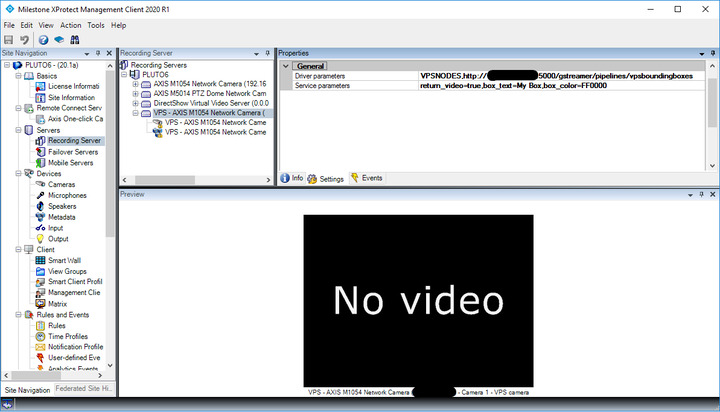
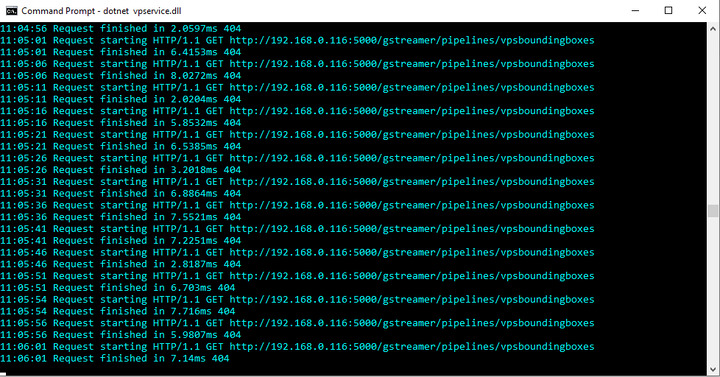
I configured VPService on my local machine and the application started properly and listening to requests from XProtect installed on a virtual machine.
I added a VPS hardware but then the VPS device shows no video => connection is broken.
Could you please advise what might be the problem?
Could you set up an environment variable GST_DEBUG and set it to 2, run the node again and please post the output here. It should show any errors loading the plugin.
It looks like you either don’t have the right gstreamer plugins installed, or that your path to gstreamer is not setup correctly so the VPSService can’t find the plugins.
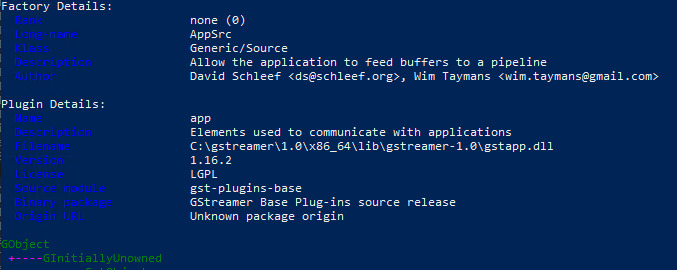
If you go to the bin directory of your gstreamer installation and run:
If you don’t, please make sure you have the correct gstreamer installed. The gstreamer-1.0-msvc-x86_64-1.17.2.msi should give you the necessary plugins when choosing “complete” in the installation.
If you do get a similar output to the above, your installation does have the appsrc element, but the VPService cannot find it. In this case, please make sure you have set up your PATH and system variables correctly: