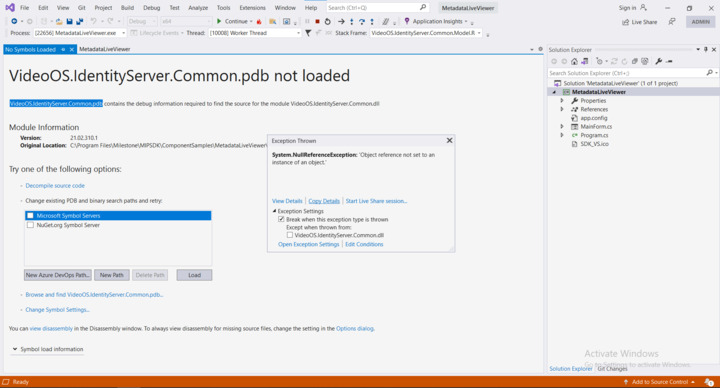
MIP SDK Projects suddenly stopped working, I am using MIP SDK 2021R2 with Xprotect version 2020R3.
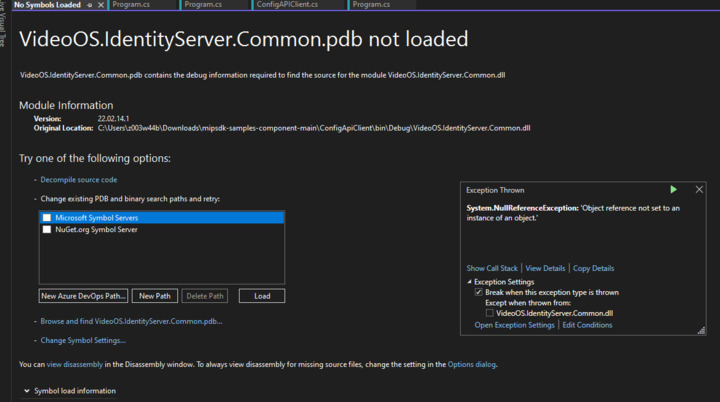
Error: VideoOS.IdentityServer.Common.pdb not loaded.
Please find attached the below Screenshot.
MIP SDK Projects suddenly stopped working, I am using MIP SDK 2021R2 with Xprotect version 2020R3.
Error: VideoOS.IdentityServer.Common.pdb not loaded.
Please find attached the below Screenshot.
Please use the newest SDK and see if the same issue happens.
I’ve downloaded the latest one from GitHub while I am still facing the same issue.
Do you have any idea what causes this kind of issue?
Thank you for your support.
It sounds strange, I just tested MetadataLiveViewer sample that you showed me in your image, it is working fine.
A few things that I noticed from your image: VideoOS.IdentityServer.Common.dll is not the newest. Did you update Nuget Packages?
Also, it seems that you run the sample from “[C:\Program](file:C:/Program) Files\Milestone\MIPSDK\ComponentSamples\MetadataLiveViewer”, isn’t it the sample from old MIP installer? (If you replace the newest sample there on the same path as old path, that is completely fine).
Yes, all my projects were running perfectly suddenly this error started to appear and true I replaced it on the same path.
This sounds strange…
But one thing - can you please update dlls? In your image, it said “21.023.0.1”.but the newest one is 22. So please update Nugetpackages and see if it works..
Yes, I’ve tried to update it but unfortunately, I am facing the same error with a different version.
Can you please get Stack Trace and error details?
Stack Trace: at VideoOS.IdentityServer.Common.Model.Responses.DiscoveryResponse..ctor(Uri identityProviderUri, String httpContent).
Can you please give us a full stack trace? Also, can you please explain how you get the error? When do you get the error (such as when you run the sample, you get the error or something)? And it would be great if you could save memory dump when you meet the issue.
Any update on this, I get the same “pdb not loaded” when trying to run the samples (e.g. ConfigAccessViaSDK, ConfigAPIBatch etc)
Milestone Development would like to analyze the issue deeper, so can you please give us a full stack trace? Otherwise it is hard for us to start an investigation.
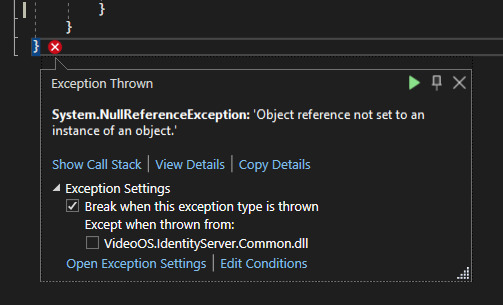
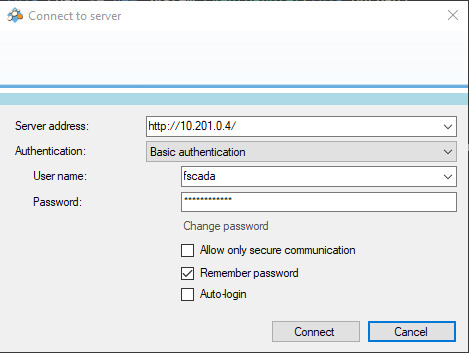
Here is the callstack when running the code sample ConfigAccessViaSDK the exception occurs once the “Connect to server” dialog is dismissed with the “Connect” button.
Checking “Except when thrown from:” VideoOS.IdentityServer.Common.dll all works as expected.The issue was due to the operating system, Update to windows 11 solved our error, and SDK is running now.
Just my curiosity, can you please tell me which OS you were using when you met the issue?
Windows 10 Version 20H2 and Windows Server 2016
Updating to Windows 11 is not a viable option for us at this point.