We connect to XProtect 2020R3 VMS with SDK2018R3 fine but our customer gets "Connection to camera failed. Retrying..."

Our customer has set up XProtect Corporate 2020R2. Our component with SDK2020R3 included connects and streams from their VMS just fine. For a certain reason we tried to roll back SDK to 2018R3 in our component. It works the same in our dev setup but fails to stream in the customer setup. They get a “Connection to camera failed. Retrying…” message after successful basic authentication. Could You provide a full list of software requirements for SDK2018R3 to connect correctly to XProtect 2020R2 an stream? We are only aware of Microsoft .NET 4.7 or higher.

The customer’s VMS:

  • VMS XProtect Corporate 2020R2

The customer’s client machine:

  • Windows 10
  • .NET 4.7.or higher
  • NVIDIA Quadro P2200
  • NVIDIA drivers 400 or higher but installed by Windows Update
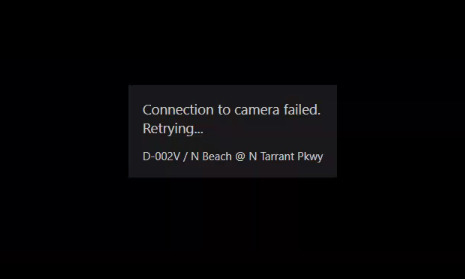
The short answer is; do not use an old MIP SDK, it is not recommended!

You can look through all the “Introduction to MIP SDK xxxxRx”. My guess is that the customer has enabled secure communication from the recording server. Ref. https://doc.developer.milestonesys.com/html/index.html?base=gettingstarted/mip2019r1_intro.html&tree=tree_home.html

I know for a fact that you will not be able to use Smart Client 2018R3, so it is not useful to highlight that MIP SDK uses the same components as the Smart Client. I am putting it here that it might be valuable information in other similar cases.

I am sorry but the list you ask for does not exist. The recommendation is to uses the newest MIP SDK always.

Thank You for the answer, Bo.