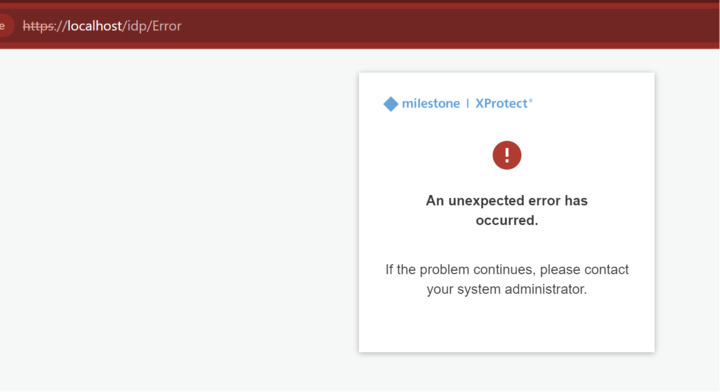
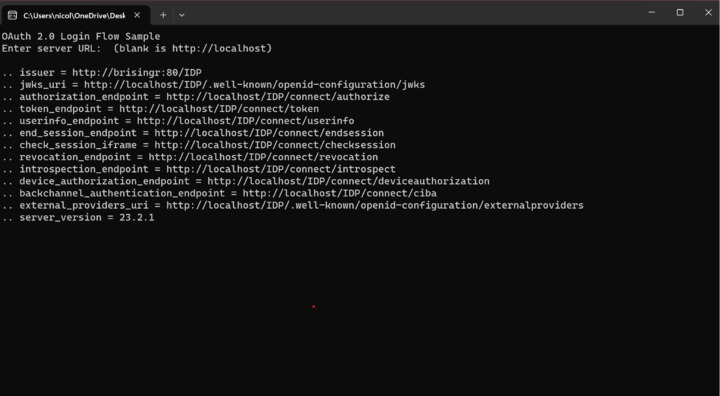
Hello, I’m using the OauthLoginFlow template from mipsdk-samples-protocol github : https://github.com/milestonesys/mipsdk-samples-protocol/tree/main/OauthLoginFlow
When launching it I got the prompt asking Enter server URL: (blank is http://localhost). I’ve tried every possibilities I found but no result.
My local web server adress is :
http://brisingr:7563/
Can anyone help me please ?
This content is a preview of a link.
brisingr
I wonder if you have the prerequisite:
Prerequisites
You must have configured an external identity provider for the XProtect VMS. For information about settings up external indentity provider, please refer to Configure External IDP
Ref. https://doc.developer.milestonesys.com/html/index.html?base=samples/protocolsamples/oauthloginflow/readme.html&tree=tree_3.html
The error fits the scenario where no external identity provider has been configured.
Hello there,
First thing first, thanks for your response.
What do you mean by external IDP ? At the moment, I just installed XProtect Essential + on my local machine (Windows 11) and added some camera using StableFPS.
Image is not available
I don’t have any external IDP ( Azure AD or else ) since I’m only running a localstack.
I’m using the basic authentication method to login to my management server
Image is not available
Thanks again for your help which is greatly appreciated since It’s my first time setting it up.
Regards,
Nicolas
If you don’t have any external IDP you are working with the wrong sample. The OauthLoginFlow sample is specifically showing to use external identity providers.
Please see the Login .NET SOAP sample.
https://doc.developer.milestonesys.com/html/index.html?base=samples/protocolsamples/logindotnetsoap/readme.html&tree=tree_3.html
When you follow the code for login it gets a Oauth token etc. to login directly
Great, thanks you for the redirect ! Wish you an amazing day/week.
Regards,
Nicolas