We are working on integrating our cameras with Milestone System using our custom camera driver via MIPS driver framework.
when the camera is added using express discovery mode, hardware model is not displayed in discovery window when we use our custom camera driver to add the camera to Milestone system.
Our camera driver provides ONVIF discovery scheme with regular expression for name and hardware as part of Driver Info supported schemes, but discovered hardware does not show model name in the discovery window.
Could you please advice us how can we get hardware model name in discovery window when the camera is chosen with custom camera driver as part of Milestone Express discovery.
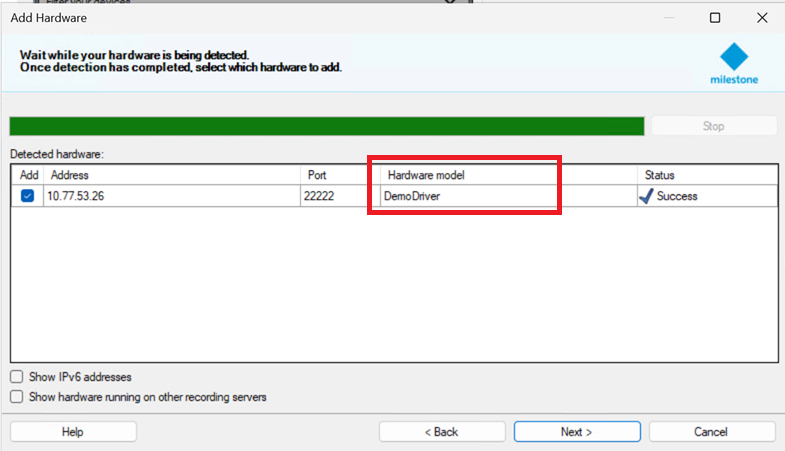
When I test with the Demo Driver sample I can see the Hardware model is correct in the Add hardware wizard using express discovery.
I am not sure but I have a guess that this part is providing this name: (DemoDriverDefinition.cs)
protected override DriverInfo CreateDriverInfo()
{
	DriverInfo driverInfo = new DriverInfo(Constants.HardwareId, "DemoDriver", "Demo", "1.0", new[] { Constants.Product1 });

	driverInfo.MaxHardwarePerProcess = 10;
	driverInfo.SupportedSchemes.Add(new ONVIFScheme() { NameRegex = "Demo", HardwareRegex = "DemoDriverDevice" });
	return driverInfo;
}
our camera driver supports different camera skus, so we cannot fix camera model names in driver code directly. we are providing regular expressions for Name and Hardware to Milestone System to cover all our camera sku models.
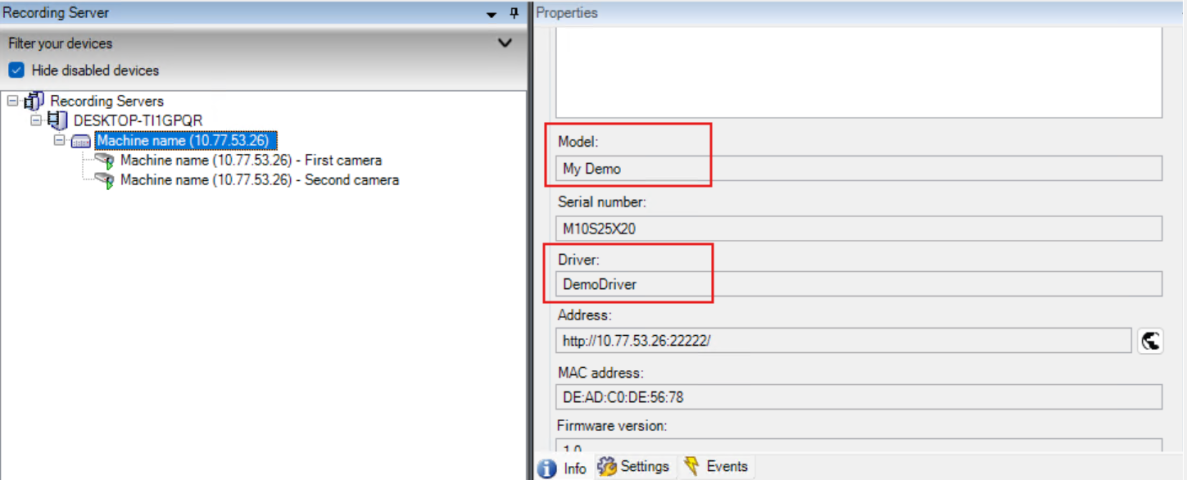
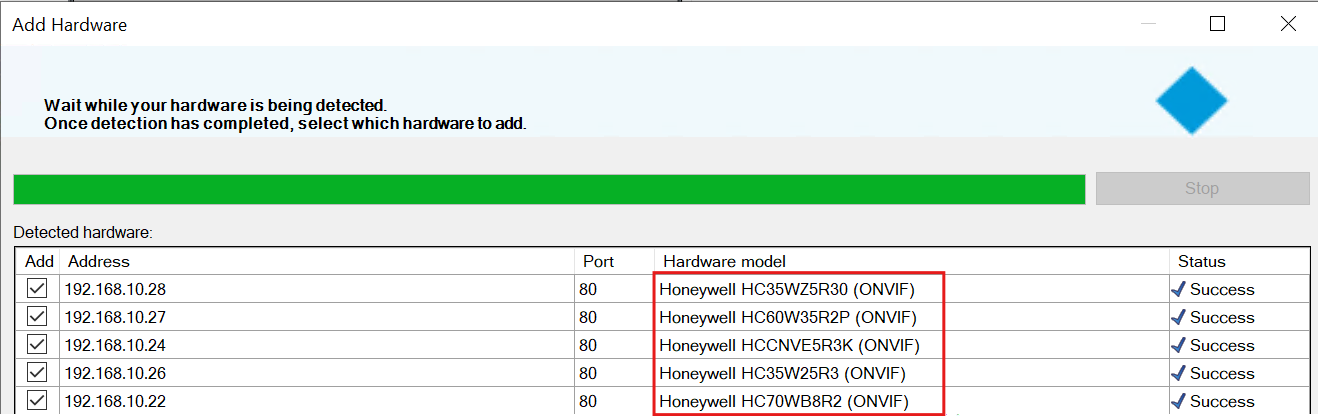
We also tried with demo driver using express discovery, during discovery Hardware model shown as “Demo Driver” in the Milestone discovery window and after demo device addition, the model name is displayed as “My Demo” under Info Tab. Please see below attached images for Demo Device Model Name and Demo Device Discovery snapshot. We also attached ONVIF Discovery snapshot which have correct camera model names displayed in discovery window.
I tested to get an overview.
The Hardware model presented in the Add hardware wizard is supplied through DriverDefinitionCreateDriverInfo(), and at that point you don’t know the device info yet so for those you have to use some predefined (and maybe pretty generic) names - like model series or similar.
The model in the Hardware Properties comes from ConfigurationManager.FetchProductInformation(). Where you have the login info and thus can ask the camera for some of the data (DemoDriver takes some from the Definition, but you are free to do otherwise).
Thanks, Andresen, for the reply. I understood DriverDefinitionCreateDriverInfo() part, onfigurationManager.FetchProductInformation(). part too. I wonder how ONVIF Driver display camera model names in discovery window properly. Is it limitation with a driver built using MIPS Driver framework? As I know Milestone ONVIF Driver does not use MIPS Driver Framework.
Yes. You are correct, it is a limitation in the MIP Driver Framework, and the Milestone ONVIF Driver is built internally at Milestone using other tool, not using Driver Framework.