I was trying to integrate this for my WPF video feed streaming client. Tried the sample on the ComponentSample and got the same error as well.
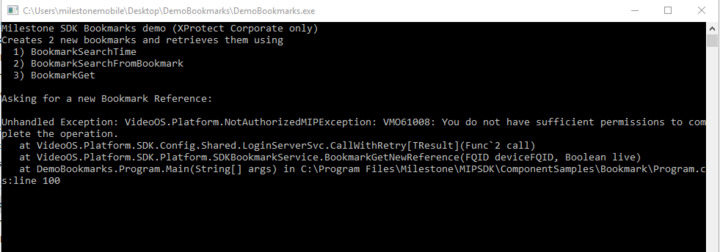
Does your user have enough permission for creating bookmarks? Creating bookmark requires to have enough permission, see below -
Start Management Client – Security – Role – (select your role) – Device tab – (select Camera group or certain device)
Please check if these checks are on.
It is also possible to set up on Overall Security tab.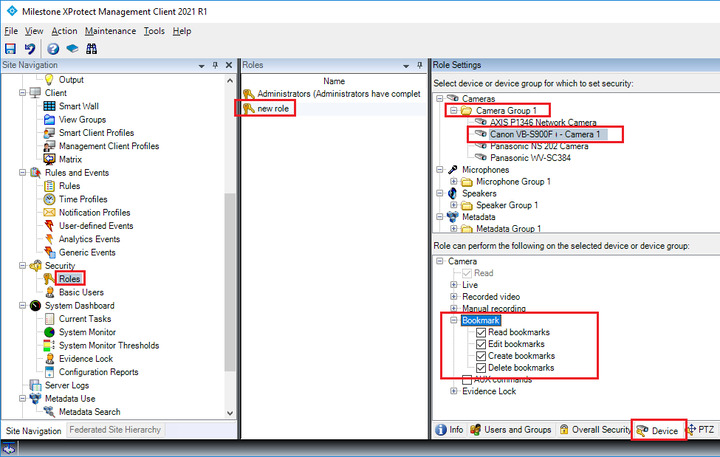
Start Management Client – Security – Role – (select your role) – Overall Security tab – select Cameras and see these bookmark settings.
NOTE: Overall Security tab setting is for all cameras that you have on your VMS.
Also, it might be an idea for you to test with a user belonging to the Administrators role, such a user will have permission to everything.
Thanks for the reply it seems like the account which was given to us doesn’t have enough permission to perform that task. We have requested to enable those permissions as well.