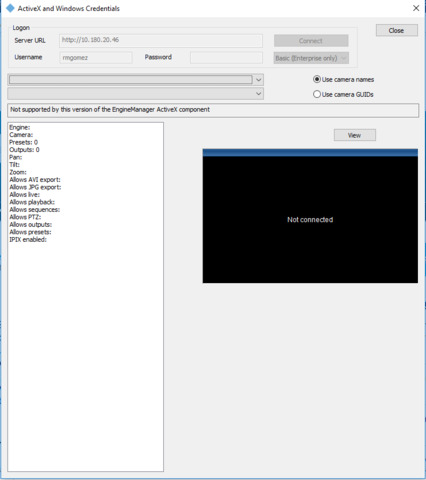
I have installed the MIP SDK and I am seeing the example “ActiveXandWindowsCredentials”, which has a Dialog window with an ActiveX Control, when I try to open the Dialog window I get the error that I attached, that the Object has not been registered .
In the directories that are generated in the installation I see a folder “CabFiles”, in this folder if there is the object “ImageViewer.cab”, but when I try to register it with “regsvr32” an error appears that it is not a windows program for x86 and x64 platforms.
Where and how can I get the ActiveX Control “ImageViewer” compatible with Windows ?.
After install MIPSDK_Installer_2018R2.msi (I guess x64 version) and compile the example ActiveXandWindowsCredentials there are something wrong with <EngineManager.dll>.
See image attached
There is an OCX x64 or I have to install SDK x86 to execute (if there is one)?
Download the 32 bit redistributable, you will find it beside the regular MIP SDK download. This will give you a new bin folder with 32 bit files. ([C:\Program](file:C:/Program) Files (x86)\Milestone\MIPSDK\Bin). Using these files you can build 32 bit, and this will be a requirement while using the EngineManager.dll.