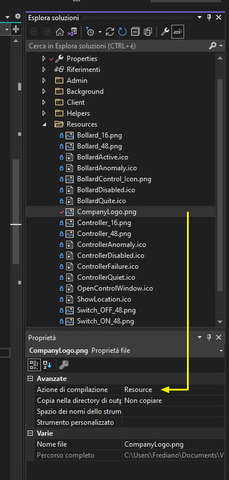
I want to have a button that has an image inside of it instead of text.
I am doing this inside of a ViewItemWpfUserControl used in a Workspace plugin.
I found in the docs that I needed to apply a style.
I figured out how to get the default style back. I think the quickest way is to do this (add a new target type for each control you want to disable the style on):
<Grid x:Name="GridMain">
        <Grid.Resources>
            <Style TargetType="Button"/>
        </Grid.Resources>
        ...
Now my buttons are the default grey, but when I try to add an image to my button, it still does not work:
<Button x:Name="Btn_ShowHideFilterCameras"
Click="Btn_ShowHideFilterCameras_Click"
Background="Transparent"
BorderThickness="0"
Width="15"
Height="15"
HorizontalAlignment="Right"
Margin="5,5,5,5">
        <Image Source="../Resources/Play.png"/>
</Button>
The button looks fine in the Editor but no image is visible