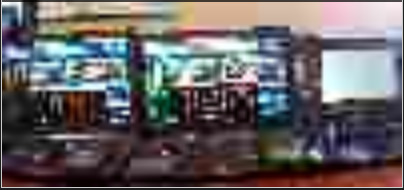
Hi, we’re having a weird issue here on Essential+ 2019 R3. When looking at the samples found in XPMobileSDK/Samples/video/videoSample.html, there’s an issue where the camera stream start displaying, but after 10 - 30 seconds, the viewer gets in a weird state where the canvas is all blury (see image).
Then, the viewer will alternate between a clear image and a blurry one every 2 seconds or so and it seems stuck in that state.
The thing is, this issue is not happening in the XProtect Web Client 2019 R3 viewer. Only in the samples in the XPMobileSDK. Does the XProtect Web Client 2019 R3 paint the canvas in a different way than in the XPMobileSDK samples?
The Mobile Server and the sample are on the same physical machine.
Also, whatever compression setting, fps or resolution I set in the requestParams function will always give me the same result. The only way I do not get into that state is if I disable the Quality Of Service QosTracker Enabled key in the VideoOs.MobileServer.Service.exe.config file. Still, the Xprotect Web Client viewer does not have this issue, so I’m wondering what’s being done differently here.
When breaking in the following the code when the canvas get into this weird state, I notice the following: the image naturalWidth and naturalHeight being sent is way smaller than what’s requested, and the resampling is upped to 4 instead of being 1 like when it’s clean.
if (frame.hasSizeInformation) {
var multiplier = (frame.sizeInfo.destinationSize.resampling * XPMobileSDK.getResamplingFactor()) || 1;
image.width = multiplier * frame.sizeInfo.destinationSize.width;
image.height = multiplier * frame.sizeInfo.destinationSize.height;
}