I’m hoping to get some clarification regarding certificates used by XProtect Update Manager (XUM) in a PKI-enabled environment.
In our setup, the XUM Central service is correctly using a certificate issued by our internal PKI/CA, which is working as expected.
However, I’ve noticed that the XUM Agent appears to generate and use its own self-signed certificate, rather than using a certificate from our PKI.
My questions are:
Is it expected/normal behavior for the XUM Agent to use a self-signed certificate?
Is there a supported way to configure the Agent to use a certificate issued by our internal CA instead?
If not, is there a technical or security reason why the Agent does not rely on PKI in the same way as Central?
We are aiming to keep certificate management consistent across our Milestone environment, so I just want to confirm whether this behavior is by design or if there is a recommended configuration.
An expert in Milestone Development answers as follow:
It is normal for the Agent to default to a self-signed certificate during a “standard” click-through installation, but you can definitely change this to match your internal PKI.
Milestone fully supports using your own CA-issued certificates for the XUM Agent to keep your environment consistent. You can configure this through the installation wizard (GUI) without needing to resort to the command line:
Preparation: Ensure your internal CA certificate is already imported into the Trusted Root Certification Authorities store on the Agent’s host machine.
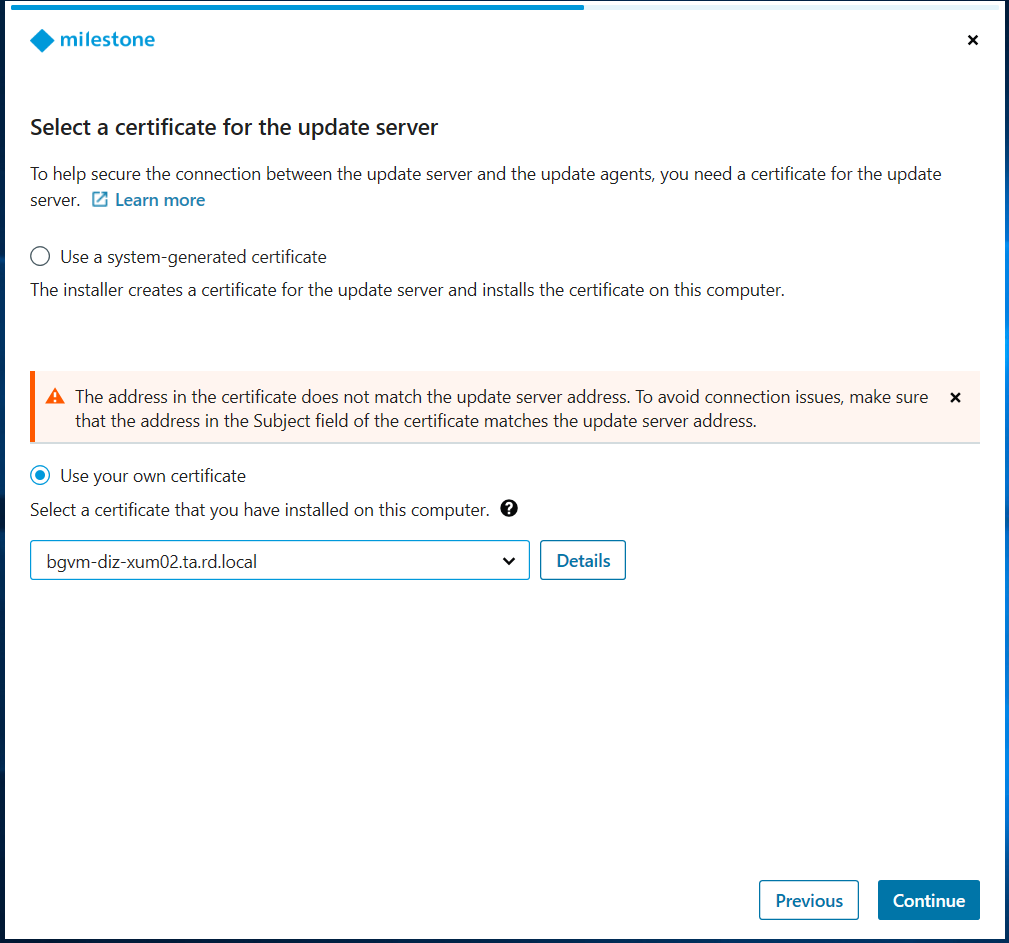
Installation: When running the XUM Installation Wizard, look for the Select a certificate for the update server step.
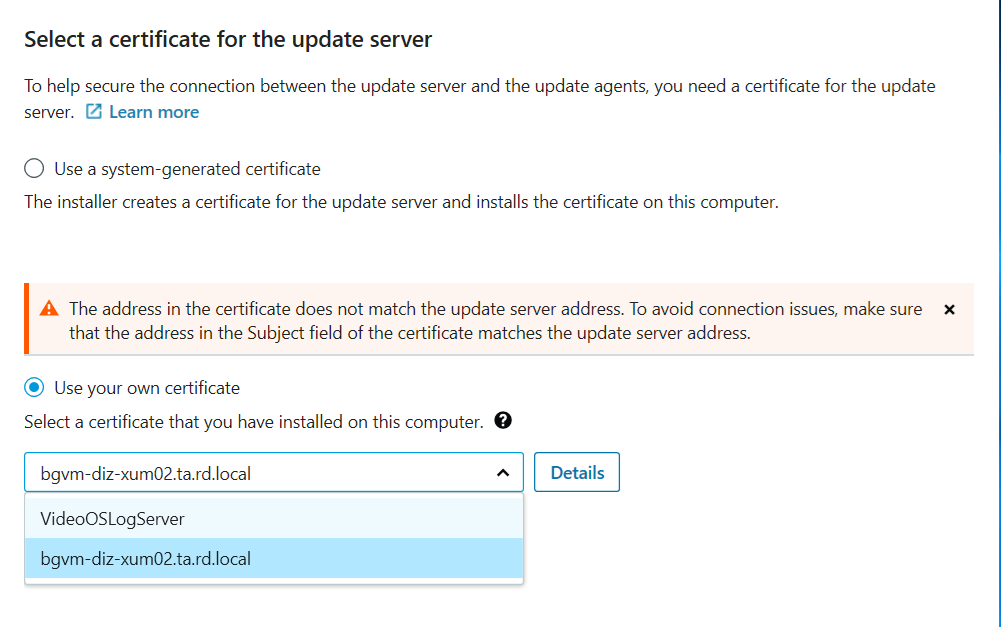
Selection: Instead of selecting the default “Use system-generated certificate” option, choose the option to use your own certificate. You should then be able to browse or select the specific certificate issued by your CA.
Why the difference?
The Agent defaults to self-signed to ensure encryption is active “out of the box” for users without a PKI. However, Milestone built the Update Manager to be flexible for enterprise environments like yours where central trust is a priority.
If the Server and Agent are already installed with a self-signed cert, the cleanest way to switch is to run the installer again to point it to your PKI-issued certificate.
Hope this clears things up and helps you reach that 100% PKI-consistent setup!
Here are some screenshots how it looks like where you can choose between self-signed and CA: