Evidence Lock BadRequest for infinite or custom date

Hi,

Using SDK 2026 R1, XProtect Corporate 2026 R1.

When setting evidence lock using SDK with Custom or Infinite retention option , we get success and lock is put. But same when called using API POST method we are getting error - BadRequest — { “error” : { “httpCode” : 400, “details” : [ { “property” : “retentionUnits”, “errorText” : “RetentionUnits must be 0 or positive” } ] } }

Thanks,

Vega

Please start by testing whether what you experience is the same bug as discovered in this topic: evidenceLocks using REST API

If it is not the same issue, or if the workaround mentioned there does not help, I would like to try reproducing it.

Please share an example of the request you are making (request body and endpoint), so I can test with the same parameters and have the best chance of reproducing the issue.

No, its not the same. Using workaround we are able to create evidence lock using API.

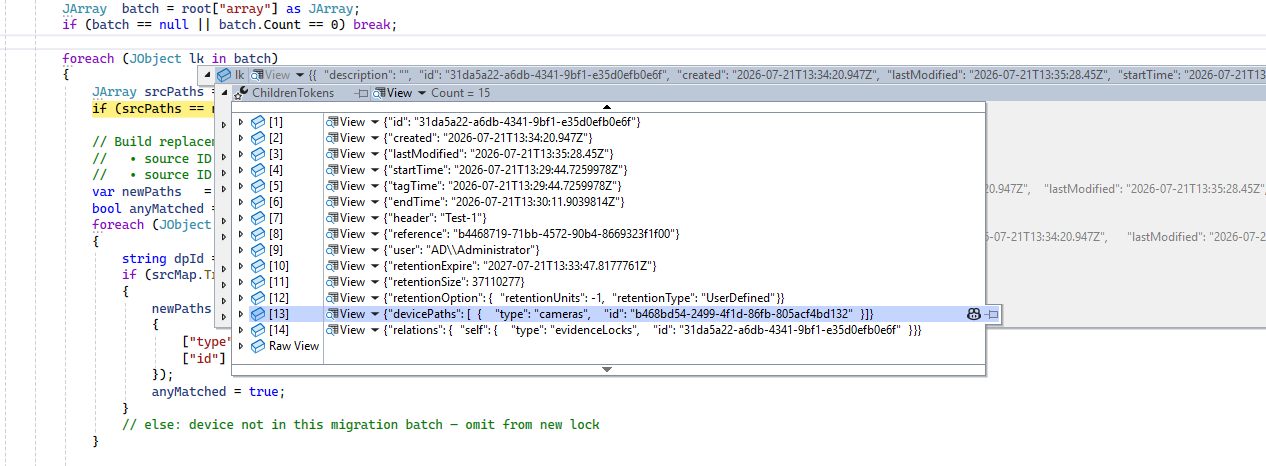
The problem is with Retention Option ie. retentionOption

var createBody = new JObject
{
[“devicePaths”] = newPaths,
[“startTime”] = lk[“startTime”],
[“tagTime”] = lk[“tagTime”],
[“endTime”] = lk[“endTime”],
[“header”] = lk[“header”],
[“reference”] = lk[“reference”],
[“description”] = "[Migrated by XPort] " + origDesc,
[“retentionExpire”] = lk[“retentionExpire”],
[“retentionOption”] = lk[“retentionOption”]
};

var createContent = new StringContent(
createBody.ToString(Newtonsoft.Json.Formatting.None),
System.Text.Encoding.UTF8, “application/json”);

var createResp = dstClient
.PostAsync(createUrl, createContent)
.GetAwaiter().GetResult();

Userdefined /Custom/Infinite with retentionUnits as -1 throws an error

I have reproduced and seen the same behavior. I have asked Milestone Development. It might be we do something wrong or it might be a bug. I will let you know what we find.

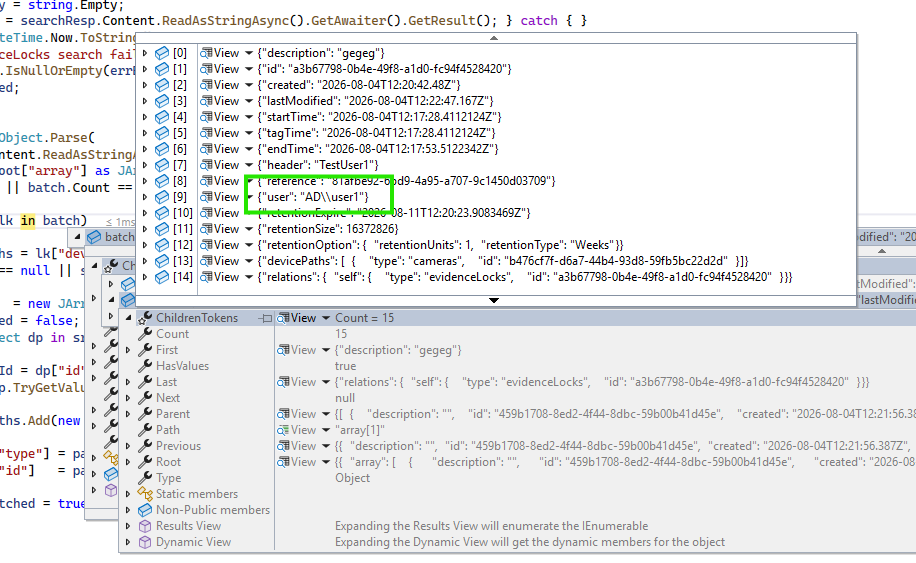
adding to the same even though we pass user in API, its not getting to the user passed instead get added to the API logged in user

We pass ad\user1, but gets added by different user

We have determined, together with Milestone Support and Development, that the user associated with an Evidence Lock should always be the currently logged-in user. Allowing the user to be specified as a parameter when creating Evidence Locks is a mistake. We will correct the documentation accordingly.
Milestone Development developed a fix for the issue with the dates. This is in the form of a patch for the XProtect 2026 R1 Management Server.

Please see - XProtect 2026 R1 cumulative patch installers

https://milestonedownload.blob.core.windows.net/files/Hotfixes/26.1/ManagementServer/Milestone.Hotfix.202608110620.MS.26.1.19310.2906.exe

https://milestonedownload.blob.core.windows.net/files/Hotfixes/26.1/ManagementServer/Milestone.Hotfix.202608110620.MS.26.1.19310.2906.exe.integrity.xml

https://milestonedownload.blob.core.windows.net/files/Hotfixes/26.1/ManagementServer/Milestone.Hotfix.202608110620.MS.26.1.19310.2906.ReleaseNotes.txt