How to format playbackGoTo to start video at a specific time please?

In reference with xpmobile2018R3 web video sample,

Status includes applying ‘videoController’ from ‘requestStreamCallback’ in requestStream() as the videoConnection in playbackGoTo.

Along with time and options defined as:

timestamp = “Fri Jan 11 2019 13:13:12 GMT-0500 (Eastern Standard Time)”;

var playbackTimestamp = new Date(timestamp);

var option = { VideoId:Id,

seekType:“Time”,

Time:playbackTimestamp.getTime()};

XPMobileSDK.playbackGoTo(VideoConnection=videoController,option);

speed=1;

XPMobileSDK.playbackSpeed(videoController, speed);

//PrevFrame

//‘NextSeq’

XPMobileSDK.playbackSeek(videoController,‘DbStart’);

Upon updating from console, functions update ok without error and parameters appear defined ok, however no update in video feed.

I see that updateTime() updates the time in the div for the cam, however not the video. Interested in learning the format of the solution to play forward from playbackGoTo() please.

Thomas

Hi Thomas,

I’m a little bit confused from your question :slight_smile:

In particular two thing are not completely clear to me:

  • Looking at the XPMobileSDK.js file for the definition of the “playbackGoTo” command we can see:
    /**
	 * Sends a ChangeStream command to the server. Goes to the closest possible match of specific time.
	 * 
	 * @method playbackGoTo
	 * @param {VideoConnection} videoConnection - existing VideoConnection object representing a camera stream
	 * @param {Number} millisecondsSinceUnixEpoch - Time of playback speed (in milliseconds since Unix epoch). Valid if SeekType == Time
	 * @param {String} seekType - optional, 'Time' (default), 'TimeOrBefore', 'TimeOrAfter'
	 * @param {Function} successCallback - function that is called when the command execution was successful and the result is passed as a parameter.
	 * @param {Function} errorCallback - function that is called when the command execution has failed and the error is passed as a parameter.
	 * 
	 * @return {ConnectionRequest} - the ConnectionRequest object
	 */
	function playbackGoTo(videoConnection, millisecondsSinceUnixEpoch, seekType, successCallback, errorCallback) {
	    return XPMobileSDK.library.Connection.playbackGoTo(videoConnection, millisecondsSinceUnixEpoch, seekType, successCallback, errorCallback);
	}

There are separate parameters for seekType and the actual time. As the second is in milliseconds since Unix Epoch.

The parameters with which you are calling it are different, so I could presume the command failed. This will explain why image is not changed at all.

I could advice you to subscribe to success and error callbacks for every fired command, at least for debugging purposes.

  • I’m not sure what you want to achieve with your work flow, but sending commands in this order doesn’t really makes sense to me:
XPMobileSDK.playbackGoTo(VideoConnection=videoController,option);
XPMobileSDK.playbackSeek(videoController,'DbStart');

The second command will send the “playback controller” to the beginning of the DB, no matter what you have made before.

Thank you, yes, regarding ‘dbStart’, I was in mid edit and entering different options into seek as to verify an update in current video frame time.

​Is millisecondsSinceUnixEpoch the number of milliseconds between goal playback time and since Unix epoch? Asking as to understand the context of the speed reference in ‘Time of playback speed’ description. In other words does ‘match of specific time’ == ‘millisecondsSinceUnixEpoch’ please?

A bit more context, in a prior solution with editing .cs playback example in component samples, the go to control was updated with a command.

I’ll work through edits in the time format along with callbacks and hopefully check back in with solution to update video to target time and play forward.

Thomas​

Example of functional edits to the component sample playbackUser, which includes passing a variable of specific time, *mentioned in prior message:

  EnvironmentManager.Instance.SendMessage(new VideoOS.Platform.Messaging.Message(

                    MessageId.SmartClient.PlaybackCommand,

                    new PlaybackCommandData() { Command = PlaybackData.Goto, DateTime = line2 }), \_playbackFQID);

    EnvironmentManager.Instance.SendMessage(new VideoOS.Platform.Messaging.Message(

                                MessageId.SmartClient.PlaybackCommand,

                                new PlaybackCommandData() { Command = PlaybackData.Play }), \_playbackFQID);

    FindCamera();

    EnvironmentManager.Instance.SendMessage(new VideoOS.Platform.Messaging.Message(

                  MessageId.SmartClient.PlaybackCommand,

                  new PlaybackCommandData() { Command = PlaybackData.PlayForward, Speed = 1.0 }), \_camera.FQID);

Thomas

Hi Thomas,

As far as this:

“Is millisecondsSinceUnixEpoch the number of milliseconds between goal playback time and since Unix epoch?”

Yes, absolutely correct.

(It is the same if you convert goal playback time into unix time and get total milliseconds).

The first provided JS sample has similar behavior as the last .NET one.

(As close as it could be as JS sample uses Mobile SDK and connection to the Mobile server, but .NET one uses MIP SDK and connection directly to the RS).

Btw are you trying to migrate ActiveX to JS ?

Not migrating active​x to js. I feel there’s value added to scout proof of concept in extending milestone resource through a sync with a process product selection event per timestamp, in line in web app. Mostly a weekend project hobby at the moment. My perspective is a process engineer, in other words not a programmer by trade, however able to navigate through the logic well enough. I will convert the time to the correct units and relay an update of progress some time today.

Thomas​

Checking in, still in progress.

Update,

Recap of events:

Load all the functions in console.

Specifically define ‘videoConnectionObserver’

Send change stream

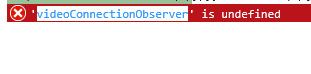
Results in videoConnectionObserver not defined

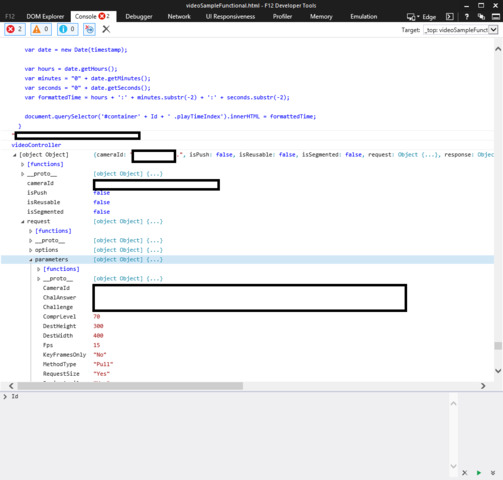
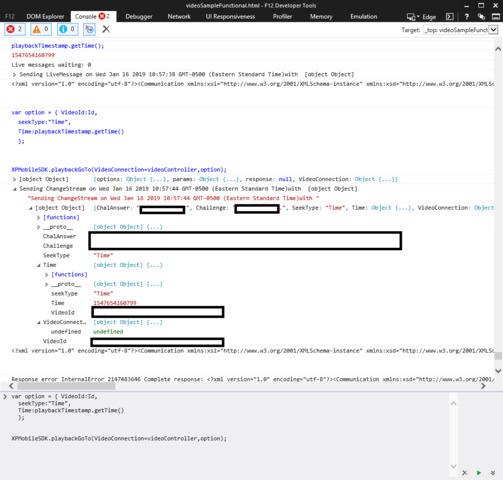
Playbackgoto command change stream specifics in console indicate that ‘videoConnection’ is not defined.

Status of VideoController object assigned to videoConnection appears ok.

Also there are instances of error code 2147483646, which from what i read from the forum is undefined or unknown.

Looking for direction on what to check next please.

videoConnectionObserver is undefined2

Internet describes .getTime() converts to the correct time milliseconds from unix epoch format. Units defined in time in third screen shot.

Thomas

Perhaps does the videoConnection require defining in the json notation, ‘option’ variable described in first post of this thread?

Update:

Per other forum topics on the topic, aiming for the changeMultipleStreams route.

Unfortunately, I’m struggling through the notion of how to format the success callback. For example I see in the .net examples the sending of command.

Also a nonfunctional, in edit, modified example is attached regarding createPlaybackController.

var createPlaybackControllerCallback = function(connectionRequest) {

var connectionResponse = connectionRequest.response;

console.log(connectionRequest.response);

var videoConnection2 = new XPMobileSDK.library.VideoConnection(

connectionResponse.outputParameters.PlaybackControllerId,

connectionRequest,

{

onClose: function () {},

onRestart: function () {},

onPushFailed: function () {}

}

);

var videoConnection = new XPMobileSDK.library.VideoConnection(

connectionResponse.outputParameters.PlaybackControllerId,

connectionRequest,

{

onClose: function () {},

onRestart: function () {},

onPushFailed: function () {}

}

);

callbackAfterRequest(connectionRequest, ‘Error creating playback controller’, function () {

connectionRequest.options.successCallback && connectionRequest.options.successCallback(videoConnection2);

});

};

/**

* Video stream request callback

*/

function requestStreamCallback(videoConnection,connectionRequest) {

XPMobileSDK.createPlaybackController(videoConnection.Id,createPlaybackControllerCallback(connectionRequest));

videoController = videoConnection;

videoConnection.addObserver(videoConnectionObserver);

videoConnection.open();

}

Interested in guidance regarding how to apply createPlaybackController in request stream please. Also more specifically a bit of context as to how the createPlaybackControllerCallback is applied. Or if another solution or method is a good route, regarding updating video to a specific time with a variable please.

Thomas

Hi Thomas,

I’m a little bit confused from all these post.

Lets split your comments on two parts:

  • Did you managed to make playbackGoTo working ?

If no can you attach here a modified sample app ?

(As a zip archive not the code only)

  • Multi-camera playback is something totally different.

It is used to be controlled multiple playback streams simultaneously.

And some aspects of it are slightly different than single camera playback.

Unfortunately we do not have multi-camera playback sample.

Looking the code you’ve provided for the Multi-camera playback - it should be made in different way. I’ll try to draft it:

var videoController;
var videoController2;
 
var createPlaybackControllerCallback = function(connectionRequest) {
    var connectionResponse = connectionRequest.response;
    
    console.log(connectionRequest.response);
    
    XPMobileSDK.requestStream(Id, 
        destination, 
        { playbackControllerId : connectionResponse.outputParameters.PlaybackControllerId}, 
        requestStreamCallback,
        function (error) { }
    );
    
    XPMobileSDK.requestStream(Id2, 
        destination, 
        { playbackControllerId : connectionResponse.outputParameters.PlaybackControllerId}, 
        requestStreamCallback2,
        function (error) { }
    );
};
 
/**
* Video stream request callback 
*/
function requestStreamCallback(videoConnection,connectionRequest) {
    videoController = videoConnection;
    videoConnection.addObserver(videoConnectionObserver);
    videoConnection.open();
  }
  
/**
* Video stream request callback 2
*/
function requestStreamCallback2(videoConnection,connectionRequest) {
    videoController2 = videoConnection;
    videoConnection2.addObserver(videoConnectionObserver);
    videoConnection2.open();
}
  
XPMobileSDK.createPlaybackController({ SeekType : 'DbStart' }, 
    createPlaybackControllerCallback(connectionRequest), 
    function (error) { }
);
 

Attached is the .js to the web sample.

Prior the attachment, I was simply loading all the functions in camera into console after session was loading and experimenting from console.

The attached .js appears to update a div to the specified. Which is progress. Not able to verify what time is active, per the absence of a controller however. Still in progress.

Much appreciated regarding the draft edit regarding multi-playback solution, I’m currently editing with this as template at the moment.

Thomas

Update Petar,

Having a bit of difficulty regarding the ConnectionRequest at the moment.

More specifically, either undefined or PlaybackControllerId not defined in the response.

I will revisit in the morning. I feel a solution is near.

Thomas

Checking in,

Found one solution in updating time from requestStream,

var option = { signal: XPMobileSDK.interfaces.VideoConnectionSignal.playback,

time: playbackTimestamp.getTime()};

streamRequest = XPMobileSDK.requestStream(

    Id, 

parameters,

option,

requestStreamCallback,

null

  );

Still working through the Multi-camera playback and/or the playbackGoTo format.

Regarding ConnectionRequest, found solution through createPlaybackControllerCallback without the parenthesis and input, createPlaybackControllerCallback(connectionRequest).

Also, learned that connectionResponse.parameters.PlaybackControllerId ran without error vs connectionResponse.outputParameters.PlaybackControllerId.

For example,

var createPlaybackControllerCallback = function(connectionRequest) {

var connectionResponse = connectionRequest.response;

console.log(connectionResponse);

XPMobileSDK.requestStream(Id,

destination, 

{ playbackControllerId : connectionResponse.parameters.PlaybackControllerId}, 

requestStreamCallback,

function (error) { }

);

// XPMobileSDK.requestStream(Id2,

// destination, 

// { playbackControllerId : //connectionResponse.outputParameters.PlaybackControllerId}, 

// requestStreamCallback2,

// function (error) { }

// );

};

Next, aiming to move what was learned about moving time into requestStream, into the requestStream that is in createPlaybackControllerCallback and go from there.

Will there be a new controller format on the div when the createControllerPlayback controller runs ok please?

At the moment, interested to learn how to apply the new PlaybackControllerId to update the time.

Thomas

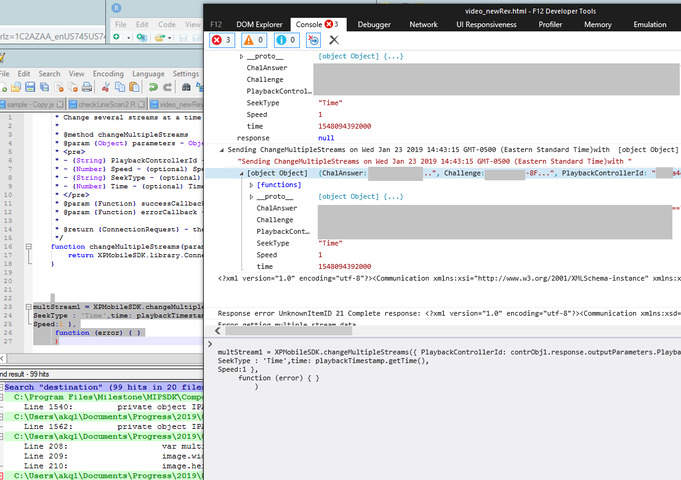
Update, resolving error unknownItemID21 in referencing PlaybackControllerId in changeMultipleStreams,

multStream1 = XPMobileSDK.changeMultipleStreams({ PlaybackControllerId: contrObj1.response.outputParameters.PlaybackControllerId,

SeekType : ‘Time’,time: playbackTimestamp.getTime(),

Speed:1 },

function (error) { }

)

Error getting multiple stream data

Thomas

posted a file.

where contrObj1 = XPMobileSDK.createPlaybackController({ SeekType : ‘Time’,time: playbackTimestamp.getTime() },

createPlaybackControllerCallback,

function (error) { }

)

Update,

Notes after some more troubleshooting:

The following is placed just prior the first match of document.getElementById(‘container’ in the function Camera(event).

timestamp = “Fri Jan 21 2019 13:13:12 GMT-0500 (Eastern Standard Time)”;

var playbackTimestamp = new Date(timestamp);

function requestStreamCallback(videoConnection) {

videoController = videoConnection;

videoConnection.addObserver(videoConnectionObserver);

videoConnection.open();

}

var destination = { width: 400, height: 300 };

var createPlaybackControllerCallback = function(connectionRequest) {

console.log(connectionRequest);

var connectionResponse = connectionRequest.response;

console.log(“connection response”);

console.log(“connection response”);

XPMobileSDK.requestStream(Id,

destination,

{ playbackControllerId : connectionResponse.parameters.PlaybackControllerId},

requestStreamCallback,

function (error) { }

);

};

contrObj1 = XPMobileSDK.createPlaybackController({ SeekType : ‘NextFrame’ },

createPlaybackControllerCallback

//function (error) { }

);

console.log(contrObj1 );

with the following commented out:

timestamp = “Fri Jan 21 2019 11:13:12 GMT-0500 (Eastern Standard Time)”;

var playbackTimestamp2 = new Date(timestamp);

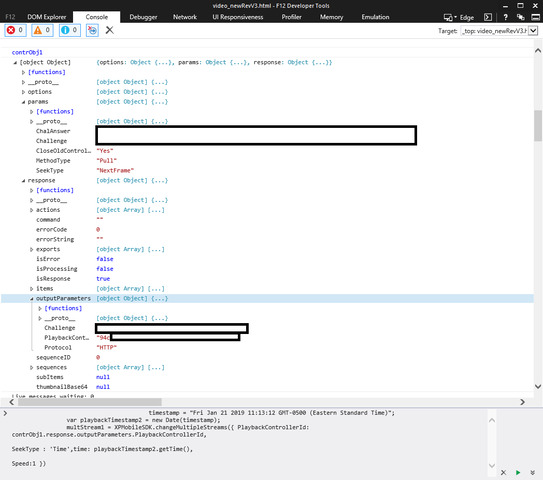
multStream1 = XPMobileSDK.changeMultipleStreams({ PlaybackControllerId: contrObj1.response.outputParameters.PlaybackControllerId,

SeekType : ‘Time’,time: playbackTimestamp2.getTime(),Speed:1 })

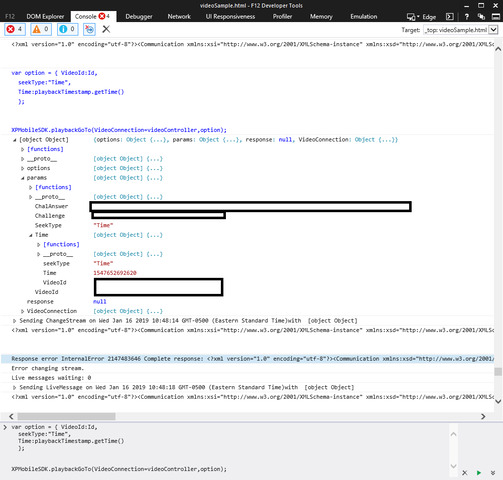
Attached images are the result of running the above changeMultipleStreams in console.

Is there a solution regarding referencing changeMultipleStreams with PlaybackController id to update video to time please?

Thomas