I am trying the VpsSamples on windows and receiving { "Error. Did not find the VPS driver with index 20002"}

I followed the step by step instruction found in C:/Program Files/Milestone/MIPSDK/VpsSamples/Docs/README.html.

After selecting the camera from the video processing service management client plugin and setting the vps service url to : http://localhost:5000/gstreamer/pipelines/vpsboundingboxes (http://localhost:5000 as set in appsettings.Development.json).

When i click create, i am receiving Error. Did not find the VPS driver with index 20002.

Hi Gaby,

Can you confirm that on the recording server where you are creating the VPS device that you have the following file:

[C:\Program](file:C:/Program) Files\Milestone\XProtect Recording Server\Drivers\VideoOS.IO.Drivers.VpsDriver.dll

The error text you mentioned specifically relates to the VpsDriver not being found. If it is there could you let us know what the version number is please.

regards

Simon

Hello Simon,

The vps driver file exist in the mentioned directory.

I am using Xprotect Management Client 2019 R2

version : 13.2a

build: 653

might this be the issue, i did not update to Xprotect Management Client 2020 R1 yet.

best regards,

Gaby

Hi Gaby,

From talking to colleagues, it is recommended that you use 2020 R1, which is the official product release for VPS, this should eliminate unknowns.

regards

Simon

Hello Simon,

i installed Xprotect Management Client 2020 R1, i added the video processing service and i ran the vps sever after following the accompanied documentation.

when i add a camera from the video processing service plugin ,i receive an error in the service console:

An unhandled exception was thrown by the application. System.DllNotFoundException: Unable to load DLL ‘vps2gstreamer.dll’ or one of its dependencies: The specified module could not be found. (Exception from HRESULT: 0x8007007E)

i installed Gstreamer as descriped in the document .

any insight on this.

best regards,

Gaby

Hi Gaby,

Just spoken to a colleague who is far more knowledgeable in this who states:

A good way of checking if the path is set up correctly is to try GStreamer’s inspect command like for example

gst-inspect-1.0 AppSrc

If that does not work, the problem is GST_PLUGIN_PATH. If it works the problem is that a ‘helper’ DLL is not in the Windows Path.

regards

Simon

Hello Simon,

I resumed working on this project and i am still facing the same problem.

An unhandled exception was thrown by the application. System.DllNotFoundException: Unable to load DLL ‘vps2gstreamer.dll’ or one of its dependencies: The specified module could not be found. (Exception from HRESULT: 0x8007007E)

i verified that gstreamer is working correctly by using :

gst-launch-1.0 playbin uri=file:///C:/Video/Day.avi

vps2gstreamer > properties > c/c++/general > additional include directories are pointing to the correct gstreamer path.

What can i do from this point to help identify the issue?

best regards,

Gaby

Hi Gaby,

I have spoken to a colleague who stated that the vps2gstreamer dll is not loaded by GStreamer. It follows normal rules for loading of DLLs. If the Path environment variable includes the directory in which vps2gstreamer.dll is located, the problem should be solved.

Are you able to verify that the path to vps2gstreamer.dll is included in the path environment?

regards

Simon

Hello Simon,

i don’t know if this is what i am supposed to look for.

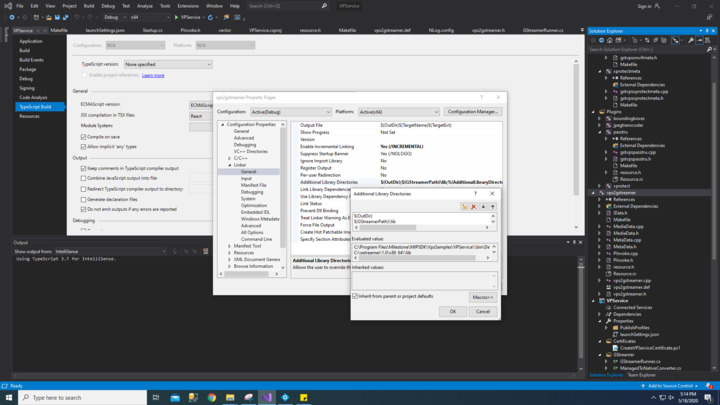
i attached a photo of the vps2gstreamer linker additional library directory.

When i build the vps service project the output files are being generated in two directories.

Directory 1:

[C:\Program](file:C:/Program) Files\Milestone\MIPSDK\VpsSamples\VPService\VPService\bin\x64\Debug\publish

Directory 2:

[C:\Program](file:C:/Program) Files\Milestone\MIPSDK\VpsSamples\VPService\bin\Debug\win-x64

The vps2gstreamer.dll is located at:

[C:\Program](file:C:/Program) Files\Milestone\MIPSDK\VpsSamples\VPService\bin\Debug

what can i do from this point?

best regards,

Gaby

Hi Gaby,

I am not sure why it outputs to different directories for you. All the projects in the solution should output to the same directory:

[C:\Program Files\Milestone\MIPSDK\VpsSamples\VPService\bin\Debug.](file:C:/Program%C2%A0Files/Milestone/MIPSDK/VpsSamples/VPService/bin/Debug.)

However it sounds to me like your problem is some dependency within the vps2gstreamer.dll and not the dll itself. Could you try and run the vps2gstreamer.dll through dependency walker (https://www.dependencywalker.com/) and post the output?

Hello Kristine,

i received the bellow error in the output:

Error: At least one required implicit or forwarded dependency was not found.

Warning: At least one delay-load dependency module was not found.

i attached the dependency walker log file.

best regards,

Gaby

Hi Gaby. I am the colleague Simon referred to. I will try to help you. But I will first of all try walk through the basics:

The vpservice.dll is loaded by Microsoft .Net Core when you execute the command “dotnet vpservice.dll”, that seems to work.

The vpservice then listens on the network for a connection from XProtect.

When that connection comes in, vpservice tries to load vps2gstreamer.dll following normal loading rules for DLLs

On Windows, this means vps2gstreamer.dll must be in the current directory or in the “Path” environment variable.

vps2gstreamer.dll depends on being able to load GStreamer-1.0-0, GObject-2.0-0 and GLib-2.0-0 dlls as you can see i your DWI file. So you will also need your Path env var to include the directory where those DLLs reside on your computer.

When you have gotten that far, GStreamer-1.0-0.dll internally loads its individual plugin DLLs in a different manner:

The env var called GST_PLUGIN_PATH must point to where the GStreamer plugin dlls are located.

That is used for example when running gst-inspect-1.0.exe, but is also needed with VPS.

So all in all:

If you can run gst-inspect successfuly on for example AppSink you can run GStreamer plugins

If you can run gst-inspect successfully on for example vpspasstru, you can run Milestone VPS plugins

If additionally the four DLLs mentioned above are in a directory included in your Path, you should be able to execute the vpspasstru pipeline from the VPservice.

Lastly there are some of the Milestone VPS plugins which require additional utility DLLs, which must also be in the path

Hope this helps you getting further

Christen Carle

Dear Christen,

The GST_PLUGIN_PATH is pointing where the GStreamer plugin dlls are located.

i ran gst-inspect and attached and i got the result below:

[C:\gstreamer\1.0\x86_64\bin](file:C:/gstreamer/1.0/x86_64/bin)>gst-inspect-1.0 “[C:\Program](file:C:/Program) Files\Milestone\MIPSDK\VpsSamples\VPService\bin\Debug\gstvpspasstru.dll”

Plugin Details:

Name vpspasstru

Description Passes video frames through untouched

Filename [C:\Program](file:C:/Program) Files\Milestone\MIPSDK\VpsSamples\VPService\bin\Debug\gstvpspasstru.dll

Version 1.0

License LGPL

Source module gst-vps-test

Binary package VPS Gstreamer test plugin package

Origin URL Milestone Systems

vpspasstru: vpspasstru

1 features:

±- 1 elements

[C:\gstreamer\1.0\x86_64\bin](file:C:/gstreamer/1.0/x86_64/bin)>gst-inspect-1.0 “[C:\Program](file:C:/Program) Files\Milestone\MIPSDK\VpsSamples\VPService\bin\Debug\gstvpsjpegtranscoder.dll”

Plugin Details:

Name vpsjpegtranscoder

Description Transcodes H.264 encoded video coming from an XProtect system into JPEG frames ready for use in an XProtect system.

Filename [C:\Program](file:C:/Program) Files\Milestone\MIPSDK\VpsSamples\VPService\bin\Debug\gstvpsjpegtranscoder.dll

Version 1.0

License LGPL

Source module gst-vps-test

Binary package VPS Gstreamer test plugin package

Origin URL Milestone Systems

vpsjpegtranscoder: vpsjpegtranscoder

1 features:

±- 1 elements

[C:\gstreamer\1.0\x86_64\bin](file:C:/gstreamer/1.0/x86_64/bin)>gst-inspect-1.0 “[C:\Program](file:C:/Program) Files\Milestone\MIPSDK\VpsSamples\VPService\bin\Debug\gstvpsboundingboxes.dll”

(gst-inspect-1.0:8328): GStreamer-WARNING **: 16:58:33.899: Failed to load plugin ‘[C:\Program](file:C:/Program) Files\Milestone\MIPSDK\VpsSamples\VPService\bin\Debug\gstvpsboundingboxes.dll’: ‘[C:\Program](file:C:/Program) Files\Milestone\MIPSDK\VpsSamples\VPService\bin\Debug\gstvpsboundingboxes.dll’: The specified module could not be found.

Could not load plugin file: Opening module failed: ‘[C:\Program](file:C:/Program) Files\Milestone\MIPSDK\VpsSamples\VPService\bin\Debug\gstvpsboundingboxes.dll’: The specified module could not be found.

[C:\gstreamer\1.0\x86_64\bin](file:C:/gstreamer/1.0/x86_64/bin)>gst-inspect-1.0 “[C:\Program](file:C:/Program) Files\Milestone\MIPSDK\VpsSamples\VPService\bin\Debug\vps2gstreamer.dll”

(gst-inspect-1.0:13192): GStreamer-WARNING **: 17:01:18.908: Failed to load plugin ‘[C:\Program](file:C:/Program) Files\Milestone\MIPSDK\VpsSamples\VPService\bin\Debug\vps2gstreamer.dll’: ‘[C:\Program](file:C:/Program) Files\Milestone\MIPSDK\VpsSamples\VPService\bin\Debug\vps2gstreamer.dll’: The specified module could not be found.

Could not load plugin file: Opening module failed: ‘[C:\Program](file:C:/Program) Files\Milestone\MIPSDK\VpsSamples\VPService\bin\Debug\vps2gstreamer.dll’: The specified module could not be found.

can we scheduled for a remote session to solve this issue if possible?

best regards,

Gaby Awad

Hi Gaby

I can see that you can run gst-inspect on two of the Milestone VPS GStreamer-style plug-ins, but not on the third one. I will try come back to that problem later. But first I will explain that vps2gstreamer.dll is not a GStreamer-style plugin, so it is expected that you can’t execute it using gst-inspect. The vps2gstreamer dll will be loaded the you start the your VPService and have your XProtect VMS connect to it. You shall make sure you have read the file VpsSamples/Docs/README.md which sits in the official MIP SDK. This file contains tested detail instructions step by step how to get the VPService up running on Windows as well as Linux. If any of the steps mentioned in that document fail for you, you are welcome to report that here.

Scanning the entire post I can see that the original problem is that you have a problem loading vps2gstreamer. That original problem, I expect to be caused by trying to start the VPService, though I don’t se that explicitly stated anywhere. Please indicate that the original problem is caused by following steps mentioned in the README.md file.

Hi Gaby

I just re-checked the MIP-SDK’s VpsSamples directory structure. All the precompiled Milestone VPS GStreamer-style plug-in dlls and their helper dlls are located in [C:\Program](file:C:/Program) Files\Milestone\MIPSDK\VpsSamples\Bin\VPService (on my computer). So that directory (the corresponding one on your computer) you must have added to your Windows Path environment variable, if you want to use the default setup from our side. If the REAME.md file does not explain that well enough, I will be happy to receive your comments.

Best Regards, Christen Carle

Hello Christen,

I have Gstreamer already installed.

In the Windows Path environment variables i have :

GSTREAMER_1_0_ROOT_X86_64: [C:\gstreamer\1.0\x86_64](file:C:/gstreamer/1.0/x86_64)

i tried to run the precompiled dlls found in :

[C:\Program Files\Milestone\MIPSDK\VpsSamples\Bin\VPService](file:C:/Program%C2%A0Files/Milestone/MIPSDK/VpsSamples/Bin/VPService)

I used the below commands to run the sample:

set GST_DEBUG=2

set GST_PLUGIN_PATH=[C:\Program](file:C:/Program) Files\Milestone\MIPSDK\VpsSamples\Bin\VPService

dotnet VPService.dll

Error:

An unhandled exception was thrown by the application. Unable to load DLL ‘vps2gstreamer.dll’ or one of its dependencies: The specified module could not be found. (Exception from HRESULT: 0x8007007E)

Do i need to copy any files to the mentioned sample destination?

Am i missing any step or should i be able to run the sample directly at this stage?

i also tried adding a Windows Path environment variable

GST_PLUGIN_PATH: [C:\Program](file:C:/Program) Files\Milestone\MIPSDK\VpsSamples\Bin\VPService

and still having the same issue.

best regards,

Gaby Awad

Hi Gaby

I have made a copy of the Vpssamples directory. I open a terminal and I go to the Bin/VPService directory. I type “dotnet VPService.dll” and hit enter. Then, at least for me, the service starts up and produces a good deal of output on the console. I do not get any missing DLLs, most likely because I do not connect from any VMS to my service. You should be able to reproduce that. Can you? If you have already defined VPS cameras in your VMS which are trying to connect, please disable those temporarily.

Assumming you can start VPService and see the log in the console, we can go to next step. The log will look like this (there may be some warnings first)

14:31:53 Using built-in logging definitions. File NLog.config not found.

14:31:53 00000000-0000-0000-0000-000000000000 Main - VPService starting…

14:31:53 User profile is available. Using ‘[C:\Users\cca\AppData\Local\ASP.NET\DataProtection-Keys’](file:C:/Users/cca/AppData/Local/ASP.NET/DataProtection-Keys’) as key repository and Windows DPAPI to encrypt keys at rest.

Hosting environment: Production

Content root path: [C:\Program](file:C:/Program) Files\Milestone\MIPSDK\VpsSamples\Bin\VPService

Now listening on: http://0.0.0.0:5000

Application started. Press Ctrl+C to shut down.

Next step is when a VMS connects with video to be processed. Then vps2gstreamer.dll should be loaded and will also load more DLLs which it is dependent on. If your first attempt is to have 1 VPS camera enabled and its URL is http://address:5000/gstreamer/plugins/vpspasstru, you are sure that all our DLLs exist in the current directory. Then the only thing you will need to make sure in addition is that the PATH variable which you are using includes the GStreamer bin directory, so vps2gstreamer.dll can find those.

If you are still in trouble after this, you must include the value of your PATH environment variable and also a directory listing of the GStreamer bin directory, having checked that that directory is in your PATH.

Hope this helps, Christen

And BTW: We are using .Net Core 2.1 in order to be cross-platform. Do you have that installed on your computer?

Hello Christen,

when i start the service i get the below:

[C:\Program](file:C:/Program) Files\Milestone\MIPSDK\VpsSamples\Bin\VPService>dotnet VPService.dll

16:09:15 Using built-in logging definitions. File NLog.config not found.

16:09:15 00000000-0000-0000-0000-000000000000 Main - VPService starting…

16:09:16 User profile is available. Using ‘[C:\Users\admin\AppData\Local\ASP.NET\DataProtection-Keys’](file:C:/Users/admin/AppData/Local/ASP.NET/DataProtection-Keys’) as key repository and Windows DPAPI to encrypt keys at rest.

Hosting environment: Production

Content root path: [C:\Program](file:C:/Program) Files\Milestone\MIPSDK\VpsSamples\Bin\VPService

Now listening on: http://0.0.0.0:5000

Application started. Press Ctrl+C to shut down.

When i add a camera from video processing service plugin i get the error mentioned previously:

16:12:08 Request starting HTTP/1.1 GET http://localhost:5000/gstreamer/pipelines/vpspasstru

16:12:09 Connection id “0HM027U7O0P0Q”, Request id “0HM027U7O0P0Q:00000001”: An unhandled exception was thrown by the application. Unable to load DLL ‘vps2gstreamer.dll’ or one of its dependencies: The specified module could not be found. (Exception from HRESULT: 0x8007007E)

dotnet --list-runtimes :

Microsoft.AspNetCore.All 2.1.11 [[C:\Program](file:C:/Program) Files\dotnet\shared\Microsoft.AspNetCore.All]

Microsoft.AspNetCore.All 2.1.15 [[C:\Program](file:C:/Program) Files\dotnet\shared\Microsoft.AspNetCore.All]

Microsoft.AspNetCore.All 2.2.3 [[C:\Program](file:C:/Program) Files\dotnet\shared\Microsoft.AspNetCore.All]

Microsoft.AspNetCore.App 2.1.11 [[C:\Program](file:C:/Program) Files\dotnet\shared\Microsoft.AspNetCore.App]

Microsoft.AspNetCore.App 2.1.15 [[C:\Program](file:C:/Program) Files\dotnet\shared\Microsoft.AspNetCore.App]

Microsoft.AspNetCore.App 2.2.3 [[C:\Program](file:C:/Program) Files\dotnet\shared\Microsoft.AspNetCore.App]

Microsoft.AspNetCore.App 3.1.1 [[C:\Program](file:C:/Program) Files\dotnet\shared\Microsoft.AspNetCore.App]

Microsoft.NETCore.App 2.1.11 [[C:\Program](file:C:/Program) Files\dotnet\shared\Microsoft.NETCore.App]

Microsoft.NETCore.App 2.1.15 [[C:\Program](file:C:/Program) Files\dotnet\shared\Microsoft.NETCore.App]

Microsoft.NETCore.App 2.2.3 [[C:\Program](file:C:/Program) Files\dotnet\shared\Microsoft.NETCore.App]

Microsoft.NETCore.App 3.1.1 [[C:\Program](file:C:/Program) Files\dotnet\shared\Microsoft.NETCore.App]

Microsoft.WindowsDesktop.App 3.1.1 [[C:\Program](file:C:/Program) Files\dotnet\shared\Microsoft.WindowsDesktop.App]

dotnet --list-sdks:

2.1.700 [[C:\Program](file:C:/Program) Files\dotnet\sdk]

3.1.101 [[C:\Program](file:C:/Program) Files\dotnet\sdk]

i attached a screenshot of the environment variables.

Do i need to add anything here?

What can i do from here?

best regards,

Gaby Awad
Hi Gaby

Thanks for your patience. Now I am sure we are on the same page, so lets continue step by step from there. Since you are starting “dotnet vpservice.dll” from a directory where vps2gstreamer.dll is present, it is excluded that this exact same dll is missing. It must then be a dll of which vps2gstreamer is dependent.

The primary dependencies for vps2gstreamer.dll are GStreamer-1.0-0.dll, GObject-2.0-0.dll and Glib-2.0-0.dll. On my computer, these exist in [D:\gstreamer\1.0\x86_64\bin](file:D:/gstreamer/1.0/x86_64/bin) and I have set up my environment variable named “Path” to include [D:\gstreamer\1.0\x86_64\bin.](file:D:/gstreamer/1.0/x86_64/bin.) That will, I believe, at least on my computer make the vps2gstreamer load those three dlls. So next step is to verify that your Path includes the directory where such three dlls exist. But I guess you have been through that already, so it should not require much work to make 101% sure.

In our morning meeting today, Bent, our tester, added a possibility where the Path is right and the files are in place, but your symptoms will occur anyway. GStreamer releases its code compiled for Windows with different compilers. We use the MSVC one, because we always use Visual Studio. That GStreamer installation is made available as gstreamer-1.0-devel-msvc-x86_64-1.16.2.msi. If you installed GStreamer compiled with another compiler, it would not work, symptoms wouldbe like you describe.

It may be me who is blind or does not know how to operate this forum, but I cant find any screenshot in your latest post. If you still have problems after this mail, please paste in a screenshot of vps2gstreamer.dll (from the Bin/VPService dir) dropped onto depends.exe, the console output from typing “path” and from typing “dir xxx\bin”, where xxx is where you have installed GStreamer.

I have studied the .DWI file you posted earlier, but on my computer it reports that the DLLs located at some directory on C: (which is not where I have them, but probably where you have them) are missing. Obviously shipping .DWI files is not helpful. I didn’t even know they existed. Lets go for a screenshot this time.

If your machine is set up in a special manner, you may want to study Microsoft’s advice on where DLLs are loaded from: https://docs.microsoft.com/en-us/windows/win32/dlls/dynamic-link-library-search-order. But my guess for now is that that the problem is simpler than that.