I can't send event with AnalyticsEventTriggerViaLibrary

I’m try to send events from my machine to the Milestone XProtect Server. I made all configuration explained in the documentation.

  • Create a Analytics Event (MyAnalyticsEvent01)
  • Create Alarm Definitions (MyAnalyticsEvent01)

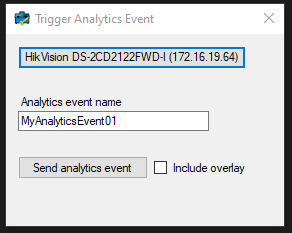
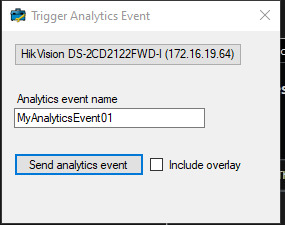
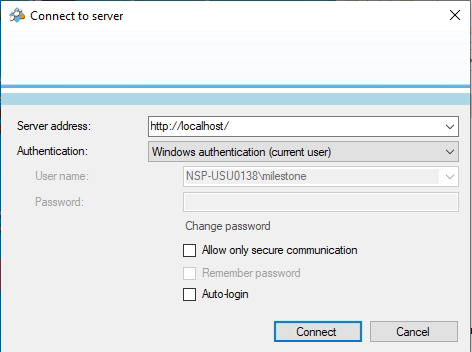
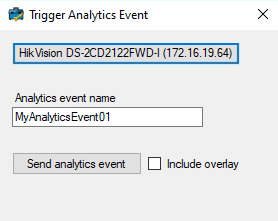
I’m using the AnalyticsEventTriggerViaLibrary.csproj without any modification, I only download and use the solution in “src” folder, apparently the connection gone correct because the follow pop up appears, and I can select the camera for event source.

Didi you guys image why the event don’t arrive as a alarm?

Att…

João Pedro

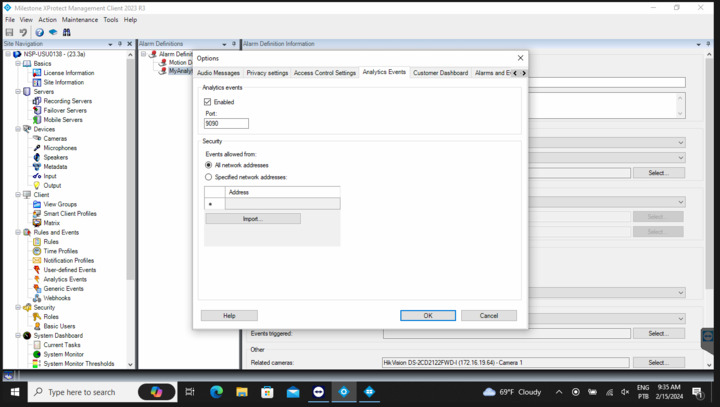
Can you please check if Analytics Events setting is enabled in Management client?

Start Management Client – Tools – Options and select Analytics Events tab.

Please check if the Enabled checkbox is on.

Analyticsevents setting in MC

Hello RIe, how are you?

Before you send the message to me the Analytics Events didn’t be enable. Now It’s enabled but I can’t get yet the alarms in the XProtect Smart Client.

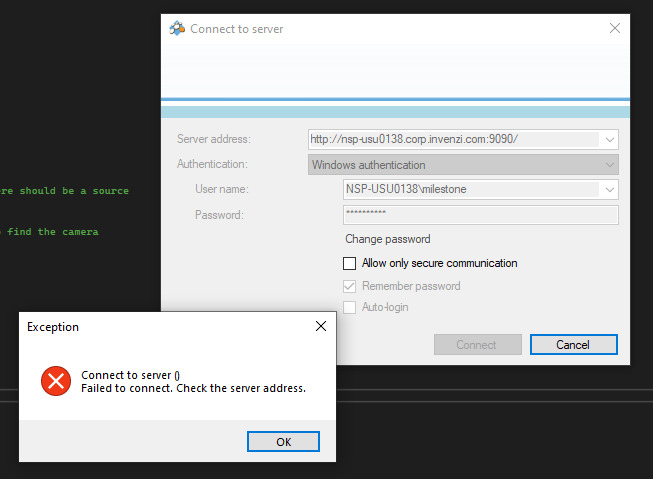
This port indicated in the window 9090, apparently is to receive the requisition of the Analytic Event, but I don’t know where I set that in the AnalyticsEventTriggerViaLibrary.csproj. I tried to make the connection with the server and this port but failed.

This port needs to be configured in another place in the code?

Att…

João Pedro

Hello guys! How are you?

Can you help me with this issue? I just want to send an alarm from my computer to Milestone server in other machine, is it possible?

I disable the firewall of both sides, any restrictions I cut off, but the alarm don’t arrive in Milestone. Is anything that I’m not consider and is it necessary?

Att…

João Pedro

I am very sorry for delayed reply. Let’s focus on one by one, so first step is events. Please see following instructions.

Start Smart Client and go to Alarm Manager tab.

Click setup. Click the bottom alarm list.

Go to left pane, you will see Properties and please select Event.

Click Setup and escape from the setup mode.

Triger Analytics events.

Please verify that you can see the events on Smart Client.

Hello Rie, how are you?

Appereantely my Smart Client don’t appear the properties as you mentioned.

The version of the software is XProtect Expert 2023 R3 Trial.

Did you know why I don’t have these properties?

Att…

In the image that you sent us shows me that you select the map. Please read the previous comment from us.

> Start Smart Client and go to Alarm Manager tab.

> Click setup. Click the bottom alarm list.

You need to select the list in order to see the property, please see below image and can you please try it out?

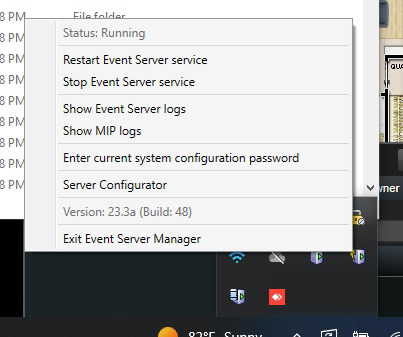
Two more thing, can you please verify that Event server is working fine?

If you can verify it, please also check if Test event works.

How to check TestEvent -

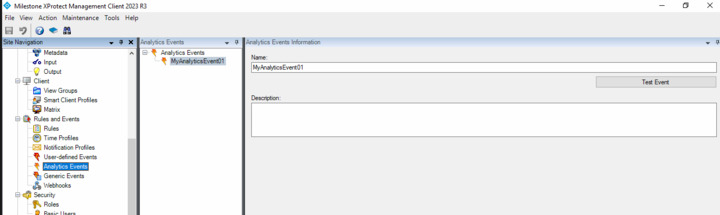
Start Management Client and go to Analytics Event.

Select the analytics event that you had created “MyAnalyticsEvent01” and click TestEvent.

Start SmartClient and go to Alarm Manager tab. You will see the event in the event list.

If you don’t see any event on the list, please try the AnalyticsEvent with another camera.

Hello Rie, how are you? Sorry for my mistake, I don’t consider to click in AlarmList.

Now appears another problem. When I click in setup this error pops up.

I can’t see the details, because when I try to click there the Smart Client closes.

Did you imagine why this could happen?

Att…

João Pedro

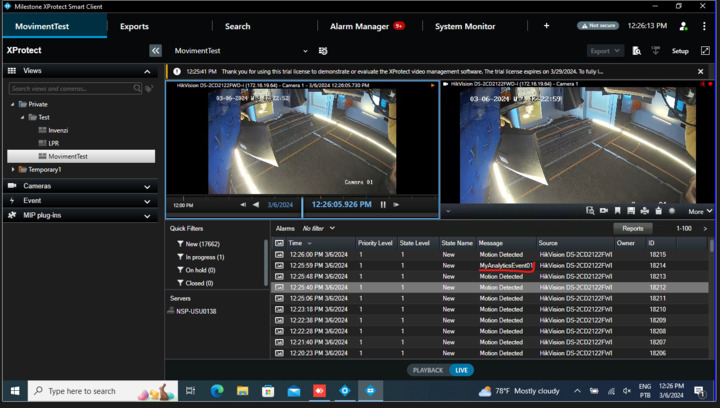
Replying your question, when I test the AnalyticEvent by the Management Client the event appears in the list as you can see

Att…

João Pedro

Good to hear that you could receive the event from the test event. According to your picture, I can only see your alarm list, but this shows me that you got an alarm from the test event. So the test event worked fine.

I am not sure about the error, but I am assuming if your plugin(s) may cause the error. So, can you please disable all plugins and see what happens? (Because just a plain Smart Client should work without the error).

After disabling all plugins, please keep the plain Smart Client and run “Analytics Event Trigger via library” sample.

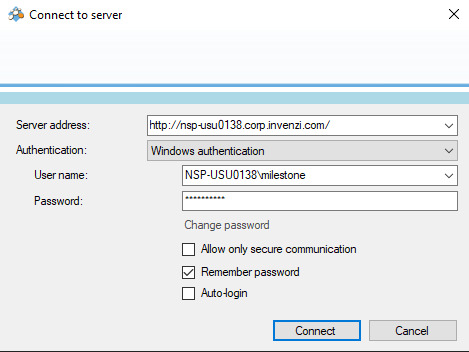
When you start the sample, you will login (on the sample’s login dialog), but please make sure NOT to put the port number (9090) in the server address, because the login is connecting to Management server.

Also, please make sure to use the same user as you tested with the test event on Management Client.

Then trigger AnalyticsEvent and then, please verify to see the event on the Smart Client on the event list.

Hello Rie, how are you?

After disable all plugins that I’m using in Milestone the error when I open the Alarm Manager stops.

So I try to send again the event but I don’t have success.

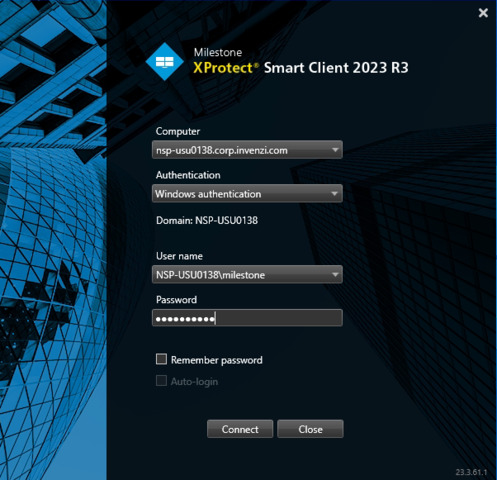
I’m using the Windows authentication to make the connections:

I try to send the trigger event indicating the camera enrolled in the management client

But don’t be listed in the Event List in Alarm Manager only appears the Event Trigger by the Management Client

image

Att…

João Pedro

What was this event? Where did it come from?

Analyticsevents setting in SC3 Also one more thing, can you please add this user to Administrator group in Management Client?

One more thing, can you please run the sample from the same machine as the management client?

This Event was generate by the trigger “Test Event” in Management Client as you said to me to test.

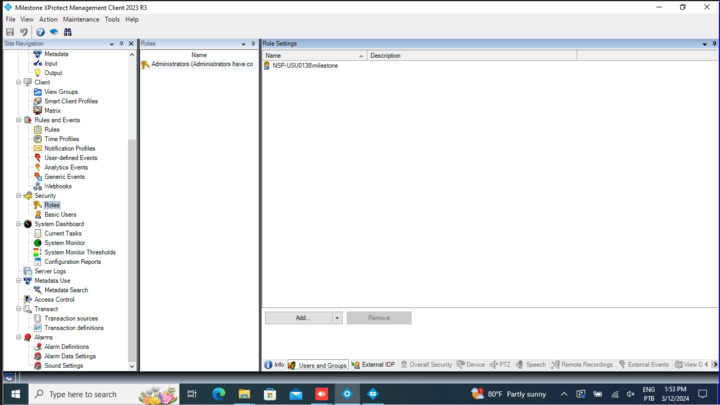
The user already was in the Administrator Group, as you can see in the image below

I try to use the sample in the Milestone Server, but I don’t have Success.

Thesse MyAnalyticsEvent01 are generated by trigger in Management Client, only to you know.

Behind I attach a Wireshark file to you see the error occuring.

Hello Rie, how are you?

I make more tests, and I try to track the information leaving my machine and arriving in the milestone server. So, for that I used the Wireshark and I find a HTTP/1.1 500 Internal Server Error.

I’m attaching the milestone log for you see the packaging information transiting, for you to know my machine is the IP 172.16.18.70 and the milestone server has the IP 172.16.18.43.
Did you imagine why this error could be happen?

Att…

João Pedro

This is very strange issue… Can we get one step back? Can you please check MIP logs?

MIP logs are here in this path - [C:\ProgramData\Milestone\MIPSDK](file:C:/ProgramData/Milestone/MIPSDK)

Event server MIP logs are located here - [C:\ProgramData\Milestone\XProtect](file:C:/ProgramData/Milestone/XProtect) Event Server\logs\MIPLogs

Any errors or something when you trigger the analytics events from the sample?

Also, let me clarify, which version of MIP SDK you are using?

Hello Rie,

Apparently both logs are in the …\Milestone\XProtect Event Server\logs:

I get these logs clicking with the right button of the mouse in the icon service XPRotect Event Server:

But I don’t have the logs referenced to my test today. I’m Attaching the last two logs availabe.

Is there another configuration to enable more logs?

Att…

João Pedro

posted a file.

Are you using the Milestone Systems.VideoOS.Platform.SDK 23.3.1 version?

I had the same problem.

After downgrade the Milestone Systems.VideoOS.Platform.SDK version to 23.2.1, the issue has been resolved.

Hello Kim, how are?

Thanks so much for this information.

Now the AnalyticsEventTriggerViaLibrary is working with the version 23.2.1!!

Att…

João Pedro